
Vandaag of morgen in huis

Kwaliteit gegarandeerd

Welkomstaanbiedingen ontgrendelen: GRATIS bezorging | Tot 80% korting | Gratis 30 dagen JoyPlus-proefperiode
Download de app
Buying a gaming laptop might seem straightforward until you start comparing the specifications side by side. A high refresh rate, a powerful RTX graphics card and a large number of processor cores all sound appealing, but they don't tell you everything about the day-to-day experience. Practical factors such as weight, storage capacity, screen type and the included charger also determine whether a laptop is right for you.
Pay particular attention to these common pitfalls:
The graphics card largely determines how well a gaming laptop handles modern games, ray tracing, 3D software and video editing. A laptop with an RTX 5060 is a practical choice for users who want to play modern games without jumping straight to a more powerful configuration. A laptop with an RTX 5070 offers more graphical power on paper, but always check the stated TGP.
Also look at the video memory. Models in this selection feature, for example, 8GB GDDR7 or 8GB of video memory. This can be useful at higher resolutions and for graphically intensive applications, but performance still depends on settings, drivers, cooling and the specific laptop design.
A laptop with an RTX 4070, such as some ASUS ROG models, can also be interesting if the combination of screen, processor and price matches your requirements. So don't just compare the GPU model number.
For gaming, streaming and multitasking, a powerful processor is important. Models with AMD Ryzen 7, Ryzen 9, Intel Core 7 or Intel Core Ultra processors are aimed at heavier workloads. For everyday use and most games, 16GB of RAM is a good starting point. Content creators working with large video projects, virtual machines or many applications at once may benefit from expandable memory.
Pay attention to the difference between expandable RAM and memory that is soldered onto the motherboard. On the ASUS ROG Zephyrus G14, for example, the 16GB LPDDR5X is onboard and cannot be upgraded. The Lenovo Legion 5 models, on the other hand, have two SO-DIMM slots and, according to the product specifications, support expansion up to 32GB.
A laptop with a 1TB SSD gives you more room for games, projects and media than a model with 512GB. An SSD ensures fast boot and load times, but the usable capacity is always lower than the stated storage due to Windows and system software.
A 16-inch gaming laptop often offers a good balance between workspace and portability. A 17-inch gaming laptop or 18-inch model is attractive if you mainly play at a desk, but such models are usually heavier.
A 144Hz screen makes fast movements smoother than a standard 60Hz panel. A 240Hz screen is especially interesting for competitive gamers and users who can take advantage of high frame rates. Resolution remains important here: a WQXGA or QHD screen shows more detail, but also demands more from the graphics card.
Also check whether the screen is IPS, OLED or IPS-level, whether it has a matte finish, and what brightness and colour coverage are stated. For video editing and colour-sensitive work, things like 100% DCI-P3 or 100% sRGB are relevant; the actual experience also depends on calibration and software.
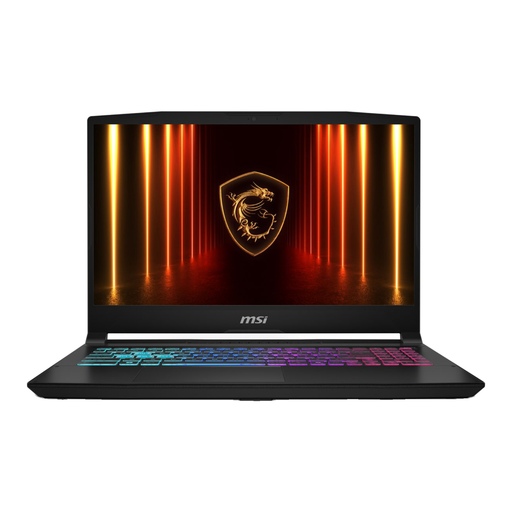
Why this fits the profile: A 15.6-inch Full HD laptop with an RTX 5060, 16GB DDR5 and a 144Hz screen for those who want to game and study without choosing a larger 17-inch model.
The combination of 16GB RAM, a dedicated GPU and a 512GB SSD means you won't need an immediate upgrade for basic use. Do check the charger, as according to the product information it must be purchased separately.
RTX 5060 with 8GB GDDR7, 16GB DDR5, 144Hz IPS screen and expandable memory according to the product specifications.
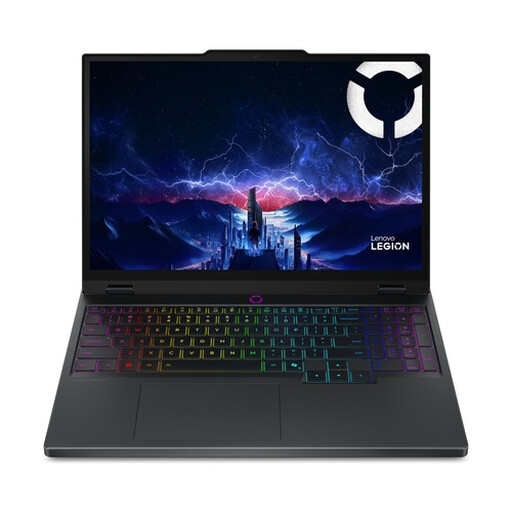
Why this fits the profile: For gamers and creators who value high resolution, OLED visuals and extra graphical headroom.
The RTX 5070 is paired with a 165Hz WQXGA OLED screen, so the screen specifications better match the powerful hardware. The 512GB SSD remains something to watch out for with large game libraries.
RTX 5070 with 8GB GDDR7, 2560 × 1600 resolution, 165Hz and 100% DCI-P3 according to the stated specifications.
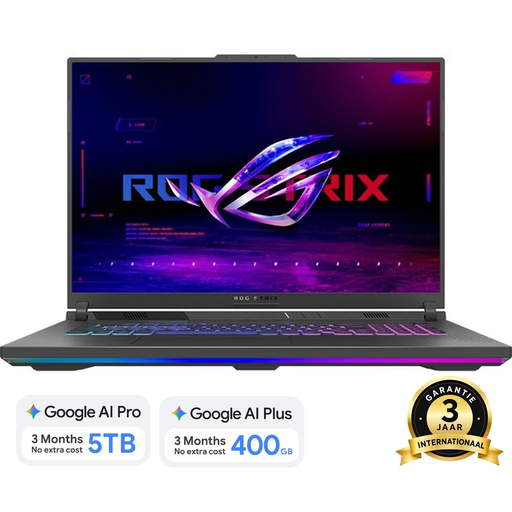
Why this fits the profile: For users who mainly play at a fixed location and prefer a large 18-inch screen over maximum portability.
The 240Hz screen is combined with an RTX 5060, 16GB DDR5 and a Ryzen 9 8940HX. This means the high refresh rate isn't the only standout feature. Bear in mind the weight of around 3kg and the fact that the charger needs to be bought separately.
18-inch WQXGA resolution, 240Hz, 1TB SSD, 16GB DDR5 and two SO-DIMM slots according to the product information.
We've put together a full, up-to-date list of products that fully meet these strict selection criteria and comply with current European safety regulations.
For most games, study and normal multitasking, 16GB of DDR5 RAM is a practical starting point. If you stream, edit video or use heavy creative software at the same time, it's worth checking whether an upgrade is possible.
A 144Hz screen is noticeably smoother than 60Hz in suitable games. 240Hz is mainly interesting for competitive players with a powerful GPU and high frame rates. For casual gaming, single-player games and productivity, a higher resolution or better colour reproduction may be more important.
The lifespan depends on usage, maintenance, battery wear and future software requirements. A model with enough RAM, an expandable SSD and a suitable graphics card will generally remain usable for longer. Keep the ventilation clear, install updates and use the correct adapter to avoid unnecessary strain.
