
Vandaag of morgen in huis

Kwaliteit gegarandeerd

Welkomstaanbiedingen ontgrendelen: GRATIS bezorging | Tot 80% korting | Gratis 30 dagen JoyPlus-proefperiode
Download de app
Buying a gaming laptop seems straightforward until you start comparing specifications. A high refresh rate, for example, doesn’t automatically mean every game will run smoothly. Even a powerful graphics card may not perform at its best if the cooling, power supply or screen isn’t suited to the way you use your laptop.
For gamers, students, content creators and professionals, three common pitfalls are particularly worth watching out for:
The GPU plays a major role in how modern games and creative software handle high resolutions, ray tracing and complex scenes. An RTX 5060 laptop is a sensible choice if you want to play modern games without going straight for a very heavy, top-of-the-range model. An RTX 5090 laptop is aimed at users who need plenty of graphics power for large projects or professional 3D and AI workloads.
Also look out for:
Specifications tell you what a device supports; actual performance depends on game settings, software, temperature and power mode.
A laptop with a 144Hz screen generally displays movement more smoothly than a standard 60Hz panel, provided the laptop can deliver enough frames per second. A laptop with a 240Hz screen is particularly suited to competitive games and players who can make the most of high frame rates.
Also consider:
Check that the laptop has the ports you need for your existing peripherals. HDMI 2.1, USB-C, USB4, Ethernet and, where available, Thunderbolt can make a difference when connecting external displays, storage and network connections.
A gaming laptop uses more power under heavy load than a standard office laptop. So check the power adapter and whether it’s included. For the ASUS TUF Gaming A18, the product information mentions both a charger listing that needs to be checked separately and a 240W adapter in the specifications. Check what’s included with the current product before you buy.
A portable monitor for your laptop can be useful for a mobile workstation. Check the USB-C functionality: not every USB-C port supports both video and power. A portable monitor with HDMI may offer wider compatibility, but it often needs an extra cable and power connection.
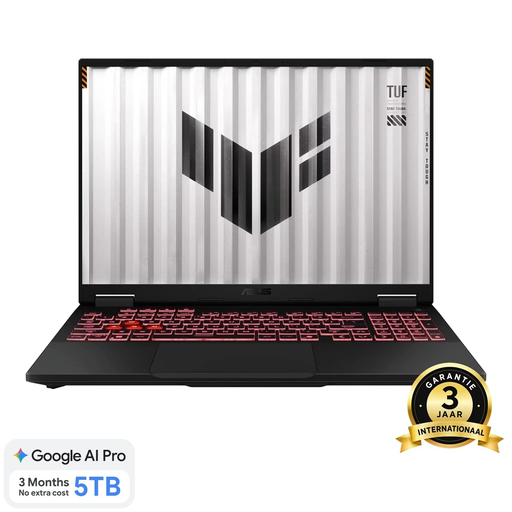
Why it suits this user: The Ryzen 7 260, RTX 5060 Laptop GPU, 16GB DDR5 and 18-inch WUXGA screen make this a straightforward choice for gaming, studying and everyday work.
The product information specifies 144Hz, 100% sRGB, 3ms and up to 115W graphics power, so you can look beyond the name of the graphics card.
144Hz WUXGA screen, expandable memory up to 64GB, HDMI 2.1, Wi-Fi 6E and a numeric keypad.
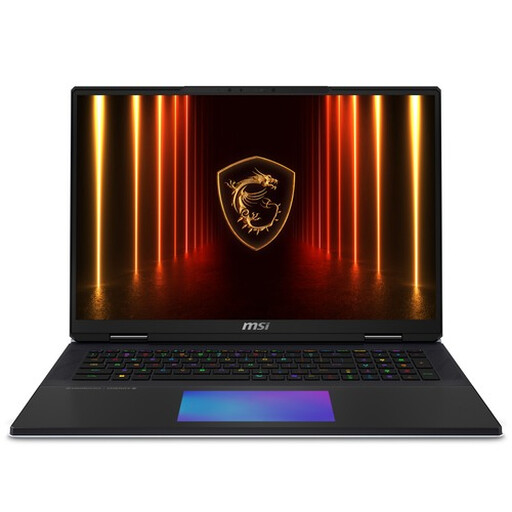
Why it suits this user: This 18-inch model is designed for users who value high screen resolution, plenty of storage and generous system capacity for gaming and content creation.
The combination of an RTX 5090 Laptop GPU, 64GB DDR5 and a 6TB SSD means you don’t have to choose based on just one component.
UHD+ Mini LED, 120Hz, 100% DCI-P3, 24GB GDDR7 and two Thunderbolt 5 ports.
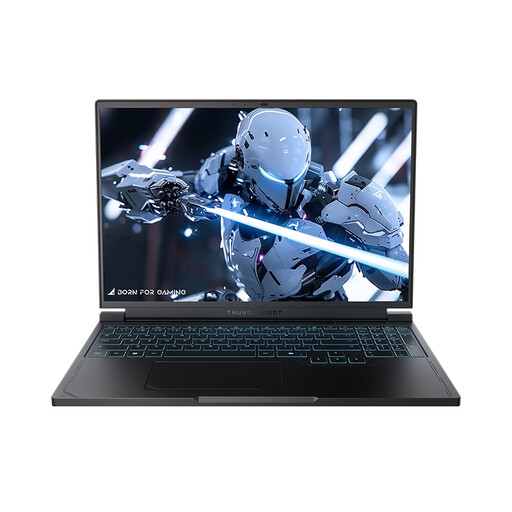
Why it suits this user: For competitive players, the combination of a 16-inch QHD+ 240Hz screen, RTX 5060 and 1TB SSD is a good fit.
The high refresh rate is paired with QHD+ resolution and a dedicated GPU; check whether you can make the most of 240Hz in each game.
240Hz QHD+ screen, Ryzen 7 7745HX, 16GB DDR5, 1TB NVMe SSD, HDMI, Mini DisplayPort and USB-C.
A portable monitor can give you extra space alongside a gaming laptop for chat, streaming software, documentation or a timeline. The Arzopa A1S has a 14-inch Full HD IPS panel, 60Hz, 250 cd/m², and USB-C and HDMI connections. Take a look at the Arzopa A1S portable monitor if you’re looking for a lightweight second screen.
For more workspace, the Blackview DCM8 Pro portable monitor offers a 15.3-inch 1920 × 1200 screen with a 16:10 aspect ratio, 100% sRGB according to the product information, and support for a single-cable connection via compatible USB-C ports.
If you’re looking to buy a planner for studying, work or gaming goals, an undated A5 planner lets you start whenever you like. The Jubiluu A5 has 112 sheets of 100g paper, monthly and weekly layouts, and a hardback cover. Fine 0.5mm gel pens are practical for journalling. The PAW Patrol diary with stickers and a pen is intended for children aged 5 and over; bear in mind the warning about small parts.
We’ve put together a complete, up-to-date list of products that meet these strict selection criteria and the applicable European safety regulations.
Yes, but consider the weight, battery life, fan noise and keyboard layout. A large 18-inch model gives you more screen space, while a 16-inch laptop may be more practical for everyday travel.
For many users, yes. 144Hz gives you smoother movement than 60Hz and generally requires less graphics power than 240Hz. A 240Hz screen is most useful if you play games at high frame rates and fast refreshes are important to you.
Alongside the purchase price, factor in power consumption, a possible replacement adapter, accessories and storage upgrades. For demanding games, use the correct mains adapter and keep the ventilation openings clear. This helps prevent heat from building up unnecessarily.
