
Vandaag of morgen in huis

Kwaliteit gegarandeerd

Welkomstaanbiedingen ontgrendelen: GRATIS bezorging | Tot 80% korting | Gratis 30 dagen JoyPlus-proefperiode
Download de app
Buying a new gaming laptop can feel like navigating a maze of specifications, model numbers, and marketing terms. RTX 5060 or 5070? An i5 or an i7 processor? And is a 17-inch screen worth the extra investment? It's easy to get lost in the details.
That's why we at Joybuy have put together this guide. No fluff, just clear, practical information. Our goal is to help you find a model that fits your needs and budget, whether you're taking your first steps into the world of PC gaming or you're a seasoned player looking for an upgrade.
Before we dive into the models, it's helpful to understand a few key components. These largely determine your laptop's performance and price.
The graphics card, or GPU, is the most important component for gaming. It renders the images you see on your screen. The NVIDIA GeForce RTX series is a dominant name in this space.
The processor (CPU) is the brain of the laptop, executing all tasks. For gaming, an Intel Core i5 or AMD Ryzen 5 is often sufficient. However, an i7 gaming laptop (or Ryzen 7) offers more processing power, which is useful for strategy games, streaming, or multitasking.
Memory (RAM) is your laptop's short-term memory. For gaming, 16 GB RAM is now the standard. This ensures your games run smoothly, even with other applications open in the background.
Screen size is a matter of personal preference. A 15-inch laptop is more compact and portable. A 17-inch gaming laptop offers a more immersive experience, which particularly shines in cinematic games.
Also, pay attention to the refresh rate, measured in Hertz (Hz). A standard laptop display is 60Hz. Gaming laptops often feature 144Hz or higher. This results in significantly smoother visuals, which can give you an edge in fast-paced games.
Based on specifications and use cases, we've highlighted a few models that stand out in different segments.
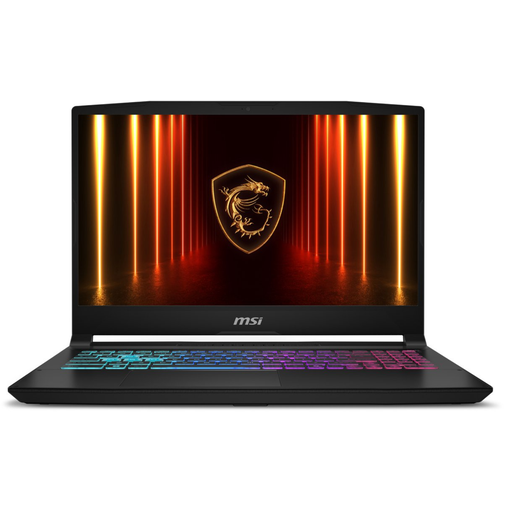
Why it stands out: This MSI Katana is a powerhouse built for performance. The combination of a high-end Intel Core i7-14650HX processor and the highly capable NVIDIA GeForce RTX 5070 graphics card makes it suitable for the most demanding games and software. The large 17.3-inch display with a 144Hz refresh rate delivers an impressive and fluid visual experience.
Key Features:
Who is it for? For the serious gamer who wants to play the latest AAA titles at high settings and be future-proof. It's also an excellent choice for creative professionals who need a reliable and powerful machine for video editing, 3D rendering, or graphic design.
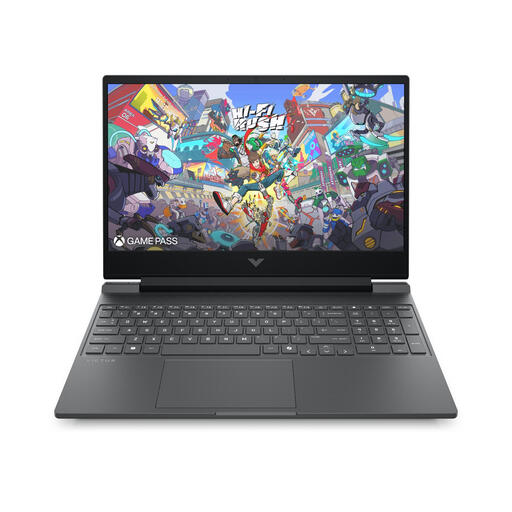
Why it stands out: The HP Victus 15-fa2015nd is a versatile all-rounder that offers a great balance of price and performance. With an NVIDIA GeForce RTX 3050, it's powerful enough for popular games, and thanks to its Intel Core i5 processor and 16 GB of RAM, it's also well-suited for studying or daily work.
Key Features:
Who is it for? For the entry-level gamer, students, or anyone looking for a capable and affordable laptop. It's ideal for games like Fortnite, Valorant, and Minecraft, while also effortlessly handling school or work projects.
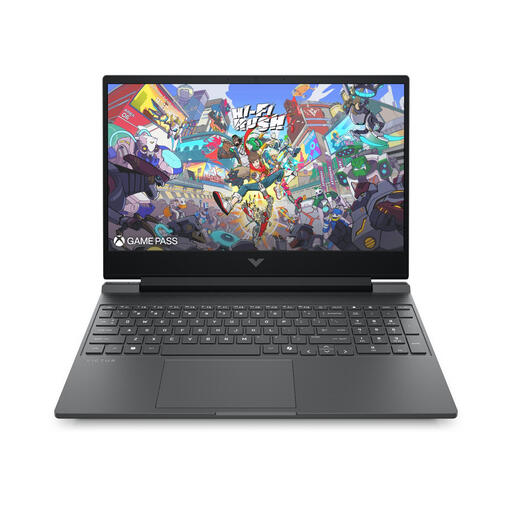
Why it stands out: This model from the HP Victus line is a serious step up in performance. It combines a powerful Intel Core i7 processor with a modern RTX 5060 graphics card. This makes it an excellent mid-range option that offers great value for the demanding gamer.
Key Features:
Who is it for? For the enthusiast gamer who wants to play modern titles smoothly at high settings without paying top dollar for an absolute top-tier model. It's also a strong choice for students in creative or technical fields who need a laptop that can handle more demanding software.
The world of gaming laptops is vast, and technology evolves quickly. If these recommendations aren't quite what you're looking for, don't worry. We have a wider range of models with different specifications and price points.
? Explore all our models in the laptop drive category
Yes, absolutely. Thanks to their powerful hardware (processor, RAM, fast storage), gaming laptops are excellent all-rounders. They can effortlessly run demanding software for video editing, programming, or data analysis, in addition to handling all your daily tasks. The only potential downsides might be the weight and battery life compared to an ultrabook.
For most games and daily tasks, 16 GB RAM is the gold standard in 2026. This is more than enough for smooth gaming and multitasking. If you plan to stream while gaming or work with very large files in professional software, 32 GB might be worth considering for extra headroom.
A higher refresh rate, measured in Hertz (Hz), means the image is updated more times per second. A 144Hz display refreshes the image 144 times per second, compared to 60 times for a standard display. This results in noticeably smoother motion and less motion blur. In fast-paced, competitive games, this can improve your reaction time and provide a clear visual advantage.
