
Vandaag of morgen in huis

Kwaliteit gegarandeerd

Welkomstaanbiedingen ontgrendelen: GRATIS bezorging | Tot 80% korting | Gratis 30 dagen JoyPlus-proefperiode
Download de app
Buying a gaming laptop seems straightforward until you compare the specifications side by side. A high refresh rate, an RTX graphics card and plenty of RAM sound appealing, but they do not tell you everything about the practical user experience. For gamers, students, content creators and demanding home users, the combination of components, connections, cooling and keyboard layout is particularly important.
Watch out for these common pitfalls before buying:
For modern games, the dedicated GPU is generally the deciding factor in graphics performance. A gaming laptop RTX 5060 is an attractive option for users who want to play modern titles without moving straight into a higher price segment. According to the listed specifications, a gaming laptop RTX 5070 offers a higher level of graphics performance, but the final result depends on resolution, settings, cooling and GPU power.
Pay attention to the processor as well. For gaming and everyday use, a combination with a modern Core i5, Core 7 or Ryzen 7 processor is often sufficient for many users. More cores and threads can be useful for streaming, video editing and demanding multitasking. So compare the complete platform, not just the RTX label.
A laptop with 16GB RAM is a practical starting point for gaming, studying, streaming and running several programmes at once. Check whether the memory can be upgraded. According to the product specifications, the ASUS V16 supports up to 32GB via two DDR5 SO-DIMM slots. The ASUS ROG Zephyrus G14 has 16GB of onboard LPDDR5X memory, which cannot be upgraded by the user.
A laptop with a 1TB SSD provides space for Windows, programmes and several games. The usable capacity is always lower than the stated 1TB because the operating system and recovery files take up storage space. A model with a 512GB SSD may be sufficient for studying and a few games, but you may need an external SSD or an upgrade sooner.
A laptop with a 144Hz screen is a sensible choice for many gamers. A laptop with a 165Hz screen can provide even smoother movement, while a laptop with a 240Hz screen is mainly relevant if you play games where very high frame rates are achievable. The refresh rate does not guarantee a specific number of frames per second.
Also consider the resolution. WQXGA or QHD+ displays more detail than Full HD, but they place greater demands on the GPU. For creative applications, colour coverage and brightness are more important than hertz alone. Finally, check the physical layout: a Dutch QWERTY gaming laptop prevents surprises when typing. Some Lenovo models use an English EU keyboard; this is not automatically the same as a Dutch keyboard layout.
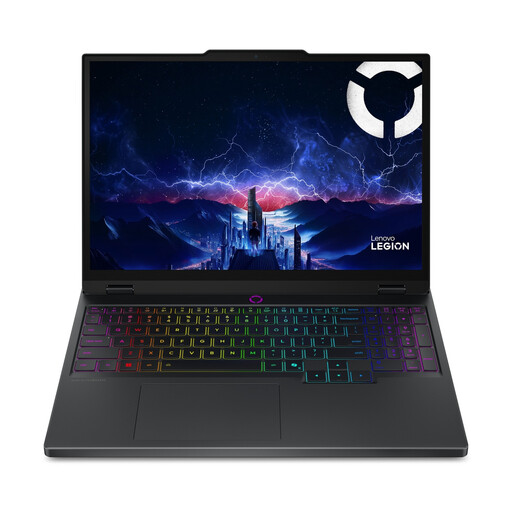
Why it suits this profile: This model combines a Core Ultra 7 255HX processor, RTX 5060, 16GB DDR5 and a 15.1-inch WQXGA OLED screen with a 165Hz refresh rate. It is well suited to gamers and students looking for a compact, versatile configuration.
The product specifications list the RTX 5060 with a 115W TGP and two memory slots. Before ordering, check the included charger and the stated English EU keyboard layout.
WQXGA OLED, 165Hz, 100% DCI-P3 according to the product information and upgradeable memory up to 32GB.
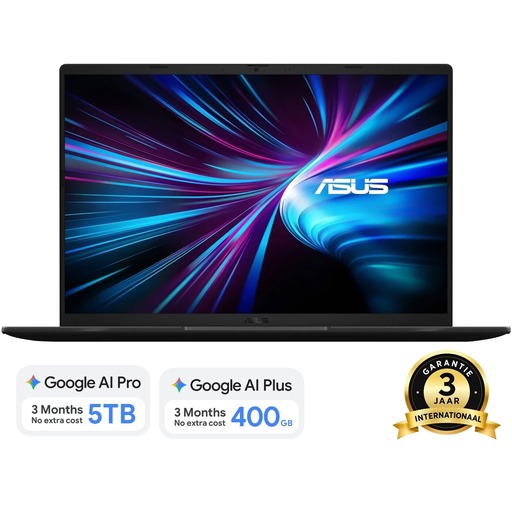
Why it suits this profile: The combination of an Intel Core 7 240H, RTX 5070 with 8GB GDDR7, 16GB DDR5 and a 1TB SSD is well suited to gaming, streaming and creative software.
The specifications list resolution, brightness and colour coverage alongside the refresh rate. The screen is WUXGA at 144Hz and is not touch-sensitive, helping to avoid unrealistic expectations.
1TB PCIe 4.0 SSD, Dutch QWERTY keyboard layout, upgradeable to 32GB and weighing approximately 1.95kg.
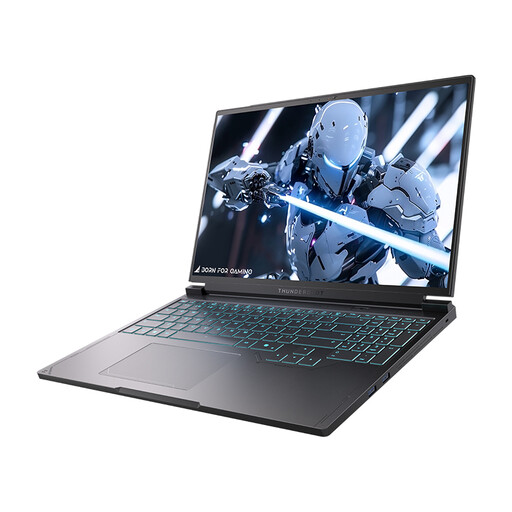
Why it suits this profile: The 16-inch QHD+ display with 240Hz, 16GB DDR5 and a 1TB SSD is designed for users who prioritise a high refresh rate and plenty of storage.
The specifications state both the QHD resolution and the 240Hz refresh rate. Bear in mind that QHD places greater demands on the GPU, and use the laptop on a hard, flat surface to ensure ventilation.
240Hz QHD+ screen, 1TB PCIe NVMe SSD, two USB-C ports, HDMI, Mini DisplayPort and RJ-45.
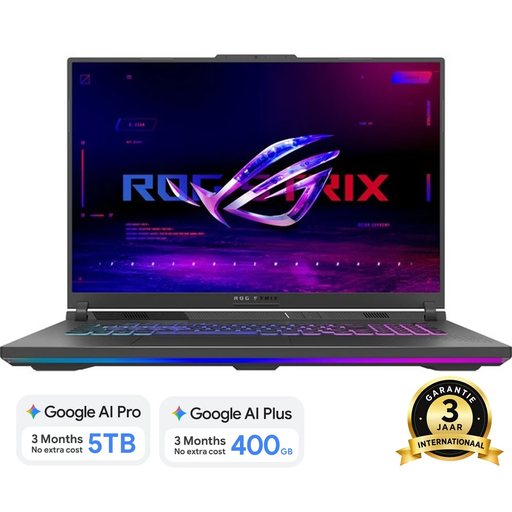
Why it suits this profile: With an 18-inch WQXGA screen, 240Hz, 16GB DDR5 and a 1TB SSD, this model is aimed at home users who do not want to compromise on screen space.
The product information lists resolution, brightness and colour coverage alongside 240Hz. Check the approximately 3kg weight and the required adapter in advance if portability is important.
2560 × 1600 resolution, 500 cd/m² brightness, 100% DCI-P3 according to the product specifications and two SO-DIMM slots.
We have put together a complete, up-to-date list of products that fully meet these strict selection criteria and the applicable European safety regulations.
For many games, studying, streaming and everyday multitasking, 16GB RAM is a useful starting point. If you carry out demanding video editing or use many programmes at once, it may be better to choose a model with upgradeable memory up to 32GB or more.
Its lifespan depends on workload, maintenance, battery use and future system requirements. A laptop with upgradeable RAM and an additional storage option can remain practical for longer. Keep the ventilation clear, install updates and use the correct adapter.
A laptop generally uses more power while gaming than when processing text or browsing the internet, because the processor and GPU are placed under greater load. The actual cost depends on playing time, energy prices, performance mode and the adapter’s power rating. So do not look only at battery capacity; consider your usage patterns as well.
