
Players who need to read the keys
In low light, visible key legends matter more than lighting effects alone. Keychron warns that the position of the LEDs can affect how well the light shines through certain translucent keycaps.


Start with lighting that makes the key legends easy to read, then decide whether you need a number pad or dedicated macro keys for your game bindings. A TKL keyboard leaves more room on your desk but has no number pad. SteelSeries’ description “Whisper-Quiet” is not a measured noise comparison with other models. Also check the keyboard layout and whether the lighting shines through the keycaps.
In low light, visible key legends matter more than lighting effects alone. Keychron warns that the position of the LEDs can affect how well the light shines through certain translucent keycaps.
If you want to trigger commands quickly, compare the keys already on the keyboard with dedicated macro keys. Corsair and Razer describe models with six dedicated macro keys; check that their assignments work for your game.
As well as readability, key noise and desk space may influence your choice. RTINGS notes that smaller keyboards can leave more room for mouse movement; a TKL layout has no number pad.
| Key consideration | What should you check? | Who is this important for? |
|---|---|---|
| Readability in the dark | Check whether the legends are visible on the exact version you’re considering, and see whether the lighting is per key or per zone. Keychron points out that LED positioning can affect how well the light shines through certain keycaps. | If I play in a dark room, I want to be able to read the letters, not just see the lighting. Around 36% of consumers prioritise readability. |
| Shortcuts and macros | Compare your game bindings with the number and position of the macro keys. Corsair says that saved settings on the K55 RGB PRO can work in hardware mode without the iCUE software running. | If I use lots of custom commands, I want to trigger them quickly without awkwardly rearranging my existing bindings. Around 29% of consumers prioritise extra commands. |
| Key noise and feel | Check the exact switch type and, if possible, try out the sound and key feel. Razer describes the BlackWidow V4 Green switches as offering clicky feedback, while Yellow switches provide a smoother, quieter feel. | In a shared space, I want to be considerate of others and choose a feel that suits me. Around 21% of consumers prioritise quiet, comfortable use. |
| Desk space and layout | Check your game bindings and other everyday keys before choosing a TKL model. RTINGS notes that smaller keyboards can leave more room for mouse movement; the SteelSeries Apex 3 TKL has no number pad. | If I have limited desk space, I want to know whether I can manage without a number pad. Around 14% of consumers prioritise a compact desk setup. |
Lighting around the keys doesn’t automatically mean the letters will be easy to see. The keycaps and the position of the LEDs also play a part.
Check the legends on the exact version in low light and see whether the lighting works per key or per zone.
A TKL layout has no number pad, which may be an issue if you’ve assigned keys there.
Check your bindings in the games you play, and consider which keys you use outside gaming too.
The Corsair K55 RGB PRO has five lighting zones, while the K55 RGB PRO XT offers per-key lighting, according to Corsair. The K55 RGB PRO is also described as having rubber-dome switches, not mechanical switches.
Compare the full model name and version, not just “K55” or the product family.
The K55 RGB PRO and K55 RGB PRO XT are worth considering if you’re looking for dedicated macro keys and want to compare the lighting controls on each version.
The BlackWidow V4 and Ornata V3 use different switch approaches; check the exact version you’re considering.
The Apex 3 TKL is an option if you’re considering a compact size and the manufacturer’s description of its noise level.
The G213 Prodigy is a full-size keyboard with zone lighting and an integrated palm rest.
This Joybuy selection includes gaming keyboards with RGB lighting, with a range of layouts and switch options. Check each version to make sure its layout and lighting controls suit your game bindings and how you plan to use it.
 No image available
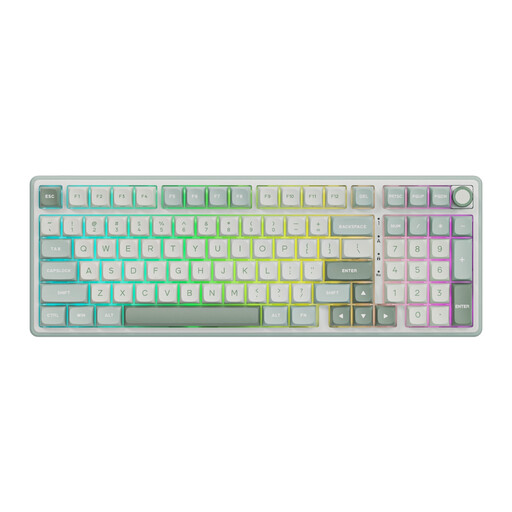
The stated RGB lighting and number pad may suit gaming in low light if you need that layout.
Wired mechanical keyboard; number pad; volume knob; RGB backlighting; hot-swappable; MDA-profile PBT keycaps; Beige Switch.
 No image available
The stated RGB lighting and number pad may suit gaming in low light if you need that layout.
Wired mechanical keyboard; number pad; volume knob; RGB backlighting; hot-swappable; MDA-profile PBT keycaps; Cream Switch.
 No image available
The 98% layout with a number pad may suit you if you want a compact layout but still need the number pad.
Wireless mechanical keyboard; QWERTY layout; RGB lighting; 10,000 mAh battery; wired, Bluetooth or 2.4 GHz; TFT screen; Gift Switch V2.
 No image available
The 68-key layout may suit a compact desk setup; check in advance that you can do without the missing keys.
Mechanical gaming keyboard; 68 keys; US layout; RGB lighting; metal top plate; 8000 Hz polling rate; Rapid Trigger.
 No image available
The 75% layout may suit you if you want to save desk space; check that the more compact layout supports your game bindings.
Wireless mechanical gaming keyboard; QWERTY US layout; RGB backlighting; three connection modes; 8000 mAh battery; volume knob; hot-swappable.
Not always; check the legends on the exact version. The lighting settings and how well the light shines through the keycaps are separate considerations. Keychron warns that south-facing LEDs can reduce the effect with the translucent keycaps mentioned.
It depends on the model and its settings. Corsair says the K55 RGB PRO can run saved lighting and macros in hardware mode when iCUE is not running, provided those settings are stored in its onboard memory. Check the relevant manual for other models.
For an online consumer purchase in the Netherlands, there is generally a statutory 14-day cooling-off period after delivery; ACM ConsuWijzer also explains exceptions and conditions. Check the seller’s returns information before buying, too.
No. According to ACM ConsuWijzer, the statutory guarantee is separate from a manufacturer’s or seller’s guarantee. If a product becomes faulty sooner than you could reasonably expect under normal use, you can contact the seller for a solution; in the Netherlands, there is no single fixed statutory guarantee period for every keyboard.
Not every keyboard automatically falls under rules that require a CE marking. According to the Dutch government and the European Union, CE marking applies to products covered by specific harmonised EU product rules; which rules apply depends on the particular version.