
Ranked player who uses lots of hotkeys
You want to use groups, commands and function keys without constantly switching between key layers. For example, Blizzard lists F1 in its StarCraft II controls guide; check the hotkeys for your own game.


Start with the physical keys your strategy game uses. A TKL keyboard saves space while keeping the function row, whereas more compact layouts may omit or move keys. Then choose based on sound, key feel and connection. Adjustable magnetic switches are an option, but they’re not essential for responsive gaming.
You want to use groups, commands and function keys without constantly switching between key layers. For example, Blizzard lists F1 in its StarCraft II controls guide; check the hotkeys for your own game.
You play or type when other people can hear you. So look at both the physical layout and the switch type. A manufacturer’s description such as ‘quiet’ isn’t a comparative sound measurement.
You switch between gaming and studying, and want space for your mouse without losing keys you need for your game or studies. Check the layout and the dimensions of the specific version.
| What to consider | What to look for when buying | Who is it important to? |
|---|---|---|
| Accessible hotkeys | Compare the keys used in your game with the physical function row, number row and arrow keys. | If you often use direct game commands during ranked matches, you’ll want to know whether you can access them without an extra key layer. Around 33% of consumers put easily accessible hotkeys first. |
| Key noise | Check the switch type of the exact version and, if possible, assess the sound in a similar room. | If you share a room or play while others are studying or sleeping, you’ll want to avoid disruptive key noise. Around 27% of consumers give low noise their highest priority. |
| Desk and mouse space | Measure the space available and check which keys the layout you’re considering retains. RTINGS notes that smaller keyboards can free up space for your mouse, but may also omit keys. | If your desk is narrow, you’ll want to leave room for your mouse without losing a key you need. Around 20% of consumers make saving space their main consideration. |
| Studying and everyday typing | Check the keyboard language, layout and key feel you prefer; see which keys are programmable on each version. | If you’ll also use the same keyboard for studying, comfortable, practical everyday typing matters as well as gaming. Around 13% of consumers prioritise using their keyboard for study. |
| Adjustability and connection | Check the connection type of the exact version and, if it has an adjustable actuation point, set it to avoid accidental keystrokes. RTINGS lists wired or receiver-based connections as options for competitive gaming. | If you want to customise the settings and are considering the connection for gaming, compare the features with what your game actually requires. Around 7% of consumers make adjustability and connection their main priority. |
Compact layouts may omit the function row or arrow keys. That can be inconvenient if your game assigns commands to those keys.
Before choosing, compare the keyboard layout with your game’s hotkey profile.
You may have fewer game or study keys readily available.
SteelSeries and Razer describe specific models as quiet, but these manufacturer claims aren’t comparable sound measurements.
Check the switch type of the exact version and, where possible, compare the sound in similar conditions.
Wooting describes changes between the 80HE and 80HE+. Specifications for one version therefore don’t automatically apply to the other.
Check the full model name and version before relying on its features or reviews.
ACM ConsuWijzer explains that your statutory right to a product that meets acceptable standards depends on what you could reasonably expect from it. This isn’t the same as one fixed two-year period.
If a fault occurs unexpectedly early after normal use, contact the seller and consider your statutory rights separately from any manufacturer’s warranty.
The features below relate to the product lines mentioned. They aren’t recommendations for a brand’s entire range or statements about availability.
SteelSeries says the Apex 3 TKL combines a compact layout with quiet switches.
Logitech describes the wired G515 TKL as a low-profile model with programmable keys.
Razer describes the Ornata V3 X as a low-profile model with quiet membrane switches.
HyperX describes the Alloy Origins Core as a mechanical TKL keyboard with a detachable USB-C cable.
The wired Wooting 80HE is an 80% model with magnetic switches and adjustable actuation.
A selection of Joybuy products for this topic. Compare each model’s layout, key feel and connection with your game, desk and study needs.
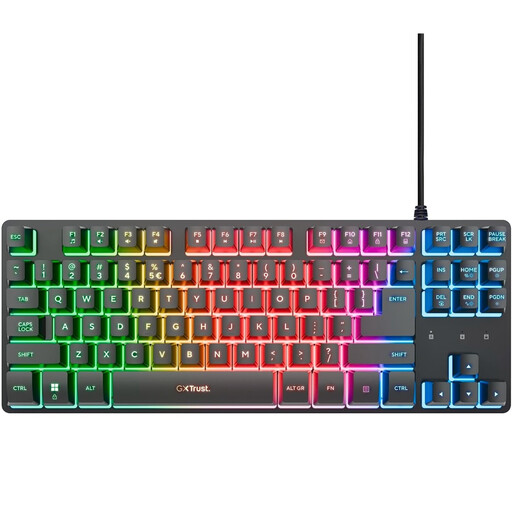 No image available
The TKL layout suits anyone who wants to leave room for their mouse; check that QWERTY suits your preference.
Wired; QWERTY; compatible with PC and PS5.
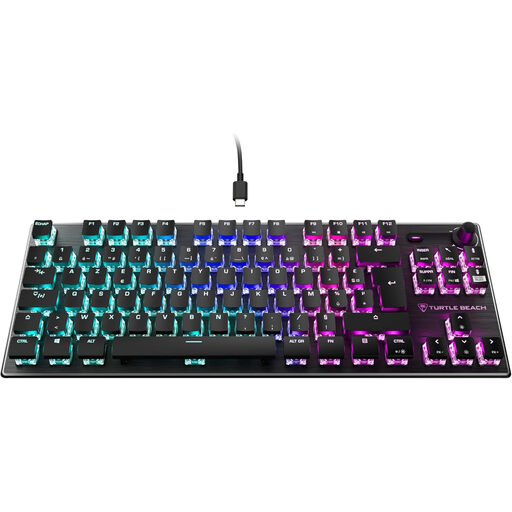 No image available
This TKL version is an option if you’re looking for a mechanical keyboard with linear switches; note the AZERTY layout.
Mechanical; linear TITAN switches; wired; RGB; AZERTY.
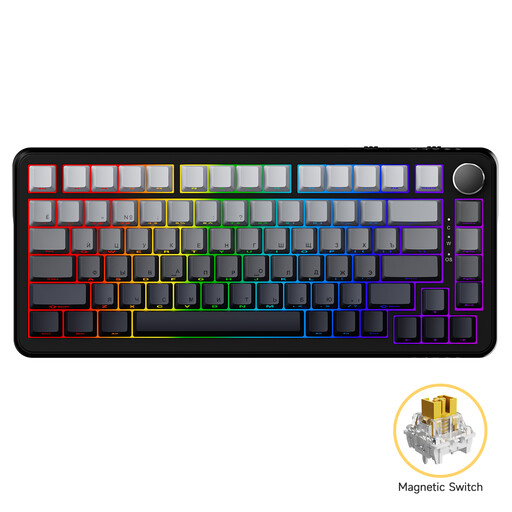 No image available
For anyone looking for a wired mechanical keyboard with magnetic switches.
Mechanical; magnetic switches; wired.
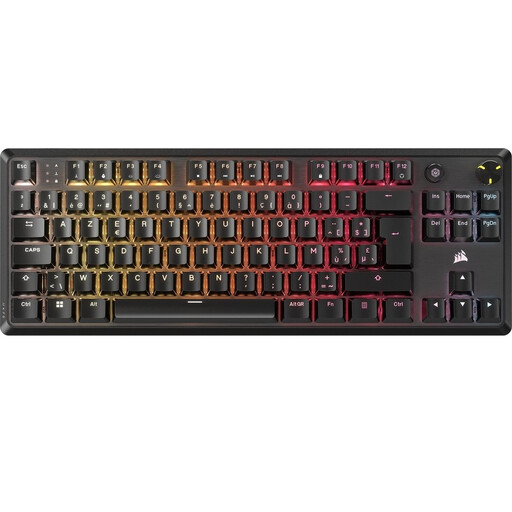 No image available
This TKL version is designed for anyone looking for a mechanical model without a number pad; check that the Belgian AZERTY layout suits your needs.
Mechanical; BE AZERTY; MLX Red.
 No image available
The Tenkeyless layout may suit a desk where you want to leave room for your mouse; check that the US layout suits your preference.
Tenkeyless; US layout.
It can be, if you can manage without the missing dedicated keys or find the corresponding key layer comfortable to use. For example, StarCraft II uses F1 and Shift combinations; check what your own game requires.
First, check which commands in your game are assigned to which keys, then test the combinations you use most often. If the actuation point is adjustable, don’t automatically start with the most sensitive setting: according to RTINGS, a deeper actuation point can help reduce accidental inputs.
For many eligible online purchases from a business, you have a 14-day cooling-off period; check the terms of the specific purchase. The Dutch government explains this cooling-off period. You’re also entitled to a product that meets acceptable standards: according to ACM ConsuWijzer, Dutch statutory rights depend on what you could reasonably expect from the product, not on one fixed two-year period.