
Players who read their keys in daylight
You want to recognise commands quickly in a bright room. Check the legends and contrast under your own lighting; RGB lighting isn’t automatically a solution for bright daylight.


For historical strategy games, choose a keyboard that keeps the keys you use for commands within easy reach and has legends that remain clear on your desk in daylight. A full-size layout retains the numpad, while TKL frees up space for your mouse but leaves out the numpad. Backlighting alone doesn’t prove that the keys will be easier to read in a bright room.
You want to recognise commands quickly in a bright room. Check the legends and contrast under your own lighting; RGB lighting isn’t automatically a solution for bright daylight.
You use commands for tasks such as building or directing armies. Check in advance which keys and remappings your game supports. Age of Empires Support explains hotkeys and remapping in Age of Empires IV.
You want to free up space for your mouse or reduce key noise, and need to weigh this against losing a numpad or the feel of mechanical keys.
First, check that the layout suits the commands you use, then assess how easy the keys are to read under your desk lighting. Age of Empires Support explains hotkeys and remapping in Age of Empires IV. RTINGS found the legends on the Corsair VANGUARD 96 it tested readable in a range of lighting conditions, but that result applies to that model.
| What to consider | What should you check? | Who is this important for? |
|---|---|---|
| Readability in daylight | Check the legends under similar room and desk lighting; don’t assume they’ll be easy to read based on the number of RGB zones. | If I play in a bright room, I want to recognise the legends quickly without relying on lighting that mainly helps in the dark. Around 33% of consumers prioritise daylight readability. |
| Hotkeys and layout | Check the function keys, arrow keys and numpad you use; make sure the game supports your preferred remapping. | If I use lots of in-game commands, I want the relevant keys within easy reach and to know that my settings will work. Around 27% of consumers give priority to easy-to-reach gaming keys. |
| Space for your mouse and keyboard | Measure your desk and check whether you need the numpad for in-game commands or other tasks. | If I want more room for my mouse, I can do without the numpad and would rather choose a more compact layout. Around 20% of consumers prioritise desk space. |
| Sound and key feel | Compare the exact switch type and key feel; don’t rely on the brand name or the word ‘gaming’ alone. | If I want less key noise while gaming, I weigh that against the key feel I prefer. Around 20% of consumers give priority to quieter keys. |
Lighting that helps in the dark doesn’t automatically mean the legends will be easy to read in daylight.
Check the contrast and legends under similar room and desk lighting. Look for tests of the exact model rather than relying on its RGB specification alone.
A smaller layout may leave out keys you want to press directly in a game or for everyday use.
Compare your commands with the layout, paying particular attention to the function keys, arrow keys and numpad.
Switch variants can differ in feel and sound. The Joybuy listing checked for the Razer BlackWidow V4 Pro contains conflicting information about the switch type.
Check the full model name and the manufacturer’s details before choosing a variant.
The G413 SE and G413 TKL SE are worth considering if you want tactile mechanical keys; the TKL version leaves out the numpad.
The K55 CORE TKL is a membrane keyboard without a numpad; the VANGUARD 96 is aimed at those who want a numpad and dedicated macro keys.
The Apex 3 TKL is a compact option if you want quieter keys and more space beside your keyboard.
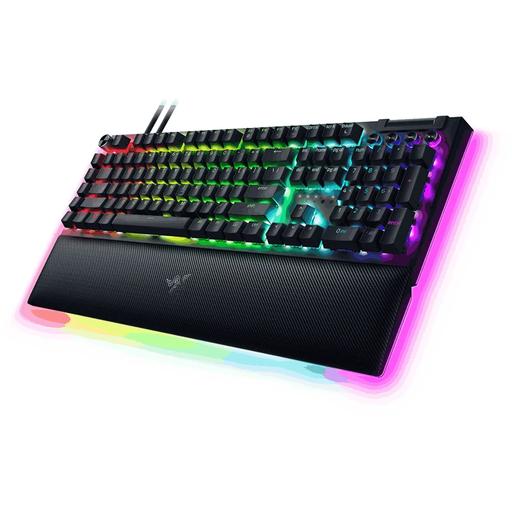
The BlackWidow V4 Pro is worth considering if you want dedicated macro controls.
The 80HE is a TKL option with adjustable magnetic switches.
This selection includes full-size and TKL keyboards, with options for mechanical keys, membrane keys and dedicated macro controls. Compare the layout with your hotkeys and check the variant you choose.
 No image available
The full-size layout with 108 keys could suit you if you want to keep lots of keys within easy reach.
The product name specifies tri-mode wireless connectivity, hot-swappable keys, a customisable pixel display, an 8000 mAh battery, RGB, a US layout and Silent Tactile Switches.
 No image available
This full-size option could suit you if you want dedicated macro keys and a numpad.
The product name specifies Green Switch and a US layout; the product description mentions programmable macro keys, a numpad and a wrist rest.
 No image available
The TKL layout leaves out the numpad, so it could suit you if you don’t need those keys and want to free up space for your mouse.
The product name specifies a wired keyboard for PC/PS5 and a QWERTY layout. The product description mentions anti-ghosting for up to 10 simultaneous key presses, media keys and adjustable RGB lighting.
 No image available
This TKL option could suit you if you can do without the numpad and want membrane keys.
The product description mentions quiet membrane keys, 12-key rollover, 8-zone RGB lighting and key remapping through iCUE. The layout has no numpad.
 No image available
This TKL option could suit you if you want a mechanical feel and can do without the numpad.
The product name specifies MLX Red linear switches and a BE AZERTY layout. The product description mentions full N-key rollover and five profiles for macros and settings.
Not necessarily. Age of Empires IV uses hotkeys and lets you remap keys, but the right layout depends on the commands and settings you use. Make a note of your hotkeys before choosing a TKL keyboard or a model with dedicated macro keys.
Not necessarily. Backlighting that helps in the dark doesn’t prove that the legends will be easy to read in bright daylight. RTINGS found the legends on the specific Corsair VANGUARD 96 it tested readable in a range of lighting conditions. Assess other models separately in similar daylight.
According to the Corsair manual, connect the USB plug to a suitable USB-A port. The brightness button and built-in hotkeys provide basic control; Corsair describes iCUE for further settings and macros. For a different model, check its own manual.
For many online purchases from a business in the Netherlands, you have a 14-day cooling-off period; exceptions and conditions depend on the purchase. The Dutch government also states that there is no fixed general statutory warranty period. If a product is faulty, contact the seller.