What should you consider when choosing?
Start by considering the space you need for your mouse and how far you sit from your PC. Then decide whether adjustable keys or quieter, simpler everyday use matters more to you.
| What to consider |
What to look for |
Who is this important to? |
| Mouse space |
Compare TKL with 60% and consider which dedicated keys you need. |
If I want to make broad mouse movements, I need a keyboard that takes up little desk space. Around 36% of consumers in this situation prioritise mouse space. |
| Connection and sitting distance |
Check the connection mode, receiver and port, and where your mouse will sit. |
If I play further from my PC, I need a connection that works where I sit. Around 29% of consumers prioritise that distance and connection. |
| Movement key controls |
Check the adjustment options on the exact model, as well as the rules of your game or server. |
If I want to adjust how movement keys press and release, I look for suitable settings without assuming they’ll improve my aim. Around 21% of consumers prioritise these controls. |
| Quiet, straightforward use |
Consider the layout, key feel and your preference for sound. Treat “quiet” as the manufacturer’s description, not a standardised noise measurement. |
If I also type or play in a shared space, quiet, straightforward operation may matter more than extensive adjustments. Around 14% of consumers prioritise everyday use. |
Products on Joybuy
This selection includes compact wired keyboards that leave room for your mouse, as well as models with adjustable actuation. There’s also a wireless TKL option.
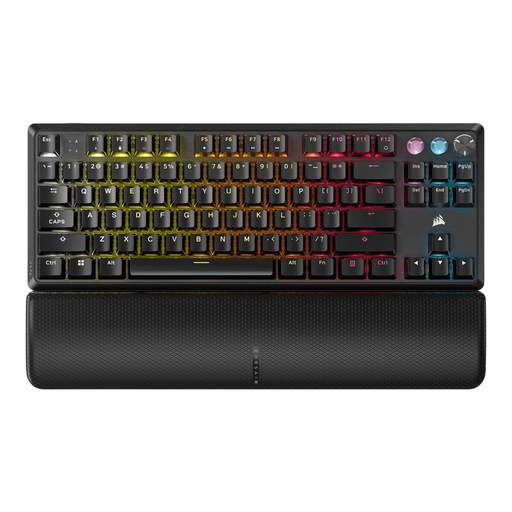 Image unavailable
Corsair K70 PRO TKL MGX v2, US QWERTY
The TKL layout leaves out the number pad, making it a good fit for a desk where you want to keep room for mouse movements.
Wired, with a 1.8 m USB cable. The product listing mentions MGX magnetic switches, adjustable actuation and Rapid Trigger. FlashTap SOCD is switched off by default, according to the listing; check your game’s rules before using automated input.
Joybuy
 Image unavailable
Corsair K55 CORE TKL, US QWERTY
A wired TKL model for anyone who wants to keep room for their mouse and doesn’t prioritise adjustable actuation.
The product listing mentions quiet membrane keys, 1000 Hz polling and 12-key rollover. According to the listing, the USB cable is 1.82 m long.
Joybuy
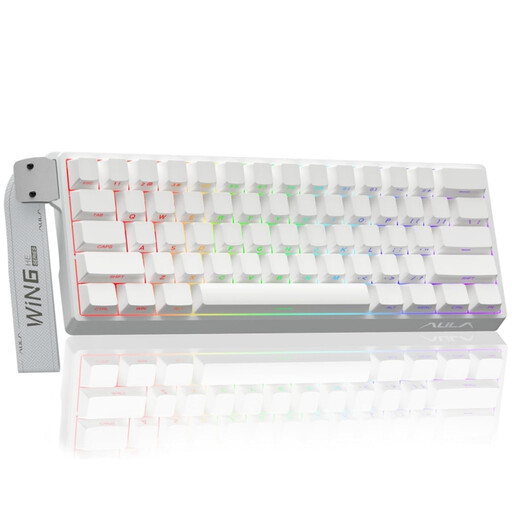 Image unavailable
AULA WIN60HE 60%, wired
The 60% layout is designed for a compact desk setup; bear in mind that you’ll access additional functions using key combinations.
The product title mentions Hall Effect switches, Rapid Trigger, adjustable actuation down to 0.01 mm and an 8K polling rate. This is a wired model.
Joybuy
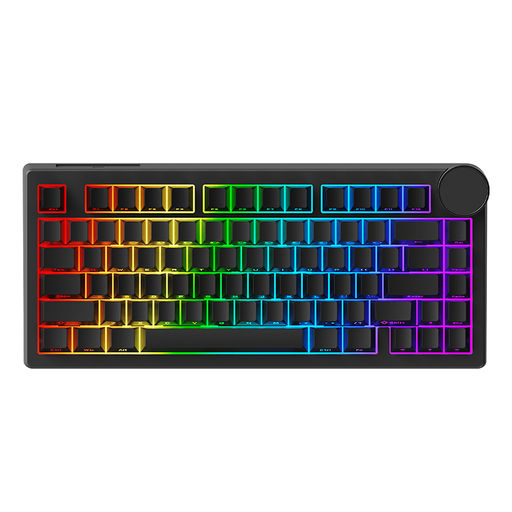 Image unavailable
AJAZZ AK820 V2, wired, 75%
The 75% layout is a compact choice if you want to save space while keeping more dedicated keys than you get with 60%.
The product listing mentions HE magnetic switches, adjustable actuation, Rapid Trigger and an 8K polling rate. This model is wired.
Joybuy
 Image unavailable
Razer DeathStalker V2 Pro Tenkeyless, US layout
This TKL option combines room for mouse movements with wireless connectivity for gaming further from your PC.
The product listing mentions low-profile optical switches, HyperSpeed Wireless, Bluetooth 5.0 and a detachable USB-C cable.
Joybuy
Frequently asked questions
Will a new keyboard help if aiming feels slow on my large screen?
Not necessarily: lag can also come from your PC or screen. NVIDIA describes system latency as a combination of delays from your peripherals, PC and display. For certain BRAVIA models, Sony describes game settings that can reduce input lag. Check whether that information applies to your screen before replacing just the keyboard.
How do I set up a wireless keyboard if I play further from my PC?
First, check which connection modes are available and where you can plug in the receiver. For the G915 X LIGHTSPEED TKL, Logitech lists 2.4GHz LIGHTSPEED, Bluetooth and wired connections; Corsair lists the same three options for the K70 CORE TKL Wireless. Follow the manual for the exact model when pairing and charging.
Does a gaming keyboard need special care?
Follow your model’s manual for cleaning and charging instructions. For the K70 CORE TKL Wireless, Corsair recommends updating the firmware and charging the keyboard before first use; this instruction doesn’t automatically apply to other models.
What are my rights when I buy a keyboard online in the Netherlands?
According to ACM ConsuWijzer, online purchases generally come with a statutory cooling-off period of up to 14 days after delivery, subject to exceptions. Your statutory guarantee is separate from any manufacturer’s guarantee: if a product breaks sooner than you could reasonably expect under normal use, the seller is responsible for providing a suitable solution.
Can I use Rapid Trigger or automated counter-strafing in Counter-Strike 2?
Valve’s note of 19 August 2024 doesn’t set a general ban on Rapid Trigger as a standalone feature. Valve did say that certain forms of automated movement or firing input, including hardware-assisted counter-strafing, could result in removal from a match on official servers. Check the current rules for the specific game and server before enabling automation.


