
RTS players who use lots of hotkeys
You regularly use control groups and want keys that are easy to reach or customise. Age of Empires Support explains that hotkeys in Age of Empires IV can be reassigned.


Start by choosing a layout that gives you easy access to your RTS hotkeys and control groups; dedicated macro keys are most useful if you’ll actually use them. Then compare the key feel, keyboard height and size with your desk and gaming setup. A TKL keyboard leaves room beside the board, while a larger model may offer extra command keys. A keyboard can’t replace a suitable workstation setup or breaks during long sessions; Arboportaal highlights repetitive hand movements and a static posture as considerations when working at a computer.
You regularly use control groups and want keys that are easy to reach or customise. Age of Empires Support explains that hotkeys in Age of Empires IV can be reassigned.
You take key feel, keyboard height and your gaming setup into account. A wrist rest or low-profile design is not, by itself, proof of a health benefit.
You want room beside your keyboard, so you’re comparing a TKL layout with a larger board that may have extra keys.
First decide what matters most for your long RTS sessions: hotkey control, your setup, desk space or the sound profile.
| What matters when buying | What should you check? | Who is this important for? |
|---|---|---|
| Hotkeys and controls | Compare dedicated macro keys with reassigning existing keys; check your game’s layout and settings. | If I want to control groups and issue commands quickly, I’ll focus on keys that are easy to reach; around 33% of consumers prioritise hotkey controls. |
| Key feel and setup | Consider key travel and keyboard height in relation to your desk and arm position; don’t treat a wrist rest as a health promise. | When I play for long periods, I want a key feel and setup that suit my gaming space; around 33% of consumers give session comfort top priority. |
| Size and reach | Check whether you need a number pad and whether the keys you use are easy to reach on your chosen layout. | If I want to keep space free for my mouse, I’ll weigh that against having extra dedicated keys; around 20% of consumers prioritise desk space. |
| Sound profile | Compare the actual sound if possible; manufacturers’ descriptions are not a comparative sound test. | If I play close to other people, I want to know how the board sounds in my surroundings; around 14% of consumers prioritise sound profile and straightforward controls. |
Arboportaal highlights repetitive hand movements and a static posture as considerations when working at a computer. Choosing a keyboard alone does not mean that discomfort will be prevented.
Consider your entire setup and break up long periods of sitting with movement. Choose a keyboard height and wrist rest based on how they feel in your own setup.
The wired and wireless versions of the Logitech G515 may differ. A Joybuy listing mentions both Lightspeed and a wired connection.
Before buying, check the full model name, connection type, switch variant and keyboard layout on the product page for the exact version.
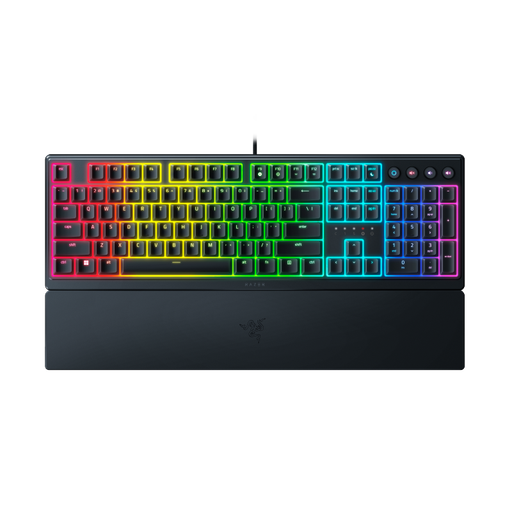
A TKL board leaves out the number pad and can free up space beside your keyboard. The full-size Razer BlackWidow V4 reviewed here, on the other hand, has six dedicated macro keys.
Compare the RTS keys you usually use with the desk space available before choosing a size.
The BlackWidow V4 with Yellow switches reviewed here is a full-size option for players comparing keyboards with dedicated macro keys.
The wired G515 TKL is a low-profile mechanical keyboard without a number pad, with existing keys that you can reassign.
The Apex Pro TKL Gen 3 is worth considering if you want to adjust key actuation yourself.
The K55 CORE TKL is a compact membrane option for anyone who doesn’t need mechanical switches.
The Alloy Origins Core is a mechanical TKL option to compare if you’re looking for a detachable cable and adjustable keyboard angle.
These keyboards are suited to RTS players who want to set up macros, weigh up desk space or compare key actuation and feel.
 No image available
Suited to anyone looking for a TKL layout and programmable macros for their RTS controls.
The product information lists linear MLX Red v2 switches, sound-dampening foam layers and memory for five profiles.
 No image available
An option for comparing a low-profile design with programmable controls.
The product information lists mecha-membrane switches, ten RGB zones, media keys, programmable keys, macro recording and a magnetic wrist rest.
 No image available
Worth considering if dedicated macro keys are part of your RTS controls.
The product information lists linear Yellow switches, six programmable macro keys, a multifunction scroll wheel and an included wrist rest.
 No image available
Suited to anyone who wants to keep space free beside their keyboard and set up macros.
The product information lists a TKL layout, low-profile optical switches, programmable keys and macro recording.
 No image available
Worth considering if you want to adjust key actuation yourself; this feature is no proof of better RTS performance.
The product information lists analogue optical switches, adjustable actuation from 0.1–4.0 mm, Rapid Trigger, a multifunction dial and a magnetic wrist rest.
No, dedicated macro keys aren’t always necessary. According to Age of Empires Support, Age of Empires IV also lets you reassign hotkeys; dedicated keys are mainly a matter of reach and personal preference. Check the game settings and rules for the commands you want to use.
Make sure your keyboard and arms are positioned comfortably, and break up sitting with movement. Arboportaal describes repetitive hand movements and static postures when working at a computer, and advises moving regularly. This is general health advice, not proof that any one keyboard prevents discomfort.
Start with the game’s default controls, then adjust hotkeys if needed. In Age of Empires IV, you can change individual bindings in the fully remappable keys mode; check for conflicts if commands use the same key.
For consumer purchases in the Netherlands, you’re entitled to a product that works as it should; according to the Dutch government, there is no fixed statutory warranty period. For eligible distance purchases, you can usually change your mind within 14 days. Check who the seller is and which terms and exceptions apply to your purchase.
It depends on whether the specific version is covered by EU rules that require a CE mark. The European Union’s Your Europe website explains that the mark is only mandatory for products covered by applicable harmonised rules; it is not an independent quality or gaming test.