
Gamer with limited power sockets
You don’t want to use an extra power adapter all the time, so you’re comparing a USB connection to your PC with a rechargeable wireless keyboard.


If you have a spare USB port on your PC and don’t want to charge a battery, a wired keyboard is a straightforward option that doesn’t need a separate power adapter. A wireless model is a better fit if you don’t want a cable across your desk, but check whether you need a receiver or Bluetooth support, and how the keyboard is charged. If you’re considering a compact layout, make sure the keys and Fn functions you use most often are still easy to reach.
You don’t want to use an extra power adapter all the time, so you’re comparing a USB connection to your PC with a rechargeable wireless keyboard.
You want to use in-game commands quickly and are weighing up direct access to keys against programmable keys and Fn functions.
You want to keep space clear next to your keyboard and are looking for a layout that suits the keys you need to reach quickly while playing.
A good fit if: your PC has a suitable spare USB port and you don’t want to charge a battery.
The trade-off: the cable stays on your desk. Also check that the keyboard’s size leaves the keys you use most within easy reach.
A good fit if: you’d rather not have a keyboard cable across your desk and your PC supports the connection used by the version you’re considering.
The trade-off: a receiver takes up a USB port, and a rechargeable model needs to be charged. Logitech lists LIGHTSPEED, Bluetooth and wired data for the G515 LIGHTSPEED TKL; Trust lists a USB-A receiver, Bluetooth and a charging cable for the GXT 873 Acira.
In a factory-building game, how easily you can reach in-game commands can matter just as much as the connection. The Official Factorio Wiki documents keyboard and mouse controls for Factorio; check the key settings in the game you play.
| What to consider | What should you check? | Who is this important for? |
|---|---|---|
| Power and connection | For USB, check that your PC has a suitable spare port. For wireless, check the receiver or Bluetooth requirements and how the exact version is charged. | If I don’t want to use an extra power adapter, I check how the keyboard gets power and whether I have the connection it needs. Around 36% of consumers prioritise power and connection. |
| Access to commands | Compare keys that are directly accessible with Fn functions, and check which commands you can customise in your game. | If I use the same in-game commands often, I want to be able to reach them without awkward key combinations. Around 29% of consumers prioritise access to commands. |
| Size and desk space | Compare TKL with 60%, and check which functions use an Fn layer on a 60% keyboard. | If I want to keep space clear next to my keyboard, I weigh up the space saved against the keys I need to access directly. Around 21% of consumers prioritise desk space and size. |
| Typing feel and sound | Check the switch type for the exact version, and try the keyboard yourself if possible. | If I play for long periods, I want a typing feel and sound level that suit my preferences. Around 14% of consumers prioritise typing feel and sound. |
Connections and charging methods vary by model. A receiver may use a USB port, and a rechargeable keyboard will need to be charged eventually.
Check whether the exact version connects via a receiver, Bluetooth or both, which cable is included, and whether you can play while it’s charging.
On the Trust GXT 873 Acira described here, some functions are accessed using Fn keys. This can be inconvenient if you use certain in-game commands often.
Compare your most important commands with the key layout, and consider whether TKL is a better fit if direct access matters more than having the smallest possible keyboard.
The Logitech G515 LIGHTSPEED TKL and wired G515 TKL are different versions. The Trust GXT 873 Acira and GXT 867 Acira are separate models too.
Check the full model name, connection type and version on the product page before ordering.
According to ACM ConsuWijzer, statutory warranty in the Netherlands depends on what you could reasonably expect from the product; there is no single fixed legal warranty period for every keyboard.
Keep your proof of purchase and contact the seller if the product doesn’t meet what you could reasonably expect.
The G515 range includes a wireless LIGHTSPEED TKL version and a separate wired G515 TKL.
The GXT 873 Acira is a wireless 60% model; the GXT 867 Acira is a separate wired 60% model.
The Alloy Origins Core is a wired TKL model for anyone looking for a more compact size without going for 60%.
The BlackWidow V4 X is designed for gamers looking for dedicated macro keys.
The Apex Pro TKL Wireless (2023) is a wireless TKL version with adjustable switches.
This selection includes wired USB models and wireless versions, with different layouts for anyone prioritising direct access, fewer cables or more desk space.
 No image available
A wired USB option if your PC has a suitable spare USB port and you’re looking for a TKL layout.
The description lists USB bus power, four dedicated media keys, and key and RGB customisation via Corsair iCUE.
 No image available
A wireless option if you don’t want a keyboard cable across your desk and are looking for a 75% layout.
The description lists Bluetooth, 2.4 GHz and USB-C, an 8000 mAh battery, arrow keys and a function row. USB-C is also a wired connection option.
 No image available
A wireless TKL option if you’re looking for a more compact layout and programmable keys.
The description lists HyperSpeed Wireless, Bluetooth 5.0 and a detachable USB-C cable. It says you can use the cable while charging; programmable keys and macro recording are also mentioned.
 No image available
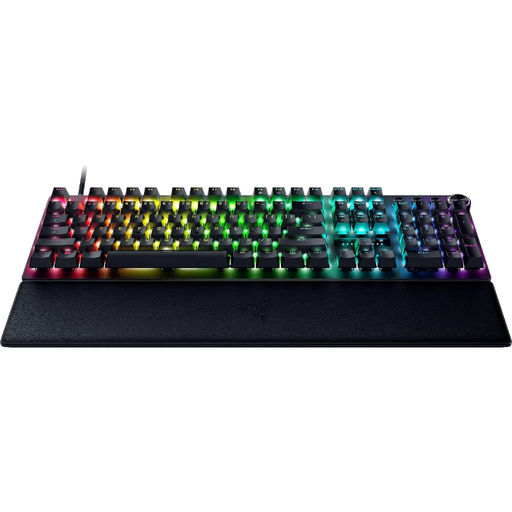
A wired option if you want a full-size layout with keys that are easy to reach, and you have a suitable spare USB port.
The description lists USB-A, wired power and a full-size layout with 104 keys. Adjustable actuation and Rapid Trigger are also mentioned.
 No image available
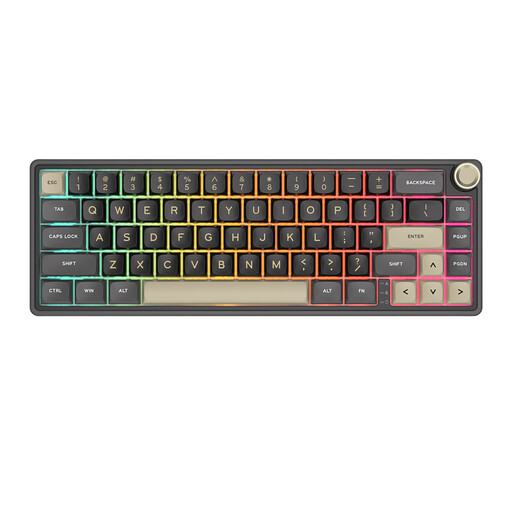
A very compact wired option if you want customisable keys and are happy to use an Fn layer for certain shortcuts.
The description lists 66 keys, QMK/VIA, macro support and a volume knob. Check that the Fn functions are easy to reach for the games you play.
Not necessarily: you can connect a wired USB model to a suitable port on your PC. For a wireless model, check how the specific version is powered or charged; a cable-free desk doesn’t mean you’ll never need to charge it.
Start with the key settings in the game you play. The Official Factorio Wiki documents keyboard and mouse controls for Factorio; some keyboards also offer manufacturer software for assigning keys. Check which functions are supported by your game and the version you’ve chosen.
For online purchases in the Netherlands, you’re often entitled to a 14-day cooling-off period under the rules explained by the Dutch government; your legal rights if a product doesn’t meet what you could reasonably expect are separate. ACM ConsuWijzer explains that there isn’t a fixed statutory warranty period of exactly two years for every keyboard.
The Dutch Authority for Digital Infrastructure outlines requirements for radio equipment and says that manufacturers apply the CE marking when all requirements are met. Check the product information for the exact version; this general guidance does not, by itself, confirm that a specific offer complies.