Which features matter most?
First decide what matters most in your shared workspace and gaming area. Then choose the switch type, layout and connections to suit.
| What to consider |
What to look for when buying |
Who does this matter more to? |
| Typing noise |
Compare the switch type of the exact model. CORSAIR and Razer describe their membrane keys as quiet; Logitech describes the G515 as having a sound-dampening construction. |
If work, calls and gaming all take place in the same room, I want to factor in typing noise and try it out where possible. Around 36% of consumers say sound is their top priority. |
| Desk space |
Check whether you need a numpad and whether the physical layout suits your work. A TKL model leaves out the numpad. |
With a small desk, I want enough room for my mouse without giving up a numpad I need for work. Around 29% of consumers put desk space first. |
| Everyday typing |
Compare the feel of membrane and mechanical keys, and consider the profile and wrist rest. A keyboard alone does not guarantee an ergonomic workspace. |
If I use the keyboard throughout the working day too, I want to choose a feel and profile that suit my everyday typing. Around 21% of consumers put typing comfort first. |
| Controls and connection |
Check remapping, compatibility, connection options and your game’s shortcut options. Extra features do not automatically make every game screen controllable with a keyboard. |
When switching between work and play, I want to customise keys, but only if my software and games support those functions. Around 14% of consumers prioritise customisable controls. |
Joybuy products for working from home and gaming
This selection includes compact keyboards for a shared workspace and gaming area, from membrane models to mechanical versions. Check the layout, connections and features that matter for your work and games for each model.
 Image unavailable
CORSAIR K55 CORE TKL, US QWERTY
A wired membrane version to consider if you work and play at the same desk and don’t need a numpad.
The product name specifies US QWERTY; the description mentions quiet membrane keys, media functions and a USB connection.
View at Joybuy
 Image unavailable
AJAZZ AK820 MAX 75%, US QWERTY
A compact mechanical version to consider if you want to save room for your mouse and use different connection options for work and play.
The product name specifies a wireless tri-mode connection, Flying Fish switches, hot-swap and US QWERTY. The description mentions Bluetooth, 2.4 GHz and USB-C.
View at Joybuy
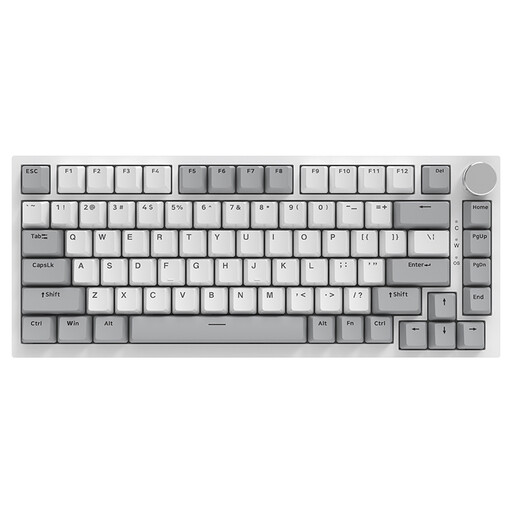 Image unavailable
AJAZZ AK820 75% wired, US QWERTY
A wired 75% version to consider if you’re looking for a compact mechanical layout and don’t need a wireless connection.
The product name specifies hot-swappable linear switches and US QWERTY. The description mentions use for work and gaming, as well as a volume dial.
View at Joybuy
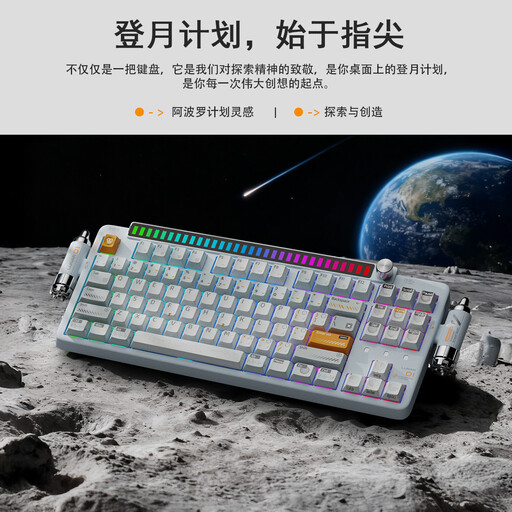 Image unavailable
KEYSME Lunar 01 80%, US QWERTY
A compact option to compare if you want to choose between wired and wireless connections for work and gaming.
The product name specifies a tri-mode connection, hot-swap switches and US QWERTY. The description mentions a programmable dial.
View at Joybuy
 Image unavailable
Razer DeathStalker V2 Pro Tenkeyless, US layout
A TKL version to consider if you can do without a numpad and want the option of using it wirelessly or wired.
The product name specifies the US layout. The description mentions low-profile optical switches, programmable keys, HyperSpeed Wireless, Bluetooth and USB-C.
View at Joybuy
Frequently asked questions
Do I need a high polling rate for deck-building games?
Not as a general requirement for the games discussed here: the information cited about Slay the Spire concerns card selection and navigation, not a required polling rate. Check which keys your game uses, and choose a keyboard that suits your work too.
Do programmable keys make a deck-building game mouse-free?
Not automatically. For Slay the Spire, the creator of a shortcut mod explains that selecting cards with keys does not cover all navigation in the game. Check the controls for the specific game before making remapping or macros a deciding factor.
What should I look for in a keyboard layout?
Check the exact version for ANSI or ISO, the language variant and the key legends. According to CORSAIR, the CORSAIR version researched has a North American layout; the Keychron K8 Pro ISO range includes several country-specific layouts.
Can I return a keyboard bought online if I don’t like the feel of the keys?
For a standard online purchase from a business, the Government of the Netherlands generally provides a 14-day cooling-off period. Check the applicable terms and exceptions; an online purchase from a private seller is not covered by the same distance-selling rules.
Who should I contact if the keyboard develops a fault?
For statutory consumer rights, the Government of the Netherlands says you should contact the retailer, not the manufacturer. There is no fixed statutory warranty period in the Netherlands for all products; what you can expect also depends on the product and normal use.


