
The quiet-playing home worker
You use the same desk for work and tactics games, and want the keyboard’s sound and feel to suit the space. SteelSeries and HyperX describe certain membrane models as quiet; this is not an independent sound comparison.


Start with a sound and key feel that work well in your workspace, then consider which keys you need to access directly. A membrane keyboard described as quiet may suit you if you also work or take calls at the same desk. Mechanical models come with different switch options, while a compact layout frees up desk space but may omit keys or make them available through key combinations. These are considerations based on layouts and product descriptions, not proven benefits for gaming performance.
You use the same desk for work and tactics games, and want the keyboard’s sound and feel to suit the space. SteelSeries and HyperX describe certain membrane models as quiet; this is not an independent sound comparison.
You want to press frequently used keys directly while working and gaming, rather than relying on secondary key combinations. Razer says that the Huntsman Mini provides secondary functions for the function row and navigation keys, among others; Corsair lists dedicated macro keys for the K55 RGB PRO.
You want to leave room for your mouse or documents, and are weighing that against losing a number pad or dedicated function keys. SteelSeries offers the Apex 3 TKL as a TKL model; according to Razer, the Huntsman Mini has a 60% layout.
First, decide what level of keyboard sound and feel is acceptable in your workspace. Then compare the layout with the keys you really want to use directly for work and gaming.
| Consideration | What to look for | Who is this important to? |
|---|---|---|
| Key sound and feel | Check the exact switch type and whether the sound suits your workspace. Manufacturer descriptions such as ‘quiet’ are not comparative sound measurements. | If I work at the same desk, take calls or share my home, I want a typing sound and feel that suit the space. Around 31% of consumers put quiet operation and key feel first. |
| Keys you can access directly | Compare the layout with the shortcuts you use; if the keys are programmable, check whether you can assign the functions you want. | If I often use function keys or other shortcuts, I don’t want to keep pressing key combinations. Around 31% of consumers prioritise direct access to keys. |
| Size and desk space | Check the dimensions and decide whether you need a number pad, navigation cluster or dedicated function row. | At a small desk, I want to leave some space free while keeping the keys I use every day. Around 23% of consumers put desk space first. |
| Connectivity | Check which connections your computer supports and which connection modes the specific model offers. | If I use a desktop computer or switch between devices, I want a connection that suits my setup. Around 15% of consumers prioritise convenient connectivity. |
According to Razer, the Razer Huntsman Mini version reviewed here, with Clicky Optical Switch, is clicky. A 60% layout also lacks dedicated function keys, a navigation cluster and a number pad; some functions are accessed through secondary key combinations.
Check both the switch type and the layout before buying. If you type in a quiet workspace, also compare versions described as quiet, and bear in mind the difference between manufacturer claims and independent sound measurements.
The Corsair K55 RGB PRO is available in layouts including US QWERTY and BE AZERTY. So the same model range doesn’t automatically mean the same layout.
Check the language and keyboard layout of the specific version before you order.
In the Netherlands, statutory guarantee periods depend, according to ACM ConsuWijzer, on what you could reasonably expect from the product with normal use. This is not the same as a fixed two-year period.
Keep your proof of purchase and contact the seller about a suitable solution if the product is faulty.
The Apex 3 TKL is a compact option if desk space and a keystroke described as quieter are important to you.
The Alloy Core RGB is a membrane model with dedicated media controls.
The Huntsman Mini shows what a 60% layout means for desk space and direct access to keys.
The K55 RGB PRO is a full-size model with dedicated macro and media keys.
The G915 X LIGHTSPEED is a wireless, low-profile mechanical option with several connection options, according to the manufacturer.
This selection includes membrane and mechanical keyboards, from compact layouts to full-size models.
 No image available
A TKL membrane keyboard for anyone looking for a more compact layout and a keystroke described as quieter.
Wired USB connection, dedicated media keys and a US QWERTY layout. The product description lists membrane switches for gaming and typing.
 No image available
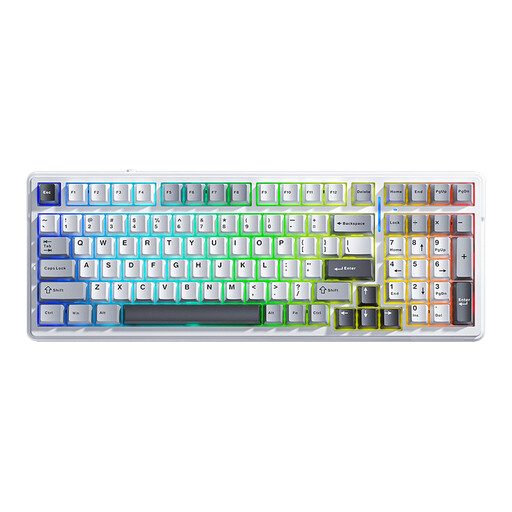
A mechanical option for anyone who wants a choice of connection options for work and gaming.
The title lists 99 keys and US QWERTY. The product description mentions Bluetooth, 2.4 GHz and USB-C, as well as hot-swappable switches.
 No image available
A full-size model for anyone who wants direct access to a wide range of keys.
The product information lists 108 keys, linear switches and hot-swappable switches. Bluetooth, 2.4 GHz and USB-C are listed as connection options. The US layout takes up more space than a compact keyboard.
 No image available
A compact mechanical layout with dedicated function keys and arrow keys, according to the product description.
The product information lists Bluetooth, 2.4 GHz and USB-C, as well as a volume knob and Flying Fish switches. The description of the acoustic profile is a product claim, not a sound measurement.
 No image available
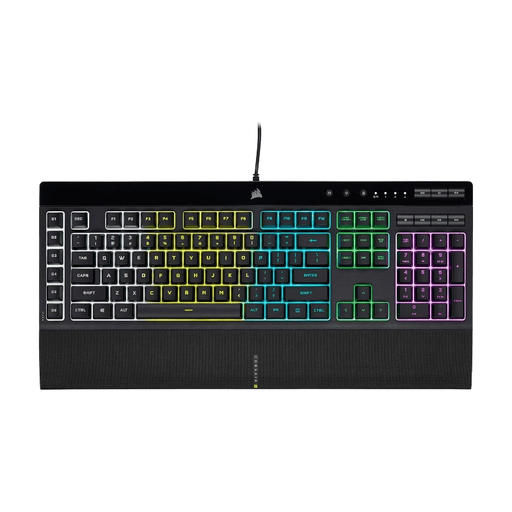
A full-size membrane model for anyone who wants dedicated macro and media keys.
Corsair describes the membrane keys as quiet and responsive. The product information lists a wired connection and six dedicated macro keys. The US QWERTY layout and larger size are important considerations.
No, these aren’t a general requirement for turn-based tactics. Choose these features only if you specifically want to use them for other games or because they suit your preferences; they haven’t been shown to offer an advantage for this style of gaming.
Before buying, check that the layout includes the keys you need to access directly. According to Razer, the function row, navigation cluster and number pad on the Huntsman Mini are accessed through secondary functions. So if you use those keys often, compare it with a TKL or full-size model too.
Not every version sounds the same. Check the exact switch type and decide whether the described key feel and sound suit your workspace. A manufacturer description such as ‘quiet’ is not an independent sound measurement, and doesn’t automatically tell you anything about another version.
Disconnect the keyboard before cleaning it and follow the instructions for the specific model. A spill-resistant rating doesn’t mean you can submerge or wet-clean the keyboard.
For a standard online purchase in the Netherlands, ACM ConsuWijzer says you generally have a statutory cooling-off period of up to 14 days after delivery; check the applicable exceptions and returns policy. This is separate from your statutory guarantee: according to ACM ConsuWijzer, the seller must provide an appropriate free solution if the product is faulty.