
Builder who uses lots of shortcuts
You often place and edit objects, paths or rides, and want quick access to the commands you use most. Planet Coaster 2 includes keyboard shortcuts for controls, according to Frontier Developments.


Start with the actions you perform most often: easy-to-reach shortcuts help with building and navigation, while a TKL layout can leave more room for your mouse but has no built-in number pad. Then choose based on your desk and how much key noise you’re happy with. Extra macro keys are most useful if you want to programme them yourself and the accompanying software works on your computer.
You often place and edit objects, paths or rides, and want quick access to the commands you use most. Planet Coaster 2 includes keyboard shortcuts for controls, according to Frontier Developments.
You play and work in the same room, so you’ll want to consider key noise as well as a comfortable setup.
You want to keep room for mouse movement, so you’ll need to decide whether you need a built-in number pad.
First, work out which controls you use most often and how much space you have at your desk. Then compare key noise, the physical layout and the customisation options of the exact model.
| Factor | What to look for | Who is this important for? |
|---|---|---|
| Building and navigation commands | Check that the keys you want are easy to reach and that the customisation software works with your computer. | If I use the same commands often while building, I want to reach them quickly. Around 33% of consumers prioritise shortcuts for building and navigation. |
| Key noise | Check the exact switch type and, if possible, try out the sound of the complete keyboard. | In a shared home office, I want to play and type without a pronounced clicking sound. Around 25% of consumers prioritise quieter keys. |
| Room for your mouse | Measure the space available and decide whether you need a number pad. | At a small desk, I want enough room to build and navigate with my mouse. Around 25% of consumers prioritise mouse space. |
| Keyboard layout and configuration | Check the physical layout, connections and whether the model is supplied fully assembled or as a barebone version. | If I’m combining work and play, I want a familiar layout and a configuration that suits my computer. Around 17% of consumers prioritise layout and suitability for their needs. |
Different switches can sound and feel different. The Keychron V6 Max configuration reviewed has an ANSI layout.
Check the full variant name, physical keyboard layout and switches of the item on offer.
A configuration with a different size or keyboard layout may differ from the model you’re looking for.
Compare the full model name and key features before treating a product as a replacement.
According to Keychron, the barebone version of the V6 Max does not include keycaps or switches.
Check what’s included with the exact configuration before you order.
The wired G515 TKL is worth considering if you’re looking for a compact mechanical gaming keyboard with programmable keys.
The Apex 3 is worth a look if quieter keys are important to you; the brand offers full-size and TKL versions.
The BlackWidow V4 X is worth considering if you want dedicated macro keys.
The V6 Max is worth considering if you’re looking for a full-size keyboard with customisable keys, switches and several connection options.
The K70 CORE is an alternative to compare if you’re looking for full-size wired mechanical controls and a multifunction dial.
These product picks are aimed at gaming at a home desk, with compact TKL or other compact layouts. For each configuration, check that the layout, connection and customisation options suit your computer and how you plan to use it.
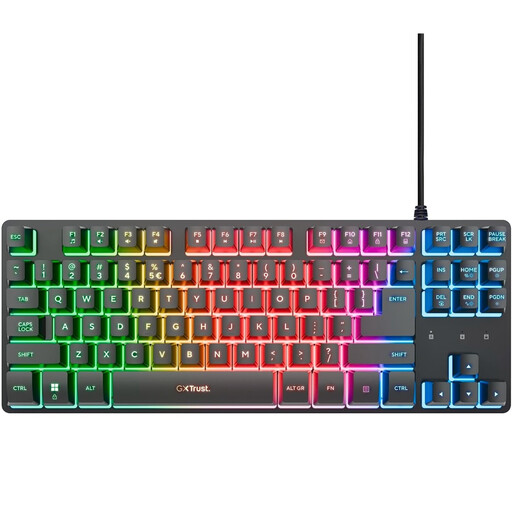 No image available
A TKL option for anyone who values mouse space and can manage without a built-in number pad.
The TKL layout has no separate number pad.
 No image available
A TKL option to consider if you want to keep more room for mouse movement.
The layout has no number pad. According to the product information, you’ll need Corsair iCUE to customise key functions.
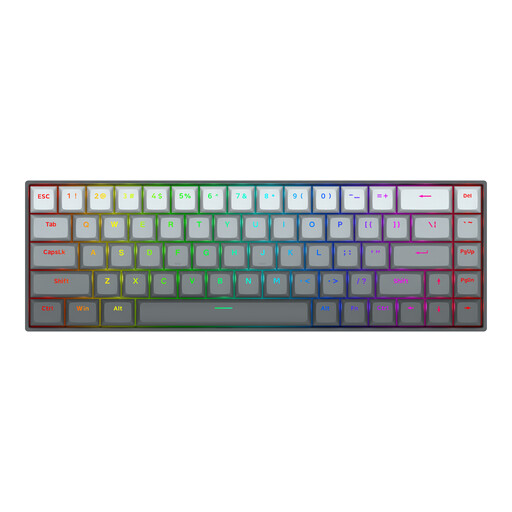 No image available
The compact layout may suit you if you want to leave more room for mouse movement.
The product name specifies 68 keys and a US layout; check that this physical layout is right for you.
 No image available
A compact layout to consider if you game and work at the same desk.
The product name specifies a US QWERTY layout; check that it matches the layout you need.
 No image available
A tenkeyless version to consider if you’d like more room to use your mouse.
The product name specifies a US layout. Check which software and customisation options you’ll need for the features you want.
No, not necessarily: Planet Coaster 2 describes controls using a mouse and keyboard, along with a range of standard shortcuts. Dedicated macro keys are most useful if you want to assign functions yourself and can use the required software.
Position your keyboard, mouse and screen so that you can maintain a relaxed posture, and change your position regularly. Arboportaal provides workplace guidance; this isn’t evidence that a particular keyboard prevents discomfort.
In the Netherlands, online purchases from a business usually come with a 14-day cooling-off period, although the terms that apply may vary. For your statutory guarantee, contact the seller. According to the Dutch government, there is no fixed statutory two-year guarantee period in the Netherlands for every product.
If you’re an employee and work at a screen for more than two hours a day, Arboportaal says the screen and keyboard must not be attached to one another. If you use a laptop, you must be able to use a separate screen or keyboard; this employment requirement does not automatically apply to gaming for leisure.
That depends on the configuration. According to Keychron, the barebone version does not include keycaps or switches, while the fully assembled version does. So check what’s included with the configuration you’re considering.