What should you look for when choosing?
Arboportaal recommends limiting intensive use of screens, keyboards and mice. A keyboard that suits you can support your choice, but it is no substitute for taking breaks.
| What to consider |
What to look for |
Who is this important to? |
| Use during long sessions |
Consider the height, key feel, room for your hands and the fit of any wrist rest; take breaks during prolonged use. |
If I build or manage for long periods, I want the height, key feel and hand position to suit my setup. Comfortable use during long sessions is the main buying concern for around 33% of consumers. |
| Repeated commands |
Check how many dedicated macro keys there are and whether your game and the required software support the assignments you want. |
When I repeat building commands often, I only want to assign them to keys if my game allows it. Repeated controls are the main concern for around 27% of consumers. |
| Mouse space or number pad |
Decide whether you use the number pad and check which arrow, function and navigation keys are retained in the exact layout. |
If I want more room for my mouse, I need to weigh up whether I can do without the number pad. Mouse space is the top priority for around 20% of consumers. |
| Key noise |
Check the exact switch variant and, if possible, try the sound for yourself; manufacturers’ descriptions are not directly comparable sound measurements. |
In a shared space, I want to consider the sound of repeated typing. Low key noise is the main buying concern for around 20% of consumers. |
Joybuy products for this use case
These keyboards cater to different preferences around mouse space, repeated controls and key feel. For each model, check the version, layout and features that matter most for your setup.
 No image available
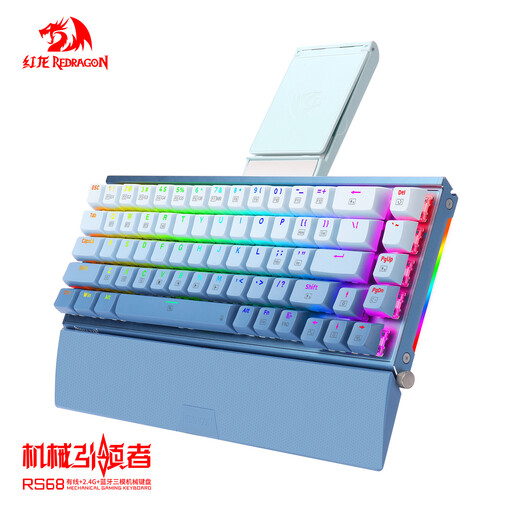
RS68 The Third Mock Examination
Worth considering if you’re looking for a more compact setup with room to move your mouse; check the exact layout and connection type for this version.
The product name mentions a detachable wrist rest. Check whether it suits your posture and setup.
View at Joybuy
 No image available
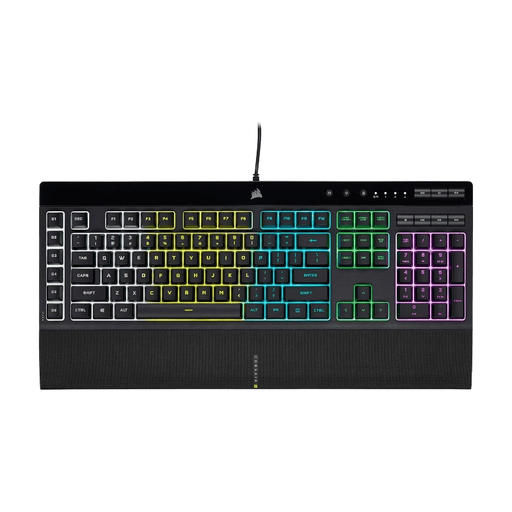
Corsair K55 RGB PRO — US QWERTY
An option if you want to assign repeated commands; check that your game supports the key bindings you need.
Also check that the US QWERTY layout suits the keys you use.
View at Joybuy
 No image available
Corsair K70 CORE TKL — BE AZERTY, MLX Red
An option if you’re looking for a TKL layout and linear MLX Red switches.
Check that the layout suits the way you use your keyboard and that you can do without the number pad.
View at Joybuy
 No image available
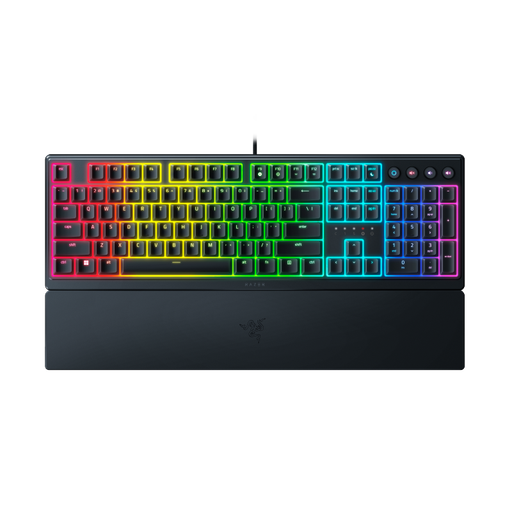
Razer Ornata V3 — Low Profile, US layout
An option if you’re looking for a low-profile keyboard; consider whether the key feel and layout suit your setup.
Check that the US layout matches the keys you use.
View at Joybuy
 No image available
Razer BlackWidow V4 — Yellow Switch, US layout
An option if you want to assign repeated commands; check that your game supports the bindings you need.
Razer describes the Yellow switch as smooth and quiet. Consider whether this variant and the US layout suit your preferences.
View at Joybuy
Frequently asked questions
Do you need dedicated macro keys to build a theme park?
No, not necessarily. They can be useful if you repeat commands often and your game lets you assign them to keys. Check the options available in the game you play.
Does a wrist rest automatically make long sessions suitable?
No. A wrist rest is no substitute for taking breaks. Arboportaal recommends limiting intensive use of screens, keyboards and mice.
How do you connect the Corsair K55 RGB PRO and set up macros?
According to the Corsair manual, connect the USB plug to a USB Type-A port with USB 2.0 or later. Corsair describes iCUE for more advanced lighting and macros, as well as a hardware mode for settings saved to the keyboard.
Which layout gives you more room for your mouse?
A TKL or 75% layout is more compact than a full-size board, but check which keys are retained. If you use the number pad, weigh up that input option against the extra space beside the keyboard.
What cooling-off period applies to online purchases in the Netherlands?
According to the Dutch Government, a 14-day cooling-off period applies in many cases to distance purchases. Check the terms that apply to your purchase; your legal rights if a product is faulty are separate.


