
Player with limited mouse space
Your desk is small and you want to leave room for mouse movements. RTINGS explains that a 60% layout does away with dedicated keys, so check whether using key layers works for the way you play.


Choose 60% if mouse space is your top priority and you’re happy to use key layers; 75% is a compromise if you want a compact keyboard with more keys readily accessible, while TKL retains more dedicated keys but takes up more desk width. RTINGS explains the differences between these layouts. Also check the exact layout and version, as adjustable actuation points only matter if you plan to use that feature.
Your desk is small and you want to leave room for mouse movements. RTINGS explains that a 60% layout does away with dedicated keys, so check whether using key layers works for the way you play.
You don’t want frequently used commands hidden behind an Fn combination while practising. RTINGS explains that TKL retains dedicated arrow, function and most navigation keys. For 75%, check the exact layout of the model.
You want to be able to adjust sensitivity or prevent accidental inputs for individual keys. SteelSeries and Keychron list adjustable actuation points on specific models; check that the version you’re considering includes this feature.
Best if: mouse space is your top priority and you can use an Fn layer for keys that aren’t included.
Trade-off: arrow, function and navigation keys are generally not dedicated keys, so commands may take extra steps.
Best if: you want a compact keyboard with arrow keys and more keys readily accessible.
Trade-off: it takes up more space than 60%; the exact width and keys included vary by version.
Best if: you often use dedicated function, arrow and navigation keys, and have enough desk width for them.
Trade-off: TKL leaves out the number pad but generally takes up more space than more compact layouts. Measure your workspace first.
| Concern | What to look for | Who is this more important to? |
|---|---|---|
| Space for your keyboard and mouse | Measure the available width and compare the dimensions and layout of the exact model. | With a cramped desk, I want to leave room for my mouse and weigh up the keyboard’s width; around 36% of consumers prioritise space for their keyboard and mouse. |
| Commands within easy reach | Make a note of the keys you use most often and compare them with the layout of the version you’ve chosen. | While practising, I want to access frequently used commands without an Fn combination; around 29% of consumers prioritise keys that are readily accessible. |
| Adjustable actuation | Check whether the exact model lets you adjust actuation points, and decide which setting suits the way you play. | If I accidentally hit keys, I want to be able to adjust sensitivity without assuming that the shortest actuation is better; around 21% of consumers prioritise adjustable actuation. |
| Use beyond gaming | Check the switch version, layout, connection options and any software requirements. | For gaming and everyday use, I want a layout and connection that work for both; around 14% of consumers prioritise this combination of uses. |
The actuation ranges listed are model specifications, not the results of a comparative performance test: SteelSeries lists 0,1–4,0 mm for the Apex Pro Mini Gen 3 and Keychron lists 0,2–3,8 mm for the K2 HE. Corsair says the K65 PLUS WIRELESS TACTILE retains arrow and auxiliary keys; also check the full model number and the connection you want.
A 60% layout generally has no dedicated function, arrow or navigation keys. This can mean extra steps for commands you use often.
Compare the layout of the exact model with the keys you use most. Choose 75% or TKL if having keys readily accessible matters more than the smallest footprint.
Fn combinations can mean extra steps while practising.
Not every Corsair K65 PLUS version has the same software compatibility or switches. Corsair says certain K65 PLUS SKUs do not work with iCUE.
Compare the full manufacturer model number, switch version and keyboard layout before choosing a version.
An adjustable actuation point is a product specification; the right setting depends on how you play and which keys you might accidentally hit.
Check that the exact model offers this setting and adjust it to suit the way you use it. Treat manufacturer claims about gaming advantages as claims, not guaranteed results.
The K65 PLUS WIRELESS TACTILE is a 75% version for anyone looking for arrow keys, tactile switches and hot-swappable switches.
Keychron says the K2 HE combines a 75% layout with adjustable magnetic switches and wired and wireless connections.
The Apex Pro Mini Gen 3 is a 60% version with adjustable keys.
Razer describes the Huntsman V3 Pro Mini as a 60% keyboard with analogue optical switches.
The 60HE v2 is a compact 60% option for anyone who values extensive input settings.
These Joybuy products have a 75% layout and are designed for a compact setup that leaves room for mouse movements.
 No image available
A 75% layout for anyone who wants to save space on a compact desk while keeping arrow keys.
Model number CH-91D441F-NA. Tactile MLX Fusion switches; hot-swappable; connects via 2,4 GHz, Bluetooth or USB. US QWERTY layout.
 No image available
A 75% option for anyone looking for a compact layout with arrow keys for a small desk.
Tri-mode connection: wired, Bluetooth or 2,4 GHz. Hot-swappable switches; programmable macros and key functions. US layout.
 No image available
A compact 75% version for anyone who wants to compare adjustable actuation points while practising.
Hall Effect switches; hot-swappable; wired connection. The product description lists adjustable actuation points and Rapid Trigger.
 No image available
A 75% layout for anyone looking for a compact keyboard with arrow and function keys for gaming and everyday use.
Wired, Bluetooth or 2,4 GHz; hot-swappable switches; volume knob. US QWERTY layout.
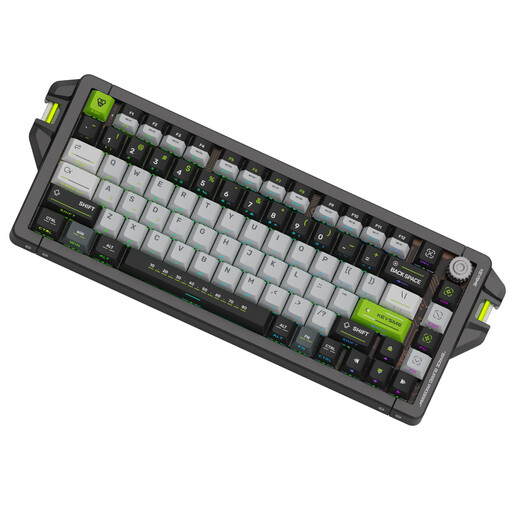 No image available
A compact 75% option for anyone who wants to use adjustable actuation points while practising.
Adjustable trigger range of 0,1–4,0 mm; the product description lists Rapid Trigger and a wired USB-C connection. US QWERTY layout.
A 60% layout can be awkward if you often need dedicated arrow, function or navigation keys while practising and don’t want to use Fn combinations. In that case, compare the layout of a 75% or TKL model with the keys you use.
No. An adjustment range gives you options; it doesn’t provide a proven optimal setting for a support role. Start with a setting that lets you press the intended keys reliably, then adjust it if you find you’re hitting keys by accident.
First, check the full model number, as Corsair says certain K65 PLUS versions are not compatible with iCUE. This limitation doesn’t automatically apply to every version in the K65 PLUS range.