
Players practising movement
If you often stop, move again and change direction, being able to adjust when movement keys register may matter to you.


Start with a layout that suits your mouse space and the keys you need, then consider key noise and the controls you want. Rapid Trigger and adjustable actuation are worth considering if you often change direction and want to fine-tune the settings yourself. They’re not essential for a responsive gaming keyboard, and they won’t improve your aim on their own.
If you often stop, move again and change direction, being able to adjust when movement keys register may matter to you.
A smaller keyboard can free up space for wide mouse movements. Just consider which function keys and other keys you want to keep within easy reach.
Headphones don’t block out keyboard noise for other people. The switch type may therefore be a factor, especially if you’re also using a microphone.
First, choose a layout that suits your mouse movements and key bindings. Then compare the switches and adjustment options with the way you practise and what else you use the keyboard for.
| What to consider | What to look for | Who is this most important for? |
|---|---|---|
| Key noise | Check the exact switch variant. CHERRY describes MX Silent Red as linear and dampened; don’t assume that other red switches sound the same. | If you practise with headphones but want to reduce noise for housemates or through a microphone, the switch model matters. This is the top priority for around 33% of consumers who care most about key noise. |
| Movement input | Check whether the exact model has Rapid Trigger and adjustable actuation. Also check the game’s rules before enabling features that automatically prioritise a direction. | If you often release and press movement keys again, adjustable input may be useful; bear in mind that it takes time to set up and may cause accidental key presses. Around 25% of consumers prioritise adjustable movement keys. |
| Mouse space | Compare 60% with TKL or 75% layouts, and check your key bindings. A smaller layout may omit keys you want to use directly. | A smaller keyboard can free up space for wide mouse movements, as long as you can do without the missing keys. Extra mouse space is the main priority for around 25% of consumers. |
| Everyday use | Check the layout and which keys are within easy reach for typing and other tasks. Don’t assume the model has customisable profiles without checking. | If you also use the same keyboard outside shooter practice, the layout and how easy the keys are to reach matter too. Versatile everyday use is the top priority for around 17% of consumers. |
Headphones don’t change the sound a switch makes. The sound also varies between switch variants.
Check the exact switch, and if noise is a priority, look beyond the general ‘mechanical’ label.
A smaller layout can free up mouse space, but fewer keys are directly accessible.
Check your game controls and everyday tasks before comparing 60% with TKL or 75% layouts.
Rapid Trigger changes when a key registers again. That isn’t the same as automated input, and features can vary by model. In the CS2 release notes dated 19 August 2024, Valve said that certain forms of automated movement or firing input, including hardware-assisted counter-strafing, are detected on official servers and can result in removal from a match.
Check the specific feature and the rules of the game you play; don’t enable automated input without checking first.
According to the Dutch government, the Netherlands has no fixed statutory warranty period for all products. A stated manufacturer’s warranty is therefore not automatically the same as what you can expect from a product under normal use.
Keep your proof of purchase and contact the retailer if something goes wrong.
The Wooting 80HE is a wired model with an 80% layout and analogue controls, for players who want to fine-tune how their keys register.
The Huntsman V3 Pro Tenkeyless is a TKL model with analogue optical switches, adjustable actuation and Rapid Trigger.
According to Logitech G, the PRO X TKL RAPID combines a TKL layout with magnetic analogue switches and adjustable actuation.
The Alloy Origins 60 is a compact, conventional mechanical keyboard for players who value mouse space.
The K2 HE is a 75% alternative with magnetic switches for players who combine gaming with other tasks.
This selection includes a TKL keyboard with quiet membrane switches and compact gaming keyboards, including models with adjustable actuation. Compare the layout, switches and features with your own key bindings and the game’s rules.
 No image available
A TKL option if you want to reduce key noise and don’t need a number pad; the product description lists quiet membrane switches.
The description also mentions media keys. Check that the US QWERTY layout suits your preferences.
 No image available
A compact option if you want to adjust actuation and repeated movement-key presses, while gaining extra space for mouse movements.
The product information lists magnetic switches, Rapid Trigger, adjustable actuation and a US layout. Check that 68 keys are enough for your shortcuts.
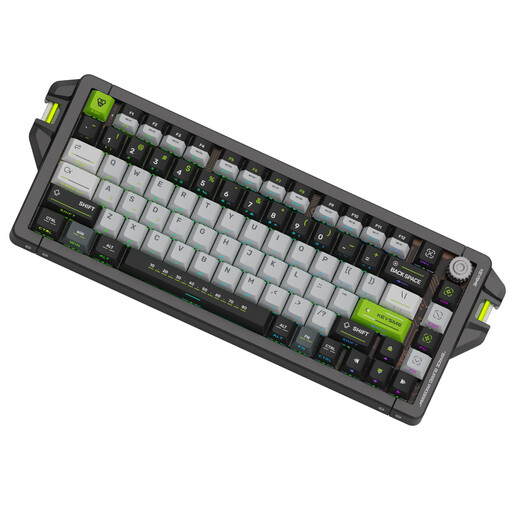 No image available
A 75% layout may suit you if you want to adjust actuation settings while keeping more keys within easy reach than on a smaller layout.
The product title lists magnetic switches, Rapid Trigger and adjustable actuation from 0.1–4.0 mm. The product information also mentions SOCD and Last-Key Priority. Valve says certain automated inputs on official CS2 servers can result in removal from a match; check the game’s rules before using these features.
 No image available
A compact option if your main priority is freeing up mouse space and adjusting actuation and reset behaviour.
The product title and description list Hall Effect magnetic switches, Rapid Trigger and adjustable actuation. With a 60% layout, fewer keys are directly accessible; check whether you need function keys and arrow keys.
 No image available
A compact option if you want adjustable actuation alongside extra space for mouse movements.
The product information lists analogue optical switches, adjustable actuation and a rapid actuation mode. Check that the 60% layout and US QWERTY layout suit the way you use your keyboard.
No, not on its own. Rapid Trigger changes when a key registers again after movement, which may be useful for repeated movement input. Practising your aim and how the feature works in your game are separate matters.
First, check the manual and features for the exact model. Start with a setting that doesn’t cause accidental key presses, change one setting at a time, and test your movement keys and shortcuts in the game.
Valve’s CS2 release notes dated 19 August 2024 say that certain types of automated movement or firing input, including hardware-assisted counter-strafing, are detected on official servers and can result in removal from a match. Check the current rules for the game and playing environment you use.
For many distance purchases, you have a 14-day cooling-off period, subject to applicable exceptions, according to the Dutch government. Faulty products are also covered by the statutory guarantee: the Netherlands has no fixed statutory guarantee period, and what you can expect from a product under normal use is what matters. Contact the retailer if something is faulty.