
Ranked player sharing a bedroom
You want reliable control of your movement keys without your typing disturbing your roommate too much. Compare the sound of the whole keyboard and its adjustable input options.


Start by choosing a keyboard whose typing noise and layout suit your shared bedroom and the space you have for your mouse. If you want to fine-tune movement keys, look for adjustable actuation and Rapid Trigger. These features don’t guarantee better match results, nor do they mean the keyboard will be quiet to type on. Check separately whether key prioritisation is allowed: Valve advises disabling this kind of input automation on official Counter-Strike 2 servers.
You want reliable control of your movement keys without your typing disturbing your roommate too much. Compare the sound of the whole keyboard and its adjustable input options.
You want to leave room beside your keyboard without accidentally losing keys you need. Compare TKL models by checking which arrow, function and navigation keys they actually include.
You want to adjust the actuation point and reset of your movement keys. Also check separately whether your game’s rules allow a feature that automatically prioritises one key over another.
First, consider whether the typing noise will be acceptable to your roommate and whether the layout leaves enough room for your mouse. Then compare movement-key settings and your game’s rules.
| What to consider | What to look for | Who is this important for? |
|---|---|---|
| Typing noise | Check the switch type, case dampening and the sound of larger keys. If possible, try the keyboard on a similar desk. | If I share a bedroom, I want the whole keyboard to avoid disturbing my roommate unnecessarily. Around 40% of consumers in this situation put acceptable typing noise first. |
| Movement input | Check whether the exact model has adjustable actuation and Rapid Trigger. Key prioritisation is a separate feature, so check the game’s rules separately. | If I want to fine-tune my movement keys, I look at actuation and reset without expecting them to improve my performance. Around 33% of consumers prioritise adjustable movement input. |
| Mouse space and layout | Check the dimensions, physical keyboard layout, arrow and function keys included, and whether you need a number pad. | If I have limited mouse space, I want a smaller layout without missing any important keys. Around 17% of consumers choose based first on mouse space and the available keys. |
| Model and terms | Compare the full model number and physical layout with the product listing. Also check the seller, returns policy and warranty. | I want to know exactly which version I’m getting and what terms apply before I buy. Around 10% of consumers prioritise this peace of mind. |
Switch dampening and foam are product specifications, not measurements of how the whole keyboard sounds on your desk.
Check the exact version and, where possible, pay attention to the space bar, stabilisers and the surface you type on.
The Joybuy version of the Corsair K70 CORE TKL reviewed here is model CH-911911E-BE with BE AZERTY.
Before buying, compare the full model number and physical layout with the version you want to use.
Rapid Trigger and the automatic processing of opposing keys are different features. Valve advises disabling input automation, such as Snap Tap Mode, on official Counter-Strike 2 servers.
Check the rules of the game and server you use, and disable input automation where required.
According to the Dutch government, the Netherlands has no fixed statutory warranty period; if a product is faulty, the seller is your point of contact.
Check what additional cover actually gives you, and contact the seller if your product develops a fault.
The Light Mount is a mechanical option to consider if noise is an important factor in your choice.
The K70 CORE TKL and K70 PRO TKL are different models, with different input features and versions.
The PRO X TKL RAPID is a TKL option for players looking for magnetic-analogue switches and adjustable actuation.
According to SteelSeries, the Apex Pro TKL Gen 3 combines adjustable magnetic switches with case dampening.
The Wooting 80HE+ is an 80% model for players looking for analogue input and separate arrow and function keys.
These Joybuy products include TKL and more compact layouts, with options for adjustable input or typing that the product information describes as quiet. Check the physical layout and features you need for each model.
 No image available
A TKL option to consider if you want to fine-tune movement input; the product information lists Rapid Trigger and adjustable actuation.
The listed actuation range is 0,1 to 4,0 mm. The product title says MGX v2; don’t assume this is the same as another switch name without checking the exact version.
FlashTap SOCD is a separate feature and, according to the product information, is switched off by default. Valve advises disabling input automation on official Counter-Strike 2 servers.
 No image available
A TKL option to consider if the product listing’s description of quiet membrane switches suits your preferences for a shared bedroom.
The product information lists quiet membrane switches and 12-key rollover. Check that the US QWERTY layout suits your needs.
 No image available
A more compact option to consider if you want adjustable movement input and need to save space for your keyboard.
The product information lists Rapid Trigger and adjustable actuation from 0,2 to 4,0 mm. The title says 68 keys and a US layout; check that the layout suits you.
 No image available
A mechanical TKL option to consider if you want to free up desk space and need the Belgian AZERTY layout.
Corsair lists linear MLX Red switches and two layers of sound dampening. These are model specifications, not a measurement of how the keyboard sounds in your bedroom.
The listed version is BE AZERTY. Check the layout before ordering.
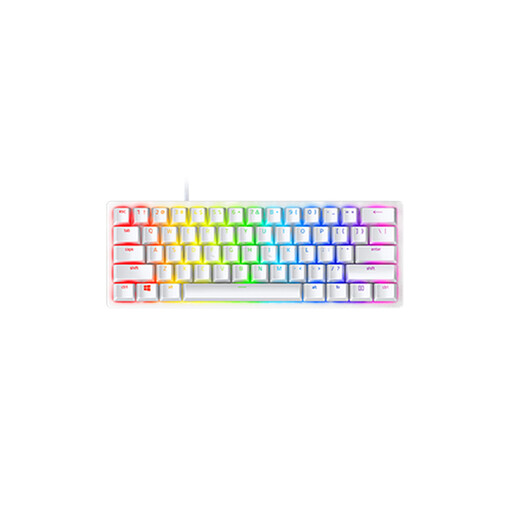 No image available
A compact option to consider if desk space is limited and you’re happy to check that the smaller layout suits the way you use your keyboard.
The product information lists linear optical switches and a 60% layout. Check which keys are readily available and which layout the version has.
No. Rapid Trigger registers a key again as you release it; features such as Rapid Tap, Snap Tap or FlashTap handle opposing inputs separately. Valve advises disabling input automation such as Snap Tap Mode on official Counter-Strike 2 servers. For other games, check their current rules.
Look at the switches, larger keys, case dampening and how the specific version sits on your desk. Manufacturers list dampening for some models, but this doesn’t establish how loud the keyboard will be in your room.
It depends on the version and the features you want to use. For the K70 PRO TKL, Corsair describes both on-keyboard controls and settings through iCUE, and recommends updating the firmware before first use. Check the manual for the exact model before saving settings for ranked play.
For a standard online consumer purchase from a business, the Dutch government says you’ll often have a 14-day cooling-off period. You’re also entitled to a product that is fit for purpose; the Netherlands has no fixed statutory warranty period, and the seller is your point of contact if there’s a fault. Check the terms of your specific purchase, especially if you’re buying from a private seller or outside the EU.