What should you look for when choosing?
Start with the keys you use in your game and the space you have on your desk. Then compare key feel and sound.
The Transport Fever 2 Wiki describes mouse controls as well as keyboard shortcuts, including controls for the camera and simulation speed. For screen-based work, Arboportaal advises changing posture and taking microbreaks. This advice is about how you use your equipment, not about a specific keyboard feature.
| What to consider |
What to look for when buying |
Who is this important for? |
| Reach and posture |
Compare the height and position of your keyboard and mouse with your desk. Factor posture and breaks into your use plan. |
During long sessions, I want to reach my keyboard and mouse comfortably and be able to change my posture. Around 36% of consumers put reach and posture first. |
| Keyboard shortcuts |
Check your game’s controls and make sure the keys you want to use, or remapping, are supported by the exact model. |
I want to control the camera and speed quickly, and first find out which keys my game lets me remap. Around 29% of consumers prioritise keyboard shortcuts. |
| Mouse space or numeric keypad |
Check which keys the layout includes. RTINGS explains that more compact keyboards can leave more room for mouse movement, but may also omit some keys. |
I want extra room next to my keyboard and can do without the numeric keypad. Around 21% of consumers prioritise mouse space over the keypad. |
| Typing sound |
Compare the switch type and key feel of the exact model. Descriptions such as ‘quiet’ are not comparable sound measurements. |
In a shared space, I want to be mindful of the sound of repeated keystrokes during long sessions. Around 14% of consumers prioritise quieter typing. |
Gaming keyboards on Joybuy
This selection includes wired and wireless keyboards with TKL, 75%, 98% and full-size layouts. Check the physical layout, connection and switch variant for each model.
 No image available
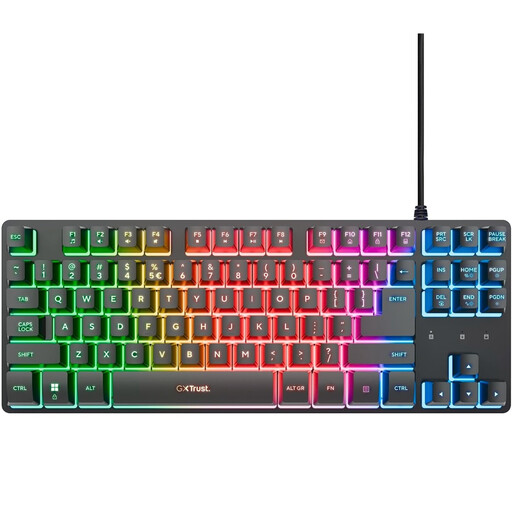
GXTrust Thado TKL gaming keyboard
Well suited to anyone who values mouse space more than a separate numeric keypad.
Wired; QWERTY; listed for PC and PS5.
View on Joybuy
 No image available
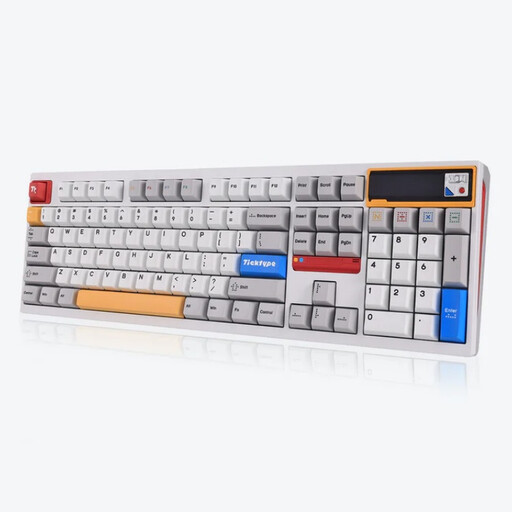
Ticktype DP104 full-size wireless mechanical keyboard
A full-size model to consider if you want to keep the numeric keypad.
The product name lists Silent Tactile switches and wired, Bluetooth and 2.4G connections. Compare the key feel and sound of this exact model.
108 keys; US layout; hot-swappable.
View on Joybuy
 No image available
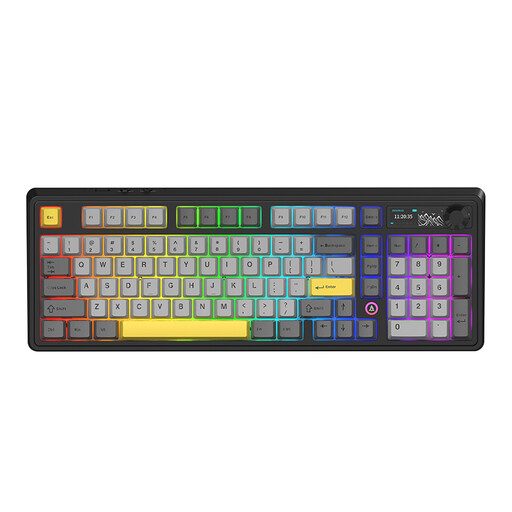
AJAZZ AK980 V2, 98% layout
Consider this model if the stated 98% layout includes the keys you use in your game.
QWERTY; wired, Bluetooth and 2.4G; volume control; TFT screen; Gift Switch V2, Starry Night Gray.
View on Joybuy
 No image available
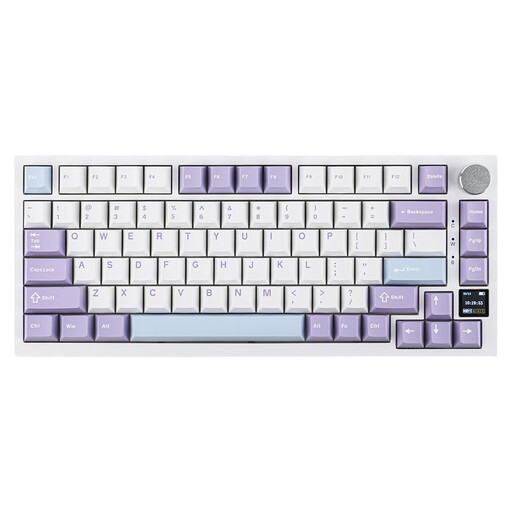
AJAZZ AK820 Pro 75% keyboard
The 75% layout may suit you if you’re looking for a more compact set-up. Check which keys your game requires.
US QWERTY; wired, Bluetooth and 2.4G; Flying Fish Switch Purple.
View on Joybuy
 No image available
Razer DeathStalker V2 Pro Tenkeyless
A TKL model to consider if you can do without a numeric keypad and want more room next to your keyboard.
US layout. Check that it suits the shortcuts you use; the product description lists Razer Synapse for full functionality.
View on Joybuy
Frequently asked questions
Do I need extra macro keys for railway management games?
Not necessarily. The Transport Fever 2 Wiki describes keyboard shortcuts for things such as the camera and simulation speed, as well as mouse controls. Check your game’s controls and settings first to see whether remapping would be useful.
How should I set up my keyboard for a long session?
Position your keyboard and mouse so you can reach them comfortably, and change your posture regularly. Arboportaal recommends taking breaks and microbreaks when working with screens; this isn’t a legal limit on how long gamers can play.
Which connection should I choose if I want to play wirelessly?
Check the connections available on the exact model. RTINGS describes a wired connection and a wireless receiver as better suited to speed-focused gaming than Bluetooth. This doesn’t mean Bluetooth is unsuitable for a relaxed management game.
What are my rights when buying a keyboard online in the Netherlands?
For a standard online purchase by a consumer, there is generally a statutory 14-day cooling-off period from the day you receive the product, with some exceptions. The product must also meet what you can reasonably expect of it. ACM ConsuWijzer explains that your statutory rights are separate from any additional manufacturer’s guarantee.
Do Dutch workplace health and safety rules apply to my gaming sessions at home?
The obligations for screen-based work described by Arboportaal are aimed at employers and employees, and don’t automatically apply to someone gaming at home in their own time. Advice about taking breaks may still be useful, but it isn’t a legal product requirement for all buyers.


