
Evening gamer sharing a room
You want to manage railway networks while someone else in the room is resting, so key noise is top of your list.


In a shared bedroom, start by considering key noise, then check whether the layout suits the shortcuts in your railway management game. A membrane keyboard is a sensible starting point if keeping noise down is your priority; choose TKL if you can do without the number pad, or a mechanical model if key feel matters to you and you can carefully assess the exact switch type. Manufacturers’ claims such as ‘quiet’ are not comparable sound measurements.
You want to manage railway networks while someone else in the room is resting, so key noise is top of your list.
You want to access features such as building or pausing easily. Check your game’s shortcuts and make sure they work with the keyboard layout. OpenTTD’s documentation notes that some key handling assumes a US QWERTY layout.
You want to keep space free around your keyboard and are considering giving up the number pad to do so.
Consider noise, access to shortcuts and how much space the layout takes up. OpenTTD’s documentation describes a possible mismatch with US QWERTY shortcuts, while RTINGS.com discusses how switches and keyboard construction can affect sound.
| What to consider | What to look for | Who is it important for? |
|---|---|---|
| Key noise | Check the exact switch or membrane type, and pay attention to larger keys too. A manufacturer’s claim that a keyboard is ‘quiet’ is not a comparative measurement. | If you play late next to someone who is resting, you’ll want to keep keystrokes as quiet as possible. Around 36% of consumers say key noise is their top priority. |
| Shortcuts and layout | Check your game’s shortcuts, the physical layout and whether the function keys are easy to access. Also check whether you can remap keys. | If you often build, pause or manage windows, you’ll want to find the keys you need straight away. Around 29% of consumers say access to shortcuts and a suitable layout are their top priorities. |
| Desk space | Measure the space available and check whether you use the number pad. TKL keyboards leave it out. | If your desk is small, you’ll want to free up space without losing the keys your game needs. Around 21% of consumers say desk space is their top priority. |
| Key feel and customisation | Check which switches are included and whether the exact model supports hot-swappable switches. Also check which replacement switches are compatible. | If you prefer a mechanical feel, you’ll want to assess the specific version without compromising on noise. Around 14% of consumers say key feel and customisation are their top priorities. |
Manufacturers use this description for individual models, but the case and larger keys can affect the sound too. A product description can’t tell you how a keyboard will sound next to a sleeping housemate.
If possible, assess the exact version in a quiet environment similar to where you’ll use it. Don’t treat a manufacturer’s claim as a comparative sound measurement.
TKL keyboards leave out the number pad, and smaller layouts may also make some keys harder to access. OpenTTD’s documentation mentions function keys as part of the controls.
Before deciding, compare your game’s shortcut list with the layout of the exact model.
The physical layout and included switches can vary between versions. OpenTTD’s documentation warns that some key handling assumes US QWERTY.
Before buying, check the full model name, physical layout and included switches of the version on offer.
The G213 Prodigy is a full-size membrane keyboard with Mech-Dome keys, aimed at anyone looking for a layout with a number pad.
The Apex 3 TKL is a compact option if you want to keep the function keys but can do without the number pad.
The Alloy Core RGB is an example of a membrane keyboard with gaming features and media controls.
The BlackWidow V4 Tenkeyless HyperSpeed is a mechanical TKL option for anyone who values hot-swappable switches.
CHERRY MX Silent Red is a switch option for anyone looking for a mechanical keyboard with built-in dampening.
These keyboard options include compact TKL models, a compact mechanical model and a full-size membrane model. The listed construction and layouts can help you choose, but they are not comparative sound measurements.
 No image available
The TKL layout could suit you if you want to free up desk space and can do without the number pad.
Wired keyboard with membrane keys, media keys and game mode. The product description lists anti-ghosting for up to 10 simultaneous keystrokes. The listed layout is QWERTY.
 No image available
The TKL version could suit you if you don’t need a number pad and want to free up desk space.
Wired membrane keyboard with a US ANSI QWERTY layout and media keys. The product description calls the membrane switches quiet and lists 12-key rollover; this is not a comparative sound measurement.
 No image available
This mechanical TKL model could suit you if you can do without the number pad and the BE AZERTY layout works for you.
This version has MLX Red switches and media controls. The product description mentions two layers of sound-dampening foam and pre-lubricated stabilisers, but doesn’t provide a measured noise level. OpenTTD’s documentation notes that some key handling assumes US QWERTY, so check that the layout works with your shortcuts.
 No image available
The compact 75% layout could suit you if you want to free up desk space and its smaller layout includes the keys you need.
Wired mechanical keyboard with US QWERTY, linear hot-swappable switches and a volume knob. The product name mentions Poron foam, while the product description lists several sound-absorbing layers; neither is an independent sound measurement.
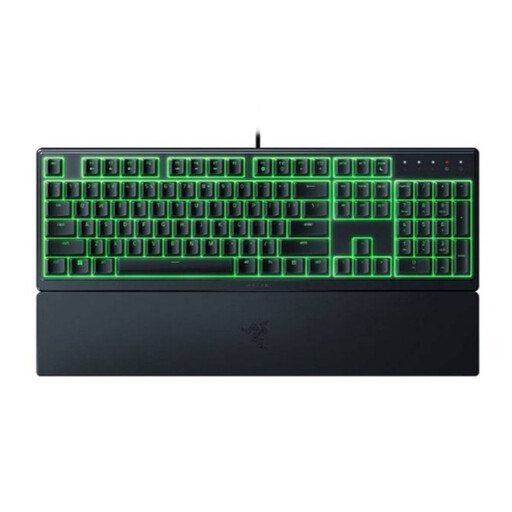 No image available
The full-size membrane version could suit you if you want to keep the number pad; bear in mind that it has a US layout.
The product description lists programmable keys, macro recording and a wrist rest. No noise level is specified.
It depends on the game and your own key settings. OpenTTD documents function keys and Tab, among other controls, and notes that some shortcuts assume US QWERTY. Check the shortcut list for the game you play before choosing a TKL keyboard.
Compare the documented shortcuts with your physical and configured keyboard layouts. According to OpenTTD’s documentation, you can assign a non-working shortcut to another key combination via hotkeys.cfg; the US QWERTY assumption may still be relevant.
According to the Dutch government, online purchases from a business often come with a 14-day cooling-off period. In the Netherlands, statutory guarantee rights apply without a fixed statutory guarantee period; if a product is faulty, the retailer is your point of contact.
According to the Dutch government, when you buy a new electrical appliance, you can hand in an old, similar one as a private customer; this also applies to online purchases. Your local council’s recycling centre is another option. Loose, empty batteries should be taken to a separate collection point, not put in the bin.