What should you look for when choosing?
Compact TKL with switches described as quiet
A good fit if: you play in a shared space and can manage without a number pad. SteelSeries describes the Apex 3 TKL’s switches as quiet.
Keep in mind: this noise claim isn’t based on an independent comparison, and you shouldn’t automatically expect a mechanical feel.
Wired mechanical TKL keyboard
A good fit if: you’re looking for a slim profile, physical number and function keys, and customisable features. Logitech lists this combination for the wired G515 TKL.
Keep in mind: the stated height and wired connection alone don’t tell you whether the keyboard will feel comfortable to use.
Customisable mechanical 75% keyboard
A good fit if: you want to remap keys or be able to replace the switches. Keychron describes these features for the original V1.
Keep in mind: the V1 mentioned here has an ANSI layout; the barebone version doesn’t include switches or keycaps.
Wireless TKL keyboard
A good fit if: you want to switch between devices or connection types. Logitech lists LIGHTSPEED, Bluetooth and wired data for the G515 LIGHTSPEED TKL.
Keep in mind: don’t confuse this wireless version with the separate wired G515 TKL. Check the exact model name and layout.
Minecraft’s official control information includes keys such as WASD, Space, Shift and E. Arboportaal describes repetitive actions and static strain as considerations when working with a screen, so choosing a keyboard doesn’t replace varying your posture and activity.
| What to consider |
What to look for |
Who might find this especially important? |
| Key layout and mouse space |
Check the physical number row, function and navigation keys, and the width of the exact version. |
I want to reach my movement keys quickly while building and have enough room for my mouse. Around 33% of consumers give accessible controls and mouse space top priority. |
| Key feel and posture |
Compare the height, adjustable feet and switch type; also consider your desk, chair and mouse position. |
During long sessions, I want a key feel and desk setup that work for me. Around 27% of consumers prioritise key feel and posture. |
| Key noise |
Check the switch type and claims for the exact version; try the keyboard if noise is a deciding factor. |
If other people are in the same room, I want to know how audible my keystrokes are. Around 20% of consumers give quieter keys top priority. |
| Customisation and connection |
Check the remapping options, connection, compatibility and included components for each model. |
I want to set up my own key functions or connect my keyboard in different ways. Around 20% of consumers choose customisation or connectivity as their first consideration. |
Joybuy products for building and gaming
These Joybuy products focus on compact TKL and 75% layouts for a keyboard and mouse setup. Check that the connection and key layout of each version suit the way you use it.
 No image available
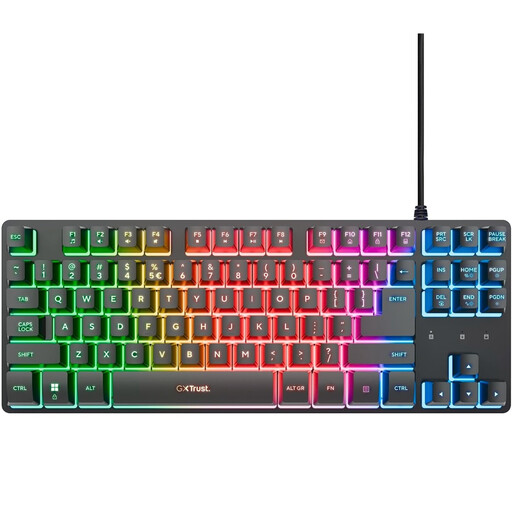
GXTrust Thado wired TKL gaming keyboard
For anyone looking for a compact wired keyboard who can manage without a number pad.
The product name lists PC/PS5, US QWERTY and black.
View at Joybuy
 No image available
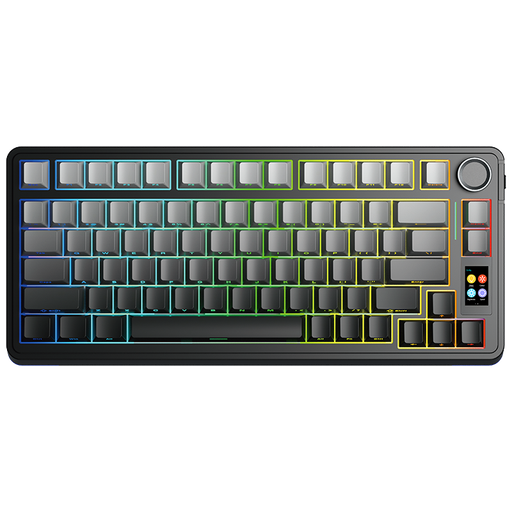
AULA S75 Pro 75% Wireless Mechanical Keyboard
For anyone looking for a compact mechanical keyboard with customisable keys or switches.
The product name lists tri-mode, hot-swap and a US QWERTY layout.
View at Joybuy
 No image available
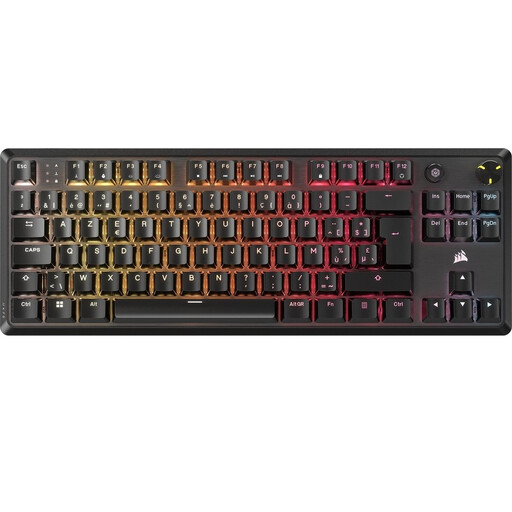
Corsair K70 CORE TKL Mechanical Gaming Keyboard
For anyone looking for a compact mechanical keyboard with the listed BE AZERTY layout.
The product name lists MLX Red; check that the Belgian AZERTY layout matches the controls you’re used to.
View at Joybuy
 No image available
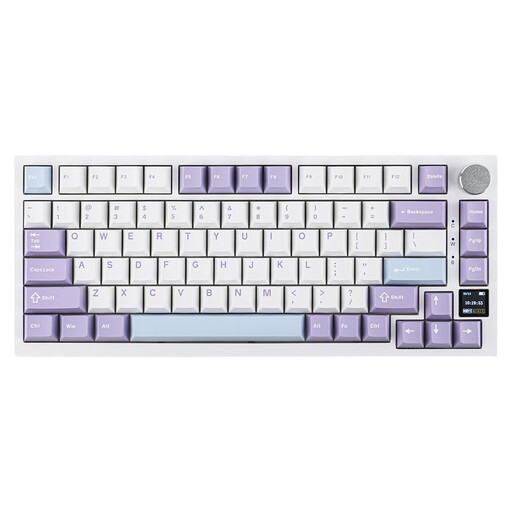
Ajazz AK820 Pro 75% Mechanical Tri-Mode Keyboard
For anyone looking for a compact mechanical keyboard with several connection options.
The product name lists US QWERTY, wired, Bluetooth, 2.4G and hot-swappable switches.
View at Joybuy
 No image available
Razer DeathStalker V2 Pro Tenkeyless Gaming Keyboard
For anyone looking for a low-profile TKL keyboard who can manage without a number pad.
The product name lists a US layout; check that it matches the key controls you’re used to.
View at Joybuy
Frequently asked questions
Do I need a number pad for building in Minecraft?
Not for the basic controls Minecraft describes, such as WASD, Space, Shift and E. Check your own shortcuts, game version and other applications before giving up the number pad, though.
Can I customise keys for my building routine?
Minecraft says you can change the controls in the options menu. If you also want to remap functions on the keyboard itself, check whether your model and version support the software or firmware you need.
How can I use a keyboard more comfortably during a long session?
Set up your workspace to suit you and vary your posture and activity. Arboportaal identifies repetitive actions and static postures as considerations when working with a screen; workplace guidance for employees doesn’t necessarily apply to gaming at home.
What returns and warranty rights apply to an online purchase in the Netherlands?
According to ACM ConsuWijzer, ordinary online consumer purchases generally come with a cooling-off period of up to 14 days after delivery, with some exceptions. If a product is faulty, the seller is responsible for the statutory guarantee; don’t assume a fixed warranty period of exactly two years based on a product description.
Which product safety rule applies to an electronic keyboard?
The Dutch Government says that electronic devices in the EU must carry a CE mark. Check the product information for the specific listing; a statement or image alone doesn’t prove that an individual item meets the requirements.


