
Vandaag of morgen in huis

Kwaliteit gegarandeerd

Welkomstaanbiedingen ontgrendelen: GRATIS bezorging | Tot 80% korting | Gratis 30 dagen JoyPlus-proefperiode
Download de app
Looking for a new gaming keyboard, but feeling overwhelmed by the options? The market is flooded with terms like mechanical, optical, hot-swappable, and a wide variety of form factors. It can be tough to determine which features truly make a difference for your gaming experience and which are just marketing hype.
My name is Joy, and as a Product Recommendation Officer at Joybuy, my job is to cut through the noise. I'll provide you with practical, objective information based on product specifications, so you can make a choice that fits your playstyle and budget. In this article, we'll explore what to look for and highlight some standout models.
Before we dive into specific products, it's helpful to understand a few key concepts. These three points will help you better decipher a keyboard's specifications.
The switches beneath the keys determine how a keystroke feels and how quickly it's registered. This is perhaps the most important choice you'll make.
Gaming keyboards come in all shapes and sizes. The choice depends on your personal preference and the available space on your desk.
For many enthusiasts, personalising their keyboard is a major part of the hobby.
Based on the criteria above, we have selected a few models that stand out for their specifications and functionality.
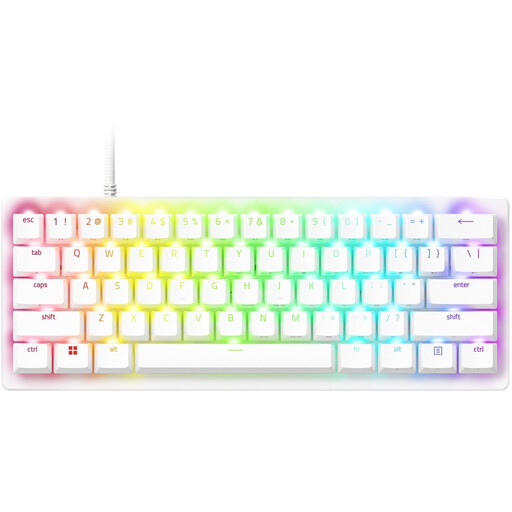
Why It Stands Out This keyboard is built for pure speed. Razer's second-generation analog optical switches allow you to set the actuation (the registration point of the keystroke) yourself. According to Razer, this enables extremely fast and repeated inputs, which can be an advantage in competitive games.
Key Specifications
Who is this keyboard for? For the serious, competitive gamer for whom every millisecond counts. Its compact size makes it ideal for esports athletes who bring their own gear to tournaments.
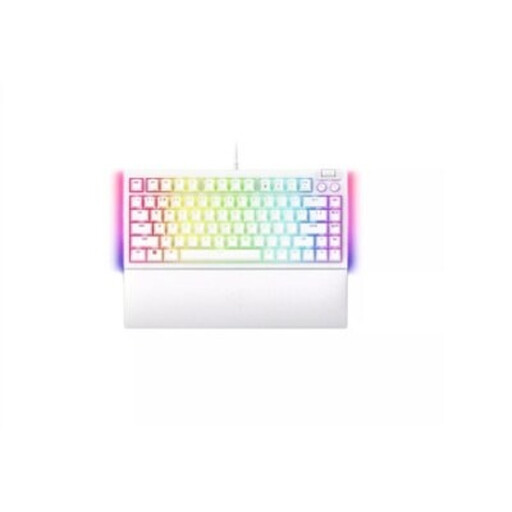
Why It Stands Out This model combines the performance of a Razer keyboard with the flexibility of a hot-swappable keyboard. The 75% form factor is an excellent balance between compactness and functionality, as you retain the arrow keys and a row of function keys.
Key Specifications
Who is this keyboard for? For the all-around gamer and keyboard enthusiast who wants a compact, high-quality keyboard and the freedom to change switches in the future without having to buy a new board.
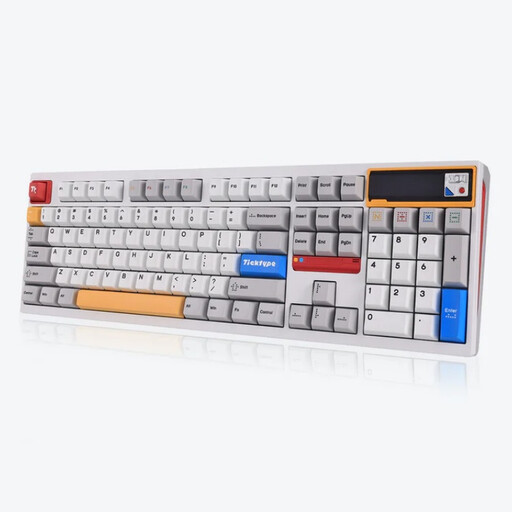
Why It Stands Out The Ticktype DP104 offers a premium custom keyboard experience, right out of the box. With a full aluminium case, a unique 'leaf spring' mount for a soft typing feel, and a customisable pixel screen, this is a model for the enthusiast who values both aesthetics and functionality.
Key Specifications
Who is this keyboard for? For the user who wants the best of both worlds: a high-end gaming keyboard that also provides an exceptionally comfortable and quiet typing experience for work. Ideal for those seeking a premium, heavy, and stable keyboard without the need for self-assembly.
A white keyboard can be the perfect, sleek addition to your desk. If the models above aren't quite what you're looking for, but you're drawn to the aesthetic, there are many more options available.
? Check out our full collection of white keyboards here.
1. What is the difference between a mechanical and a membrane keyboard? A membrane keyboard, often found in cheaper office and laptop keyboards, uses a rubber layer under the keys. A keystroke presses this layer onto a circuit. A mechanical keyboard has a separate, physical switch for each key. This generally results in a more precise feel, greater durability, and a better typing experience.
2. Is a 60% keyboard good for gaming? Yes, for many gamers, a 60% keyboard is even ideal. Its minimalist size creates a lot of extra desk space for large, sweeping mouse movements. This is a particular advantage in fast-paced shooters. It does require some getting used to, as functions like the arrow keys and F-keys often operate via an 'Fn' key combination.
3. What does 'hot-swappable' mean exactly? 'Hot-swappable' means you can change the mechanical switches on your keyboard without needing to solder. Using a special tool (usually included), you pull the switch out of the board and press a new one in. This gives you the freedom to experiment with different types of switches (linear, tactile, clicky) to find the perfect feel for you.
