Start by choosing a layout that suits the controls in your football game, then consider the switch type and the space available on your desk. If noise is your main concern, a membrane model described by the manufacturer as quiet could be a sensible starting point, but this description doesn’t guarantee a particular noise level in your bedroom. For EA SPORTS FC 27 on PC, EA describes both WASD and arrow-key controls.
Who is this advice for?
Gamer with a sleeping roommate
You play while someone else is using the bedroom and mainly want to avoid repeated key presses being unnecessarily audible. Manufacturers describe certain membrane models as quiet, but that isn’t an independent comparison of how loud they are in a bedroom.
PC football game player
You want to use movement and tactical keys comfortably. For EA SPORTS FC 27 on PC, EA describes both WASD and arrow-key layouts; check the controls for your game before choosing a keyboard.
Player sharing a small desk
You want to leave room for your mouse or other items, so the layout matters. A TKL keyboard has no number pad, but retains the separate arrow keys.
What should you consider when choosing?
Start with the game controls and the space on your desk, then decide whether the switch type is right for a shared room.
| Factor to consider |
What should you check? |
Who is this most relevant to? |
| Key press noise |
Check the switch type and, if possible, try the keystrokes in a similar setup; a manufacturer’s description isn’t a noise measurement. |
When my roommate is resting, I want to make repeated key presses as quiet as possible. Around 36% of consumers put noise at the top of their list of buying concerns. |
| Access to game controls |
Check your game’s controls and the position of the arrow keys, function keys and relevant combinations. For FC 27 on PC, EA describes both WASD and arrow-key controls. |
I want to control movement and tactical actions without having to search for an awkwardly placed key. Around 29% of consumers prioritise easy access to in-game actions. |
| Layout and desk space |
Compare the keyboard layout with the space you have and consider whether you need a number pad. |
At a shared or small desk, I want to free up space without losing the keys I use. Around 21% of consumers put layout and desk space at the top of their buying concerns. |
| Comfort and connectivity |
Check the exact model to see whether it has a wrist rest and whether its connection suits your desk and PC. |
I want the keyboard to fit comfortably into my gaming setup and connect to my PC. Around 14% of consumers prioritise comfort and connectivity. |
Things to watch out for when buying
-
Assuming a ‘quiet’ description guarantees low noise
Manufacturers use noise-related descriptions for individual models. Without comparable measurements, they don’t tell you how loud the keyboard will sound in your room.
Check the switch type and, if possible, try the keystrokes in a similar setup. Don’t rely on the product name alone.
-
Confusing the Razer Ornata V3 with the Ornata V3 X
Razer describes different versions and switch types within the Ornata range. Similar model names don’t mean the keyboards have the same keys.
Check the full model name and switch type of the version you’re ordering.
-
Focusing only on a compact size
A smaller keyboard may omit keys or place them differently. This can matter if you use arrow keys, function keys or shortcuts in your football game.
Compare your game’s controls with the layout of the exact keyboard, and also consider how you’ll use it outside gaming.
Relevant brands to consider
Corsair
Corsair describes the K55 CORE TKL as a TKL keyboard with membrane keys.
- Corsair lists features of the K55 CORE TKL including 12-key rollover and a wired USB Type-A connection.
- The K55 CORE without TKL has a full-size layout. Don’t assume that features of different K55 versions are the same; there’s no independent noise comparison for these models.
SteelSeries
The Apex 3 TKL is a compact model that SteelSeries describes as having Whisper-Quiet switches.
- SteelSeries also lists anti-ghosting and a TKL layout for the Apex 3 TKL.
- The manufacturer’s description doesn’t prove that the keyboard will be quieter than other models in your bedroom. Check that the keyboard language and version are right for you.
Razer
Razer describes the Ornata V3 X as a full-size model with quiet membrane switches and a wrist rest.
- The Ornata V3 X could suit you if you’re looking for a full-size keyboard with a wrist rest.
- The noise description isn’t based on comparable measurements. According to Razer, other Ornata V3 versions have a different switch type, so check the full model name.
Logitech G
Logitech G describes the G213 Prodigy as a full-size model with Mech-Dome keys, and the G515 TKL as a wired mechanical TKL model.
- The two models offer different sizes and key mechanisms to consider when choosing.
- Logitech’s noise descriptions don’t provide comparable noise levels. Check the size and exact version before you buy.
Gaming keyboards at Joybuy
This Joybuy selection includes gaming keyboards in a range of sizes and with different switch types. Check the exact layout and version to make sure it suits your game controls and shared gaming space.
 No image available
GXTrust Thado TKL Gaming Keyboard, PC/PS5, QWERTY
The TKL layout suits anyone looking to free up desk space while gaming.
Wired; TKL; PC/PS5; QWERTY; black.
View at Joybuy
 No image available
Corsair K55 CORE TKL Gaming Keyboard, US QWERTY
The TKL version suits anyone looking to free up space without needing a number pad.
TKL; US QWERTY.
View at Joybuy
 No image available
Redragon M68 Magnetic Switch Mechanical Gaming Keyboard, 68 Keys, US Layout
The 68-key layout is worth considering if you’re looking for a compact gaming keyboard.
Magnetic switches; Rapid Trigger; 8000Hz polling rate; 68 keys; US Layout.
View at Joybuy
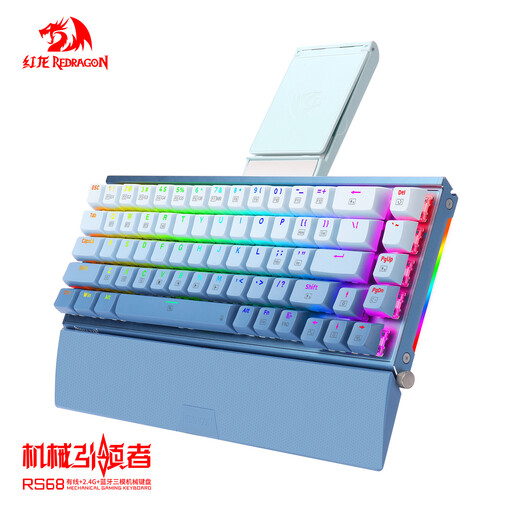 No image available
RS68 The Third Mock Examination Wireless Mechanical Keyboard, Gradient Blue
The product name mentions several connection options; check which one suits your PC and gaming setup.
The product name lists wired, wireless and Bluetooth connectivity.
View at Joybuy
 No image available
Corsair K70 CORE TKL Mechanical Gaming Keyboard, BE AZERTY, MLX Red
This TKL version could suit you if you’re looking for a mechanical keyboard without a number pad.
TKL; mechanical; BE AZERTY; MLX Red.
View at Joybuy
Frequently asked questions
Which keys are useful for EA SPORTS FC 27 on PC?
For player movement, EA describes both WASD and the arrow keys. EA also lists number keys 1–5 and function keys F1–F9 for certain tactical shortcuts; check the controls separately for other football games.
Does a keyboard described as quiet guarantee low noise in the bedroom?
No. A manufacturer’s description doesn’t guarantee a particular noise level in your room. Compare the switch type and, if possible, try the keystrokes in a similar setup. Corsair, SteelSeries and Razer describe specific models, but their descriptions aren’t based on comparable noise measurements.
What do you give up with a TKL keyboard?
A TKL keyboard leaves out the number pad but keeps the separate arrow keys. Check whether you need the number pad outside gaming and whether the other keys suit your game’s controls.
Do I need software to use a Corsair K55 CORE TKL?
Corsair lists iCUE for additional settings on the K55 CORE TKL. Consider whether you need that customisation before installing the software.


