
Players who use lots of shortcuts
When building in Factorio, you can use key combinations and customise bindings, according to the Factorio Wiki. A layout that keeps the keys you need within easy reach can be useful if you use these functions often.


Start by choosing a layout that keeps the keys and combinations you need for work and gaming within easy reach. Then decide how much noise and desk space you’re happy with. A TKL or 75% board does away with the number pad. A membrane model may suit you if noise matters in a shared space, while programmable models offer more customisation options. Check the layout and specification: a gaming keyboard alone doesn’t guarantee a suitable workspace.
When building in Factorio, you can use key combinations and customise bindings, according to the Factorio Wiki. A layout that keeps the keys you need within easy reach can be useful if you use these functions often.
If other people can hear your keyboard in the same room, compare the switch types and, if possible, try one out for yourself. A manufacturer’s description such as ‘quiet’ isn’t an independent comparison of sound levels.
If you use work equipment and a mouse on the same desk, a TKL or 75% layout may suit your space requirements. Bear in mind that compact models don’t have a number pad.
Start with the keys you want to have within easy reach while working and gaming. Then decide whether keyboard noise, space for your mouse or connectivity to multiple devices matters most.
A good fit if: you play in a shared space and don’t mind a wired connection.
Consider: manufacturers’ claims about quietness aren’t comparable sound measurements; check the layout too.
A good fit if: you want more room for your mouse while keeping plenty of keys within easy reach.
Consider: TKL models don’t have a number pad; check the language layout and switch variant.
A good fit if: you want a compact layout alongside connectivity to multiple devices or customisable keys.
Consider: check the exact layout and connections, and make sure any required configuration works on your computer.
A good fit if: you use a number pad for work or gaming, or prefer a full-size layout.
Consider: a full-size keyboard takes up more desk width than the compact layouts discussed here.
| What to consider | What should you check? | Who is this important for? |
|---|---|---|
| Access to shortcut keys | Compare the keys you need with your game settings; check whether key remapping is necessary and available. | If I use lots of keys and combinations while building, I want to reach them easily. Around 33% of consumers say easy-to-reach building and shortcut keys are their top priority. |
| Keyboard noise | Check the switch type and, if possible, try it out for yourself; don’t treat manufacturers’ claims as sound measurements. | When I play and work in a shared space, I want to be mindful of audible keystrokes. Around 27% of consumers prioritise low keyboard noise. |
| Desk space | Measure the space available and decide whether you need a number pad. | If my desk also needs room for work equipment and my mouse, I want to know whether a compact layout will fit. Around 20% of consumers say desk space is their main consideration. |
| Connectivity and settings | Check the connections and layout, and make sure any configuration software is accessible on your own devices. | If I switch between devices or want to set up custom key functions, I want the connectivity and configuration to work with my computers. Around 20% of consumers put connectivity and customisation at the top of their list. |
The Logitech G515 TKL Wired and the G515 LIGHTSPEED TKL are different versions with different connections.
Check the full model name and the connection type of the version you’re considering.
SteelSeries and Razer describe certain models as quiet; Logitech refers to a sound-dampening design. These terms aren’t comparable sound measurements.
Check the switch variant and, if noise matters, try the keyboard out for yourself if possible.
Keychron states that the barebone version of the V1 Max comes without keycaps and switches. You may need to buy these components separately for this version.
Check whether it’s a fully assembled or barebone version, and look at the layout and switches of the specific model.
Arboportaal identifies repetitive movements and static strain as factors to consider when working with display screens. A suitable workspace depends on more than just the keyboard.
Assess the position of your keyboard, the rest of your workspace and how you vary your tasks separately from product claims.
The Apex 3 TKL is a compact wired model. SteelSeries describes its switches as ‘Whisper-Quiet’.
The wired G515 TKL is a mechanical model with a low-profile design. Logitech describes its construction as sound-dampening.
The Ornata V3 X is a wired low-profile model with membrane switches. Razer describes these switches as quiet.
The V1 Max is a programmable wireless 75% model. Keychron lists 2.4 GHz, Bluetooth and hot-swappable switches for the version described.
According to Corsair, the K65 PLUS WIRELESS is a mechanical model with a 75% layout.
These keyboards cater to different needs around compact layouts, easy-to-reach functions, keyboard noise and connectivity for work and play. Check the language layout and version of each product.
 No image available
A good fit if you’re looking for a compact wired keyboard with remappable functions for a shared home workspace.
The product description mentions quiet membrane switches, four media keys and a USB connection. US QWERTY layout; no number pad.
 No image available
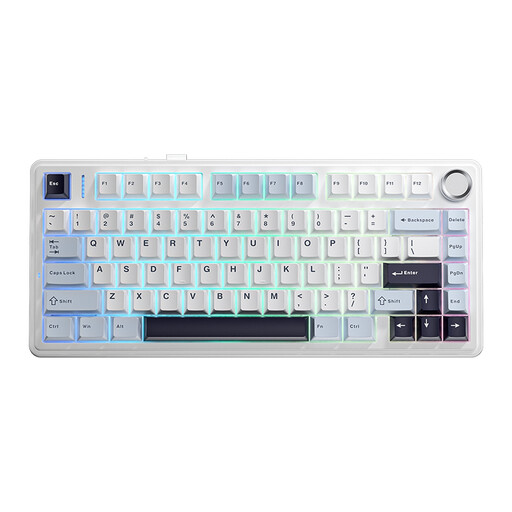
A good fit if you want a compact layout with several ways to connect.
The product description mentions Bluetooth, 2.4 GHz and wired USB-C, as well as hot-swappable switches and PBT keycaps. US QWERTY layout.
 No image available
A good fit if you’re looking for a compact keyboard with programmable functions and several connection options.
The product description mentions a 75% layout with arrow keys and a function row, macros, Bluetooth, 2.4 GHz and USB-C. US QWERTY layout.
 No image available
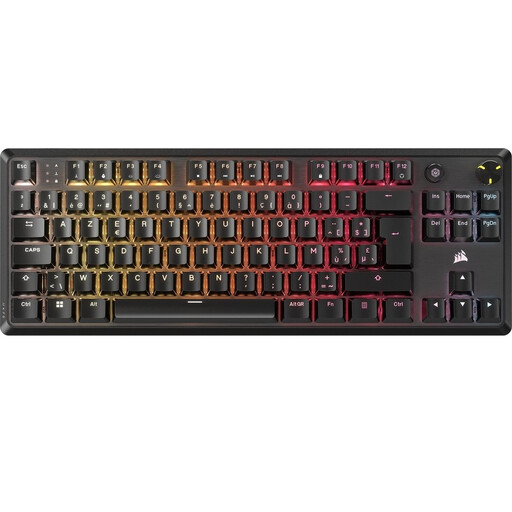
A good fit if you’re looking for a compact mechanical keyboard with customisable functions and use a BE AZERTY layout.
The product description mentions two layers of sound-dampening foam, programmable macros, five profiles in the onboard memory and a programmable media control. No number pad.
 No image available
A good fit if you want a TKL layout alongside wireless connectivity and customisable keys.
The product description mentions Bluetooth, HyperSpeed Wireless, a USB-C connection, programmable keys and macro recording. US layout; no number pad.
The Factorio example we looked at doesn’t suggest you do: the Factorio Wiki documents key combinations and customisable bindings. Check your own game settings and whether you also use a number pad for work.
First, check that the physical layout works with your existing key bindings. In Factorio, you can customise bindings in the controls settings. Programmable keyboard functions may also require configuration software.
No. A gaming or low-profile label alone doesn’t tell you whether a workspace is suitable. Arboportaal highlights repetitive movements and static strain as considerations when working with display screens. According to Dutch guidance, employees who work with display screens for more than two hours a day must have a screen and keyboard that aren’t attached to each other. So assess your whole workspace.
For an online consumer purchase, ACM ConsuWijzer says you generally have 14 days after delivery to change your mind. You’re also entitled to a legal guarantee that a product will do what you can reasonably expect of it; a manufacturer’s guarantee doesn’t replace this right.
Milieu Centraal says that when you buy a similar new appliance, you can hand in your old electrical appliance free of charge, including when buying online. If you’re not buying a new appliance, check what options are available at a collection point.