What should you look for?
Limited plug sockets don’t automatically mean you need to play wirelessly: count mains sockets and suitable computer ports separately.
| What to consider |
What should you check? |
Who is this important for? |
| Connecting without an extra plug socket |
Check whether your computer has a suitable USB port, whether Bluetooth is available and how the keyboard is charged. |
If you don’t want to use an extra plug socket, first check which ports on your computer are free; around 33% of consumers prioritise this choice of connection. |
| Quick access to game commands |
Compare the key layout with the commands you use most and check whether your game lets you customise key bindings. |
If you often use the same commands while playing, you’ll want to reach them without extra steps; around 27% of consumers prioritise shortcuts. |
| Space for your keyboard and mouse |
Compare 60%, 75% and TKL layouts against the keys you need; a more compact layout may omit dedicated keys. |
If you want to keep space for mouse movement, the keyboard’s width matters; around 20% of consumers give desk space the highest priority. |
| Quiet, uninterrupted use |
Compare the construction and stated key noise; check battery life with the lighting settings you want to use. |
For long sessions or a shared space, charging and key noise may influence your choice; around 20% of consumers put uninterrupted use or quietness first. |
Joybuy products
This selection includes wired TKL keyboards and compact 75% models, including versions with different connection options. Check the layout and connection mode for each model to make sure they suit your computer and game.
 No image available
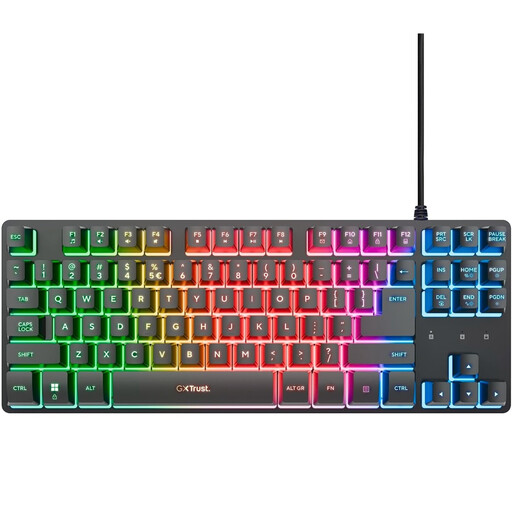
GXTrust Thado TKL Gaming Keyboard
A wired TKL version to consider if you have a suitable USB port free and don’t want to manage a battery.
The product name lists PC/PS5 and QWERTY.
Joybuy
 No image available
Corsair K55 CORE TKL Gaming Keyboard, US QWERTY
A compact TKL option to compare if you want a wired connection and don’t want to charge a battery.
The product name lists US QWERTY; check that this layout suits your preference.
Joybuy
 No image available
AJAZZ AK820 MAX 75% Wireless Mechanical Keyboard
A compact version to consider if you want to keep space free for your mouse; check that the keys you need are readily available.
The product name lists Flying Fish Switches and an 8000 mAh battery. Remember that wireless use means you’ll need to charge it.
Joybuy
 No image available
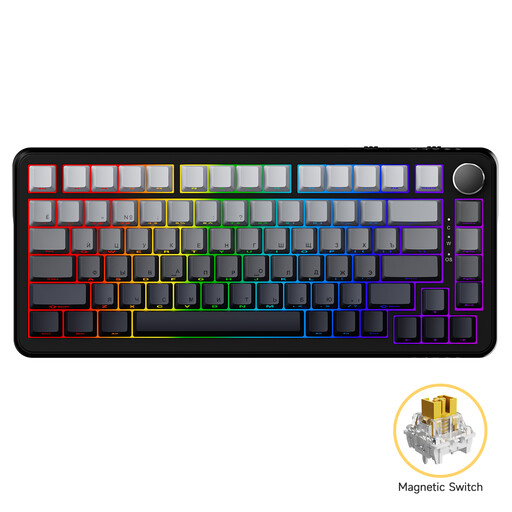
AJAZZ AK820 MAX Magnetic Axis Wired
A compact wired version to compare if you don’t want to manage a battery.
The product name lists an 82-key layout; check that it includes the keys you use regularly.
Joybuy
 No image available
AJAZZ AK820 Pro 75% Tri-Mode Mechanical Keyboard, US QWERTY
A compact version to consider if you want different connection options; check which mode suits your computer.
The product name lists wired, Bluetooth and 2.4G. Remember that wireless use means you’ll need to charge it.
Joybuy
Frequently asked questions
Do you need an extra plug socket for a wired gaming keyboard?
Not if the keyboard connects directly to a suitable computer USB port. Corsair specifies an available USB-A port for the K55 RGB PRO; check the connection on the model you choose.
Can you keep using a wireless keyboard while it’s charging?
It depends on the model. Logitech G lists a wired connection via the supplied data cable for the G915 X LIGHTSPEED, while HyperX lists USB-C use for the Alloy Rise 75 Wireless. Check the instructions for the exact version before relying on this.
What if a small keyboard doesn’t have all your game’s keys as dedicated keys?
Check the keyboard’s secondary functions and your game’s key settings. The Official Factorio Wiki explains how to customise key bindings in Factorio; this doesn’t automatically mean other games offer the same option.
What should you do with a flat battery or an old keyboard?
Milieu Centraal advises taking used batteries and rechargeable batteries to a collection point. For old electrical appliances, Milieu Centraal describes options for returning them to shops or taking them to a recycling centre; only remove a battery from the device if you can do so.
What rights do you have when buying online from a business in the Netherlands?
According to the Dutch government, online purchases often come with a 14-day cooling-off period, although exceptions apply. You’re also entitled to a product that is fit for purpose; if there’s a fault, contact the seller. The Netherlands has no single statutory guarantee period that applies to all products.


