
Gamers who play for long sessions
You spend long periods at your desk playing fantasy adventures and want a fit that feels comfortable to you. The ear cushion material and adjustability may therefore matter more than a surround sound label alone.


Start by choosing a headset that connects to your PC or console and feels comfortable during long gaming sessions. Then consider the in-game audio and, if you use voice chat, the microphone. A wired connection means you won’t need to charge your headset, while wireless gives you more freedom to move but requires a compatible receiver and battery management. Surround sound and other features depend on the model, connection and platform.
You spend long periods at your desk playing fantasy adventures and want a fit that feels comfortable to you. The ear cushion material and adjustability may therefore matter more than a surround sound label alone.
You want to hear dialogue, music and ambient sounds clearly. Compare the audio on your own gaming platform, and don’t assume that a larger driver will automatically sound better.
You use voice chat from your home office and want a microphone you can position easily, an accessible mute button and a connection that works with your device.
| What to consider | What to look for | Who it matters most to |
|---|---|---|
| Comfort | Compare the fit and ear cushion material; try the headset on yourself if possible. | If you play for long stretches, you’ll want a headset that feels comfortable on your head. Around 25% of consumers put comfort first. |
| In-game audio | Consider the sound tuning and which audio settings are available on your platform. | If dialogue, music and ambient sounds are important in your fantasy games, you’ll want to judge for yourself how they sound. Around 25% of consumers give in-game audio their top priority. |
| Voice chat | Check where the microphone is positioned and how to mute it. | If you chat during multiplayer sessions, you’ll want to position the microphone easily and mute it quickly. Around 19% of consumers say voice chat is their main consideration. |
| Connection and platform | Check the full model name, connection type and which features work with your device. | If you want to use the headset with a PC or console, make sure the connection and features you choose are compatible. Around 19% of consumers put compatibility first. |
| Freedom to move | For wireless use, check the receiver type, available port and battery details for the exact version. | If you often get up from your desk, a wireless connection may be more practical; wired use means no battery to manage. Around 12% of consumers give freedom to move their top priority. |
According to Razer, the 7.1 surround sound feature listed for the BlackShark V2 X is only available on Windows 11.
Before buying, check that the feature works with the exact model, connection and platform you’ll be using.
SteelSeries specifically lists the Nova 7X as compatible with Xbox wirelessly; that support doesn’t automatically apply to every Nova 7 version.
Compare the full model name and the receiver included, rather than relying on the Nova 7 name alone.
ACM ConsuWijzer explains that your statutory guarantee may still apply after a seller’s or manufacturer’s warranty has expired.
Keep your proof of purchase and contact the seller if something is faulty.
The Cloud III Wired is a wired model worth comparing if you’re looking for different connection options and microphone controls.
The Arctis Nova 7 Wireless Gen 2 is worth considering if you want to compare wireless gaming audio with Bluetooth audio from a mobile device.
The wired BlackShark V2 X is worth a look if you want a 3.5 mm connection and an adjustable microphone.
The PRO X 2 LIGHTSPEED is a wireless model worth comparing if ear cushion material and stated battery life matter to you.
This selection includes wired and wireless gaming headsets for use at a desk. Check the connection, connectivity and support for your device for each model.
 No image available
A good choice if you don’t want to be tethered by an audio cable while gaming.
The product name lists Bluetooth and a 2.4 GHz connection; check which connection and receiver work with your device.
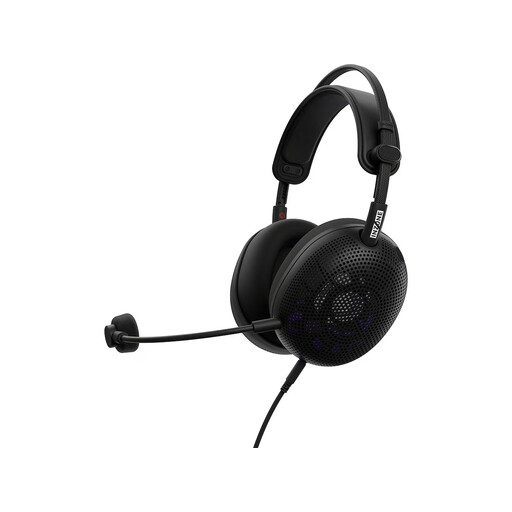 No image available
A good fit if you want to game with a wired headset at a fixed workstation.
Before buying, check that the connection on your chosen device matches the version you need.
 No image available
A good choice if you’re looking for a wireless headset for gaming at your desk.
Check which type of receiver comes with this version and whether it works with your device.
 No image available
A good choice if you want to play with a wired connection and use one of the listed devices.
The product name lists PC, PS5 and Xbox Series X|S; check which features are available through the connection to your device.
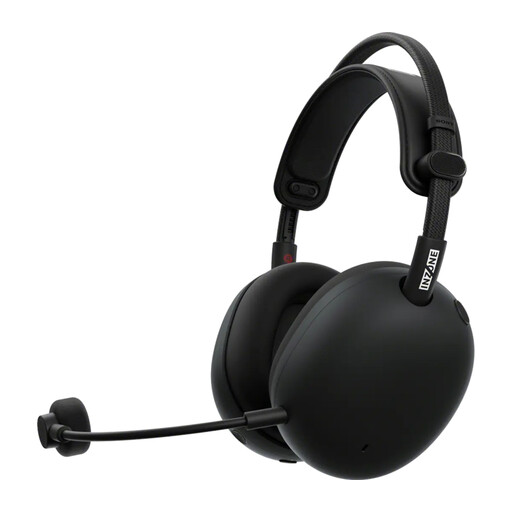 No image available
A good choice if you want to use a wireless headset while gaming.
Before buying, check that this version’s connection and features work with your platform.
No, surround sound doesn’t need to be your first consideration when buying: start with fit, in-game audio and platform compatibility. Then check whether the feature works on your device. Razer states that the BlackShark V2 X’s 7.1 feature is only available on Windows 11.
For the Pulse, Platinum and Gold headsets described by PlayStation, charge the headset, connect the USB adapter to the console and switch the headset on. These instructions apply to those headsets and not automatically to every brand or model.
According to ACM ConsuWijzer, online purchases generally come with a statutory cooling-off period of up to 14 days after delivery. ACM lists exceptions, including certain hygiene products whose seal has been broken. Don’t assume that every opened headset is automatically covered by, or excluded from, such an exception. Check the terms that apply to your purchase.
No. ACM ConsuWijzer explains that your statutory guarantee may still apply even after the seller’s or manufacturer’s warranty has expired. Contact the seller if something is faulty.
The World Health Organization emphasises that both sound level and listening time matter. As an example, it recommends a maximum of 40 hours of listening per week at an average level of 80 dB; this isn’t a fixed volume setting for any specific headset model.