
Player without a spare charging socket
Wants to play ranked matches without having to charge their headset, so is weighing up a suitable wired connection against the battery life of wireless models.


If you don’t want to manage a headset battery or fit in an extra charging session, start with a wired headset that works with a port on your PC or controller. Go wireless if freedom of movement matters more and your device supports the receiver and the version for your platform. Also check the microphone, fit and sound on the platform you actually play on.
Wants to play ranked matches without having to charge their headset, so is weighing up a suitable wired connection against the battery life of wireless models.
Doesn’t want a cable running to their PC or controller, but needs to consider whether the receiver is compatible and how often the headset needs charging.
Wants to communicate clearly and check that the chosen headset version and any software features work on the platform they use.
If you’re short on spare power sockets, the main question is whether you’re happy to use a cable or would rather play wirelessly and plan when to charge.
Choose this if: your PC or controller has a suitable port and you don’t want to charge your headset.
Bear in mind: a cable can restrict your movement. Also check that audio and the microphone work through the connection you plan to use.
Choose this if: you want to move around without a cable and your gaming device supports the receiver and the version for your platform.
Bear in mind: the receiver uses a port on your device, and the headset needs charging. The stated battery life isn’t a guarantee of how long it will last for you.
| What to consider | What should you check? | Who should pay particular attention? |
|---|---|---|
| No extra charging session | Check that the wired headset fits a port you have available and that audio and the microphone work through it. | I don’t want to charge my headset or use an extra power socket during ranked matches. Around 31% of consumers say avoiding charging sessions is their top priority. |
| Tactical sound | Assess the sound on your own platform; a surround sound label doesn’t prove how sounds will come across in your game. | If I want to distinguish in-game sounds more clearly, I look beyond a surround sound label. Around 25% of consumers prioritise positional audio in games. |
| Team communication | Check the type of microphone, mute controls and any software requirements. | I want to be able to communicate during a match and mute the microphone easily. Around 19% of consumers say team chat is their top priority. |
| Platform compatibility | Check the full model name, platform version, connection or receiver, and whether audio and chat work. | If I want to use the headset with my PC or console, I need the right version for that device. Around 13% of consumers prioritise platform compatibility. |
| Comfort | Look at how adjustable the headband is and the materials used for the headband and ear cushions; fit is a personal thing. | For longer sessions, I want a fit that stays comfortable for me. Around 12% of consumers say comfort is their top priority. |
Bluetooth on the specifications list doesn’t automatically mean you can hear game audio and phone audio at the same time. SteelSeries lists simultaneous 2.4 GHz and Bluetooth audio for the Arctis Nova 7 Wireless Gen 2; Turtle Beach describes QuickSwitch on the Stealth 600 Gen 3 as switching between connections.
If you want to hear phone audio while gaming, look for an explicit mention of simultaneous audio.
Console compatibility can vary between versions in the same headset range. The Dutch comparison by Tweakers, published by NU.nl, points this out for the Arctis Nova 7 series.
Before you buy, check the full model name and the platform version that’s compatible with your console.
The wired Cloud III is worth considering if you don’t want to charge your headset and need a choice of connection options.
The wired PRO X is a good fit if you want a cable connection and adjustable voice features for PC.
The Arctis Nova 7 Wireless Gen 2 is a wireless option for anyone who wants to use a USB-C receiver and hear phone audio at the same time.
The Stealth 600 Gen 3 is a wireless option if you want to switch between a receiver connection and Bluetooth.
The wired BlackShark V2 X is an option if you’re looking for a headset with a fixed microphone.
These Joybuy picks focus on wired gaming headsets for anyone who doesn’t want to manage a headset battery.
 Image unavailable
Worth considering if you’re looking for a wired headset for PS5 and don’t want to manage a headset battery.
Wired; officially licensed for PS5; 50 mm drivers; white.
 Image unavailable
A wired option if you don’t want to charge a headset battery and are looking for a flip-to-mute microphone.
3.5 mm connection; flip-to-mute microphone; for Nintendo Switch, Switch Lite, Switch OLED, PC and mobile; blue/red.
 Image unavailable
A wired option to consider if you’re looking for a headset for PS5 or PS4 without an extra charging session.
Wired; white; for PS5 and PS4.
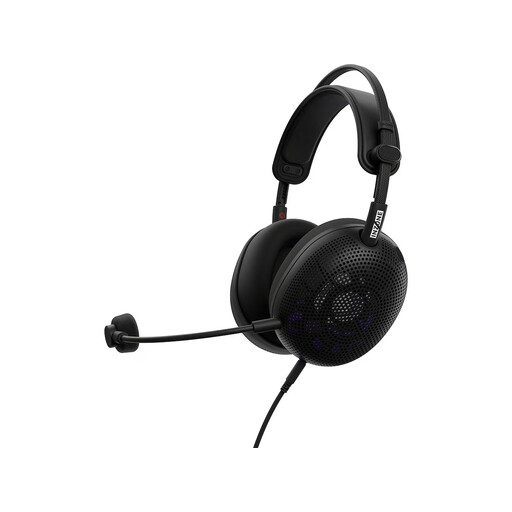 Image unavailable
A wired option if you don’t want to manage a headset battery. Check that the connection works with your gaming device before you buy.
Over-ear; black.
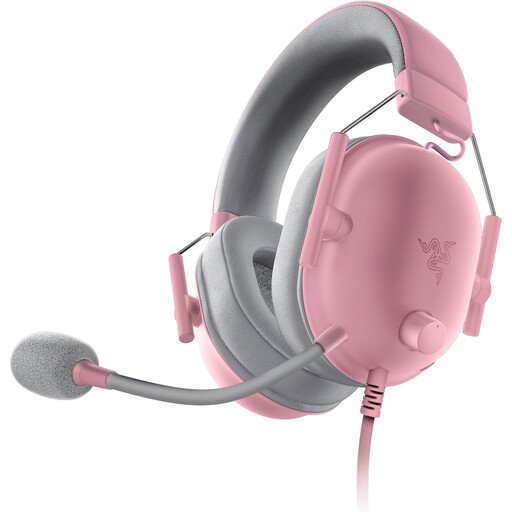 Image unavailable
A wired option to consider if you want to play without a headset battery; check that the connection works with your device.
Not for a separate headset charger if you plug the headset directly into a suitable port on your gaming device. HyperX lists 3.5 mm, USB-C and USB-A connections for the Cloud III; check that the connection you choose supports audio and the microphone on your device.
It depends on the model. SteelSeries lists simultaneous 2.4 GHz and Bluetooth audio for the Arctis Nova 7 Wireless Gen 2; for the Stealth 600 Gen 3, Turtle Beach describes a button for switching between connections.
First, check the platform version and make sure you can use the right cable or receiver. Then test the audio output, microphone and mute control. Logitech says the advanced features of the PRO X Wired only work on a PC with G HUB.
Keep the volume low and take listening breaks. The World Health Organization emphasises that both volume and listening time matter.
When you buy online from a business, you generally have a 14-day cooling-off period, according to the Dutch Government. Faulty products are covered by the legal guarantee; the Netherlands has no fixed statutory guarantee period, and the retailer is your point of contact if there’s a problem.