
Squad player who uses voice chat a lot
You want to communicate clearly with your teammates, have a mute button within easy reach and be able to balance team chat with game audio.


Start by checking the connection and platform compatibility: both game audio and the microphone must work on the console or PC you play on. A wired headset means no charging, but limits your movement. Wireless gives you more freedom, provided the receiver, compatibility and battery life suit the way you play.
You want to communicate clearly with your teammates, have a mute button within easy reach and be able to balance team chat with game audio.
You might switch between PC and console, for example. Check the connection and make sure both game audio and the microphone work on every device you plan to play on.
Fit is especially important, as is the stated battery life if you choose a wireless model. Specifications can’t tell you how a headset will feel on your head.
A good fit if: you have a suitable socket and don’t want to charge while playing.
Bear in mind: the cable limits your movement; USB features and software audio may vary between platforms.
A good fit if: you want more freedom to move and the included receiver is explicitly compatible with your platform. SteelSeries states that the Arctis Nova 7X Wireless supports Bluetooth audio at the same time as its 2.4 GHz connection.
Bear in mind: you’ll need to charge it and use the right receiver. Bluetooth audio doesn’t mean every console accepts a standard Bluetooth headset directly.
A good fit if: you mainly play on a compatible PlayStation and connect the accompanying USB adapter.
Bear in mind: you’ll need to charge the headset and check separately whether it works with other devices.
| What to consider | What should you check? | Who should pay extra attention? |
|---|---|---|
| Team chat and microphone controls | Check the microphone connection and mute controls, and whether any software features are available on your platform. | If I often make call-outs during squad matches, I want to be able to mute the microphone quickly and check that my teammates can hear me. Around 23% of consumers prioritise team chat and microphone controls. |
| Compatibility with your platform | Check the connection and confirm that both game audio and the microphone are supported on your console or PC. | First, I want to be sure both audio signals work through the connection I’ll actually be using. Around 23% of consumers make platform compatibility their top priority. |
| Hearing in-game audio clearly | Check which platforms support surround sound or EQ features, and adjust the game and chat volumes while playing. | It’s important to me to hear in-game sounds without drowning out team chat. Around 23% of consumers put hearing game audio clearly first. |
| Comfort during long sessions | Look at the adjustability and ear cushion material; try the headset on yourself if possible. | For longer sessions, I want a fit that stays comfortable for me, not just a comfort claim on the packaging. Around 18% of consumers prioritise comfort. |
| Wireless convenience and charging | Check the receiver type, the stated battery life for the exact model and whether you can charge it while using it. | I want to move around without a headset cable and am happy to keep an eye on the connection and battery. Around 13% of consumers give wireless convenience top priority. |
Logitech states that DTS Headphone:X 2.0 and EQ presets on the G432 are only available on Windows with G HUB. So a “7.1” label doesn’t confirm that the software feature works on your console.
Check the requirements for your exact platform before placing extra value on surround sound software.
Xbox Support states that the Xbox One doesn’t have Bluetooth functionality for connecting a headset directly via Bluetooth.
For your exact console, check that the headset supports both game audio and the microphone via your preferred connection, such as a suitable controller socket or the accompanying receiver.
Materials and features listed in a product specification don’t prove how the headset will fit you or how your microphone will sound in your gaming environment.
If possible, try the fit and test the microphone in your own chat app. If you’re buying online, also read the applicable returns policy.
The wired Cloud III is a useful reference for comparing 3,5mm, USB and microphone controls.
The Arctis Nova 7X Wireless is worth considering if you want to switch wirelessly between the platforms listed as compatible.
The wired G432 shows why platform requirements matter when it comes to surround sound software.
The wired BlackShark V2 X is a useful reference for comparing microphones, passive noise isolation and connections.
The PULSE 3D is a wireless option designed for compatible PlayStation consoles.
This selection includes wired headsets and wireless models with a stated receiver connection. For each product, check that the connection supports both game audio and the microphone on your platform.
 Image unavailable
An option if you’re looking for a wired headset with a 3,5mm connection. The product title lists a flip-to-mute microphone and compatibility with Nintendo Switch, Switch Lite, Switch OLED, PC and mobile devices; check that it works with your device.
 Image unavailable
A wired option if a USB connection suits the way you play. The stated usage restriction says that the headset works via USB and that the listed 7.1 surround sound feature is only available on Windows.
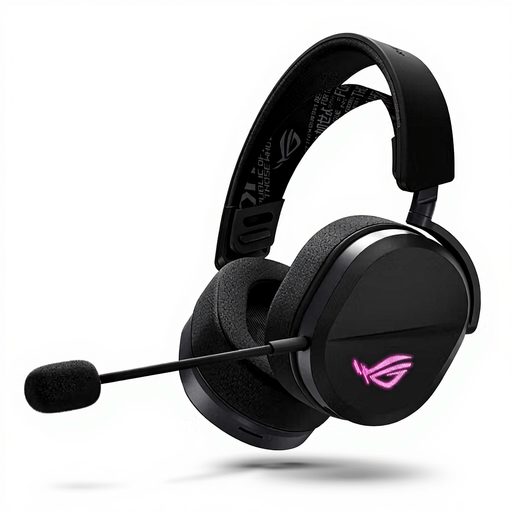 Image unavailable
This version could suit you if you want the option of using your headset wired or wirelessly. For wireless gaming, you’ll need the listed 2.4 GHz USB receiver; check platform compatibility and remember that you’ll need to charge it.
 Image unavailable
A wireless option if the stated receiver connection and platform compatibility suit your setup. The product title lists up to 120 hours via 2.4 GHz and up to 200 hours via Bluetooth; these are separate stated battery life figures. For 2.4 GHz gaming, you’ll need to charge it and use the USB dongle.
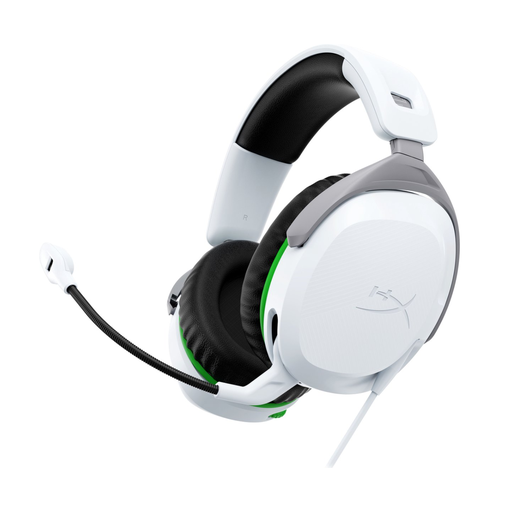 Image unavailable
A wired option if you’re looking for a headset listed in the product title for Xbox Series X|S and Xbox One. Check the connection and make sure both game audio and the microphone work with your exact console.
Don’t assume it can: Xbox Support states that the Xbox One doesn’t have Bluetooth functionality for connecting a headset directly via Bluetooth. A compatible headset may work through the 3,5mm socket on a compatible controller, for example. Check the connection method for your console and headset.
For the PULSE, Platinum and Gold headsets mentioned, PlayStation recommends these steps: charge the headset, connect the USB adapter to your system and switch the headset on. For other brands, follow the instructions for the exact model.
The DTS Headphone:X 2.0 and EQ features listed by Logitech are limited to Windows with G HUB. So don’t expect these software features to work on PS5; check the console connection and available audio separately.
Keep the volume moderate and limit prolonged exposure. The World Health Organization gives an average of 80 dB for a maximum of 40 hours per week as an example; this is listening advice, not a measured safe volume setting for a particular headset.
A faulty product and an online purchase you want to return are covered by different rules. ACM ConsuWijzer states that, under the legal guarantee, the seller must resolve an issue if a product breaks sooner than you could reasonably expect with normal use. For online purchases, the cooling-off period generally runs until 14 days after delivery; check which exceptions apply to your purchase.