
Solo adventurer with a small desk
Wants to follow dialogue and in-game audio clearly, without a cable making limited desk space awkward to use.


First, choose a headset with a connection that works with your PC or console, then decide whether a cable would get in the way on your small desk. A wired headset means no battery to manage, while a wireless one can free up space around your hands, but it needs a suitable connection and regular charging. For long gaming sessions, consider the fit and how clearly you can hear dialogue, too. A microphone is especially important if you play with others.
Wants to follow dialogue and in-game audio clearly, without a cable making limited desk space awkward to use.
Considers fit, pressure on the ears and battery management, as an adventure can last for several hours.
Needs a useful microphone for chatting with teammates, as well as clear in-game audio.
Start with the connection and the space available on your desk. Then consider how important in-game audio, comfort and voice chat are to you.
A good fit if: you play in one place and can route the cable away from your mouse and keyboard.
Bear in mind: the cable stays on your desk. Also check that your device supports audio and microphone use through the connection.
A good fit if: you want to keep a cable out of your control area and your gaming device supports the headset’s connection.
Bear in mind: you may need a receiver or compatible connection, an available port and a way to charge the headset.
| What to consider | What to look for when buying | Who should prioritise this? |
|---|---|---|
| Dialogue and ambient sound | Look at listening reviews of the exact model and check that any audio settings work on your platform. | If I want to follow conversations and ambient sounds in a fantasy adventure, I look for sound that suits them. Around 27% of consumers prioritise story audio above all else. |
| Space around your mouse and keyboard | Think about where a cable would run. For a wireless headset, check that the receiver and port are suitable for your gaming device. | At a small desk, I want to move my mouse freely without an audio cable getting in the way. Around 27% of consumers put desk space first. |
| Connection and platform | Check the full model variant and connection against your device. Check audio, microphone and software features separately. | If I want to play and chat on my own PC or console, I need to choose a variant that works with it. Around 20% of consumers prioritise platform compatibility above all else. |
| Comfort during long sessions | Look for an adjustable fit and comfortable ear cushions. If possible, try the headset for as long as you would usually play. | During a long gaming session, I want my headset to feel comfortable, even when I’m wearing glasses. Around 13% of consumers put comfort first. |
| Voice chat | Check that the microphone works with your platform and look at reviews or recording tests for the exact model. | If I chat with teammates, I want the microphone to work with my gaming device. Around 13% of consumers prioritise clear communication above all else. |
Connectivity, microphone and software features can vary between devices. For example, Razer states that the BlackShark V2 X’s 7.1 feature is only available on Windows 11.
Check the exact model, your platform, the connection and the feature you want, one by one.
A wireless headset removes the audio cable from your desk, but you still need a suitable connection and a power source.
Check which receiver it uses, whether you have a suitable port available and how to charge the headset.
A receiver can take up a USB port, and wireless use means you’ll need to manage the battery regularly.
Weight doesn’t tell you everything about pressure, ear cushions or fit, including when you wear glasses. The Consumentenbond also considers comfort when wearing glasses in its headphone tests.
Use weight as just one point of comparison and try the fit yourself if possible.
The wired Cloud III and wireless Cloud III S Wireless are different models. Choose based on the connection and whether you’re happy to charge it.
The Arctis Nova 5 Wireless is an option if you want a wireless connection and the ability to switch to Bluetooth.
According to Logitech G, the G435 combines LIGHTSPEED and Bluetooth and has built-in microphones, with no protruding microphone boom.
The wired BlackShark V2 X is a 3.5mm option for a fixed gaming setup, if you’re happy with a microphone boom.
This selection includes both wireless and wired gaming headsets for a small gaming setup, so you can weigh the extra space wireless offers against a fixed connection that doesn’t need battery management.
 No image available
This wireless version suits a desk where you want to keep an audio cable out of your control area; remember that it needs charging.
The product description lists 2.4 GHz, Bluetooth and a flip-to-mute microphone. The product title lists Xbox, PlayStation, PC, Steam Deck and mobile; check that the connection works with your device.
 No image available
This wireless version can keep cables out of your workspace, but it needs charging and a connection that works with your device.
The description lists 2.4 GHz, Bluetooth and a flip-to-mute microphone. The product title lists Xbox Series X|S, Xbox One, PS5, PS4, PC, Switch 2, Steam Deck and mobile. It also mentions a 10-band equaliser through the Swarm II app; check whether it works on your platform.
 No image available
This wired headset suits a fixed gaming setup if you can route the cable away from your control area.
The product description lists 50mm drivers, JBL Quantum Spatial Sound and a detachable cardioid microphone. The title describes the headset as multi-platform; check that the connection works with your device.
 No image available
This wired version is designed for a fixed gaming setup where you can route the cable away from your mouse area.
The product description lists USB-C and 3.5mm connections, a detachable microphone and memory foam ear cushions. Check which connection supports audio and microphone use on your platform.
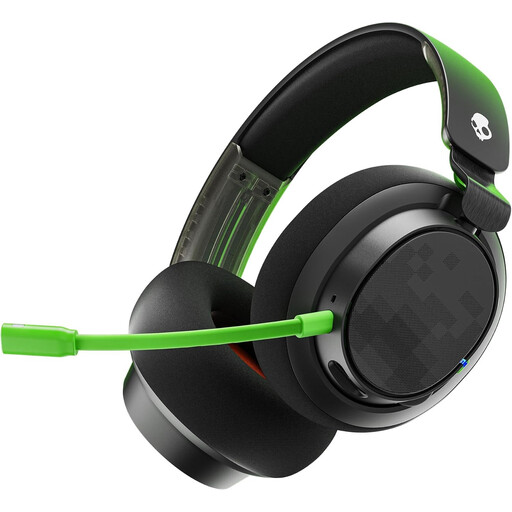 No image available
This wired Xbox version suits a fixed setup where you can route the cable away from your workspace.
The product description lists 50mm drivers, a detachable microphone, a mute button, volume control and included 3.5mm and USB cables. Check which connection is suitable for your gaming device.
First, check the ports on your gaming device and the connection on the exact model. Route a wired cable away from your mouse area. With a compatible wireless model, use the supplied receiver and put it away when you’re not using it.
The World Health Organization advises keeping the volume low and gives a maximum of 60% of your device’s volume as a practical guideline. This percentage doesn’t measure the actual sound level of your headset.
For a typical online consumer purchase, you generally have a statutory 14-day cooling-off period from the date of delivery, subject to exceptions. ACM ConsuWijzer explains this cooling-off period. The seller is also responsible for the legal guarantee if a product doesn’t meet what you could reasonably expect from it.
Bluetooth and other radio devices are covered by radio equipment rules. For equipment subject to EU rules, the Dutch government outlines requirements for assessing compliance, the declaration of conformity and the required CE marking. A CE marking is not an independent assessment of sound quality.