
Players who pay attention to game audio
You want to pick out footsteps and other cues during tactical rounds. Adjustable sound profiles may be worth considering, but they don’t prove that you’ll be better at locating sounds in your game.


Choose a headset that works with your PC or console and lets you hear game audio and team chat clearly. A larger driver or surround-sound label alone is no guarantee of better positional audio or match results. Wired gaming means you don’t have to charge a battery, while 2.4 GHz wireless gives you more freedom to move but means checking the platform variant and planning when to charge it.
You want to pick out footsteps and other cues during tactical rounds. Adjustable sound profiles may be worth considering, but they don’t prove that you’ll be better at locating sounds in your game.
If you regularly play with a team, clear communication, an easy-to-reach mute button and the right connection for your device are priorities. HyperX says its wired Cloud III has a microphone with a mute indicator.
You want to check the fit during longer gaming sessions, or you switch between PC and console. In that case, charging and the exact platform variant may matter; the right connection or dongle depends on your device.
A good fit if: you mainly play in one place and don’t want to manage a battery or wireless receiver.
The trade-off: a cable limits your freedom to move. Check that the connection and any software features work with your device.
A good fit if: you want more freedom to move while playing and your device supports the accompanying dongle.
The trade-off: you’ll need to charge it and check you have the right model variant. Bluetooth support doesn’t automatically mean every console supports Bluetooth game audio.
| What to consider | What to check before buying | Who should pay particular attention? |
|---|---|---|
| Game audio | Check whether EQ or presets are available on your platform, and compare settings in the same in-game situation. | If I want to pick out relevant sounds during tactical rounds, I’ll prioritise that over a surround-sound label. Around 28% of consumers say game audio is their top priority. |
| Team communication | Check the microphone controls and, if possible, make a voice recording in your own room. | If I often use team chat, I want to be easy to understand and able to mute the microphone quickly. Around 22% of consumers put communication first. |
| Comfort | Assess the fit during a longer session and check the applicable returns policy before buying. | If I play for a long time, I want to know whether the headset feels comfortable; descriptions of materials can’t predict how it will fit me personally. Around 22% of consumers make comfort their top choice. |
| Platform compatibility | Check the full model name, variant, connection and dongle mode for your PC or console. | If I want to play on one or more devices, that exact combination needs to work. Around 17% of consumers put platform compatibility above other buying priorities. |
| Wireless use | Check the battery life for the connection mode you’ll use and how you’ll charge the headset between sessions. | If I don’t want a cable and need to plan when to charge, I’ll check the connection and usage mode. Around 11% of consumers say wireless freedom and battery management are their top priorities. |
A specification or sound profile doesn’t prove how well you’ll be able to pick out cues in a particular game.
Compare a familiar situation in your own game using your usual setting and any available sound settings.
SteelSeries says only the Nova 5X in the Nova 5 series is designed for Xbox, so the series name alone doesn’t tell you enough about the variant.
Check the full model name and the correct dongle mode before ordering the headset.
HyperX gives different maximum battery-life figures for 2.4 GHz and Bluetooth on the Cloud III S Wireless. These figures apply to different modes and won’t predict exactly how long you’ll be able to play.
Compare the stated battery life for the mode you’ll actually use for gaming, and remember to factor in charging.
The wired Cloud III and Cloud III S Wireless offer different connection options.
The Arctis Nova 5 series is a wireless option with a USB-C dongle and the ability to switch between 2.4 GHz and Bluetooth.
The PRO X 2 LIGHTSPEED is a wireless option to consider if you’re weighing up different connections, microphone settings and ear cushion materials.
This selection includes wired and wireless gaming headsets for team chat, game audio and use across different platforms. For each model, check that the connection, wireless link and stated features are right for your device.
 No image available
A wired option if you play on a listed PlayStation platform and want to use the microphone and volume controls while gaming.
3.5mm connection; compatibility with PS5 and PS4 is listed. The description mentions a detachable microphone, mute and volume controls, and 50mm drivers. The cable is 1.2 m long.
 No image available
A wireless option if you want to combine game audio and team chat, and the listed RF connection is suitable for your device.
The description lists RF and Bluetooth, a microphone with a mute function, and volume control on the ear cup. RF is listed for PC, PS4 and PS5; Bluetooth is listed for mobile devices. Check which features work on your platform.
 No image available
A wireless option if you need the listed 2.4 GHz or Bluetooth connection and the platform support is right for your device.
The description lists 2.4 GHz, Bluetooth, an equaliser and controls for balancing game and chat audio. It also mentions 50mm drivers and a flip-to-mute microphone. Check that each connection mode is compatible.
 No image available
A wireless option if you want to play on a listed platform using the USB receiver and mute the microphone during team chat.
The description lists 2.4 GHz via USB receiver, Bluetooth and 50mm speakers. The receiver is listed for Xbox and PC, as well as Nintendo Switch in docked mode; Bluetooth is listed for mobile devices. The microphone can be flipped up to mute it.
 No image available
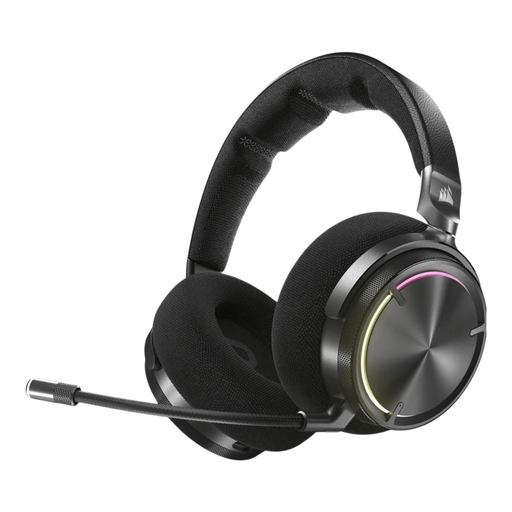
A wireless option if you want to choose between 2.4 GHz and Bluetooth. Check in advance that the features you want work with your PC or console.
The description lists 53mm drivers, a detachable microphone with a mute indicator and controls on the headset. DTS Spatial Audio is listed for PC. You’ll need to charge it for wireless use.
Not necessarily. In your game, compare the same sounds using your usual setting and an available virtual or custom setting. Presets don’t prove which setting will help you locate sounds more accurately.
SteelSeries says only the Nova 5X in the Nova 5 series is designed for Xbox. The Nova 5 and Nova 5P won’t become Xbox-compatible if you buy a 5X dongle separately. For the Nova 5X, also check that the dongle is set to Xbox mode.
Keep the volume low and take regular listening breaks, as recommended by the World Health Organization. The WHO gives 80 dB for up to 40 hours per week as an example of listening exposure; this isn’t a measurement of the volume of any specific headset model.
According to ACM ConsuWijzer, online product purchases generally come with a statutory cooling-off period of up to 14 days after delivery, subject to exceptions and conditions. Check the seller’s returns information; any longer returns period is a separate arrangement.
No, an extra package is separate from your statutory rights. ACM ConsuWijzer explains that the seller must resolve a fault under the statutory conditions; statutory protection in the Netherlands doesn’t have a fixed two-year period for every headset.