Gaming headsets at Joybuy
This selection includes wired and wireless gaming headsets for team chat on console and PC. Check that each model’s connection and microphone are right for your device.
 No image available
Turtle Beach Stealth 600 Gen 3 Xbox
A good option if you want to play wirelessly and have quick access to the microphone and game-chat controls during team chat.
The product title lists Xbox Series X|S, Xbox One, PS5, PS4, PC, Switch 2, Steam Deck and mobile. The description mentions 2.4 GHz and Bluetooth, a flip-to-mute microphone, and separate controls for game and chat volume. It charges via USB-C.
View at Joybuy
 No image available
HyperX Cloud III S Wireless
Worth considering if you want to game wirelessly on PS5 or PC and a visible mute indicator matters to you.
The description lists compatibility with PS5 and PC, a detachable microphone with an LED mute indicator, and memory foam in the headband and ear cushions. The stated maximum battery life is 120 hours via 2.4 GHz and 200 hours via Bluetooth; these figures apply to different connection modes. It needs charging.
View at Joybuy
 No image available
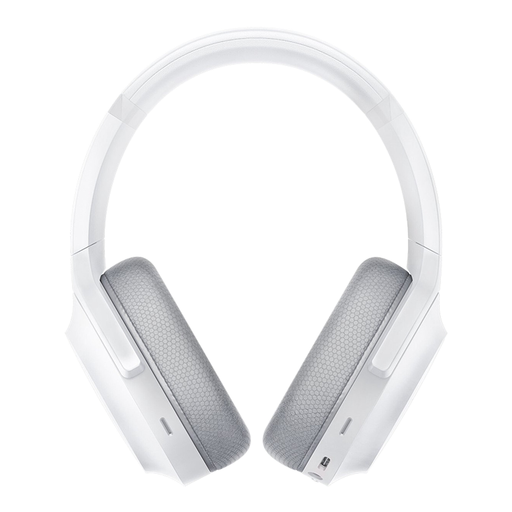
Razer Barracuda Wireless
This wireless headset may suit you if you want to combine team chat with an on-earcup mute control.
The product title lists PC, PlayStation, Switch and Android; the description mentions 2.4 GHz and Bluetooth, built-in microphones and memory foam ear cushions. The stated battery life is 40 hours. It charges via USB-C.
View at Joybuy
 No image available
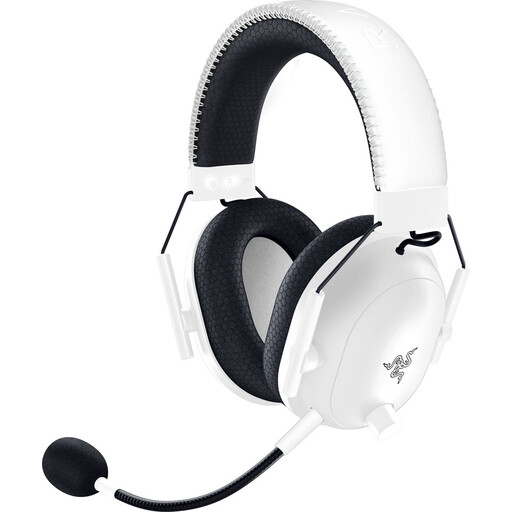
Razer BlackShark V2 Pro (Xbox Licensed), white
A wireless option designed for Xbox, worth considering if you’re looking for a microphone with a mute control.
The product description lists Xbox Series X|S, Xbox One and PC, a HyperClear microphone and a mute button. The stated maximum battery life is 70 hours. Wireless use means you’ll need to charge it.
View at Joybuy
 No image available
Razer BlackShark V2 X 7.1 Wired
A wired option to consider if your device has a compatible 3.5mm socket and you don’t want to charge a headset battery.
The description lists a 3.5mm connection, a mute button, compatibility with PC, PS4 and Xbox One, among other devices, and a weight of 240 g. The cable stays connected to your device.
View at Joybuy
Frequently asked questions
Do I need to connect my headset to the TV when I’m gaming on a big screen?
Not always: you can connect a compatible wired headset to your controller. Microsoft confirms that the Xbox Stereo Headset has a 3.5mm connection. Then check on your system that both game audio and the chat microphone work.
How do I pair a wireless PlayStation headset?
For the compatible wireless models described, PlayStation recommends charging the headset, plugging the USB adaptor into the console and switching on the headset. If you run into problems, follow the instructions for your exact model; this doesn’t necessarily apply to every wireless headset.
Do I need a subscription to talk to my team on Xbox?
That depends on the voice chat feature you use. Microsoft says that some features on supported consoles may require a separate subscription. Check the requirements for the specific game or chat feature.
What are my rights in the Netherlands if my headset turns out to be faulty?
According to the Dutch government, you’re entitled to a product that works properly, and you should contact the retailer for a solution. There’s no set statutory warranty period for all products; what you can expect depends on factors including the product and the information provided by the retailer. A manufacturer’s warranty doesn’t replace your statutory rights.
Can I always return a headset bought online within 14 days?
No, not in every case. According to the Dutch government, many distance sales come with a 14-day cooling-off period, but there may be exceptions. Check the terms that apply to your purchase, and don’t confuse the cooling-off period with your rights if a product is faulty.


