What should you look for?
Start with the connection and whether you want to charge a battery. Then compare the fit and cable or connection range with your gaming setup.
| What to consider |
What should you check? |
Who is this important to? |
| No extra charging session |
Check the audio connection and cable length. If your desktop PC has separate audio and microphone ports, check whether the right splitter is included. |
If I don’t have a spare charging socket, I want a headset that doesn’t need to be charged separately. Shoppers who want to avoid charging account for around 36% of shoppers facing this choice. |
| Comfort during long sessions |
Compare the stated weight, adjustability and ear cushion material; try the fit yourself if possible. |
When I’m reading and listening for a long time, I want a fit that stays comfortable; material and weight are factors to consider. Shoppers who prioritise wearing comfort account for around 29% of shoppers facing this choice. |
| Connection to your device |
Make a note of the available audio and USB ports, then check which connection is supported by each device and whether you need an adapter. |
If I switch between gaming devices, I want to know which connection works with each one. Shoppers who prioritise compatibility account for around 21% of shoppers facing this choice. |
| Playing without a cable |
Check whether your device supports your chosen wireless connection, whether a receiver needs a USB port and how you charge the headset. |
If I don’t want an audio cable while I’m playing, I still need to consider charging and the connections available. Shoppers who prioritise freedom of movement account for around 14% of shoppers facing this choice. |
Gaming headsets on Joybuy
This selection includes gaming headsets for visual novel players. Check the connection and compatibility with your gaming device for each version.
 No image available
Turtle Beach Airlite Fit Gaming Headset, Blue/Red
The product name describes a wired headset with a 3.5 mm connection, for anyone who doesn’t want to charge a headset battery.
The product name lists Nintendo Switch, Switch Lite, Switch OLED, PC and mobile as compatible devices.
Joybuy
 No image available
Razer Kraken V3 X Headset, Black
A gaming headset to compare for visual novel sessions; check the connection and compatibility with your device.
Joybuy
 No image available
Corsair HS55 Stereo Gaming Headset, White, 3.5 mm
The product name lists a headset with a 3.5 mm connection; check whether your gaming device has this connection.
Joybuy
 No image available
Logitech G G432 7.1 Surround Sound Wired Gaming Headset
The product name describes a wired gaming headset; check which connection and features work with your gaming device.
Joybuy
 No image available
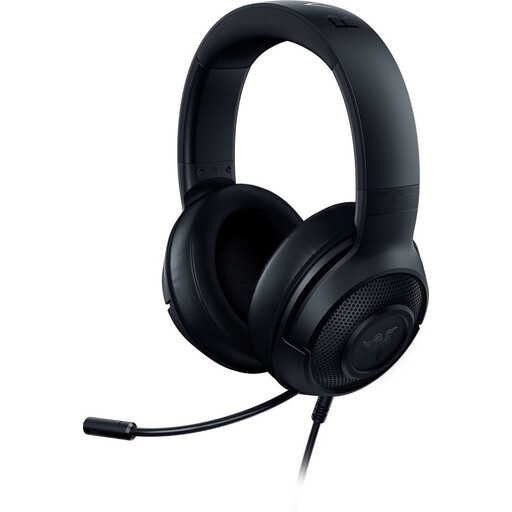
Razer Kraken X Lite RZ04-02950100-R381
A gaming headset to consider if you’re looking for a model for visual novels; check the connection and compatibility with your device.
Joybuy
Frequently asked questions
Do you need an extra plug socket for a wired 3.5 mm headset?
No. You connect the headset to a suitable audio port on your gaming device, and there’s no headset battery to charge. Check that your device has this connection, though. If your desktop PC has separate audio and microphone ports, you may need a splitter.
Does a Bluetooth headset microphone work with Nintendo Switch?
According to Nintendo Support, you can’t use Bluetooth microphones with Nintendo Switch. Bluetooth audio may still be an option for listening. Nintendo also warns of possible audio lag and limitations with wireless controllers.
What can you do if an analogue headset microphone doesn’t work with your desktop PC?
First check whether your PC has one combined port or separate audio and microphone ports. For the Arctis Nova 1, SteelSeries Support advises using the appropriate Y-splitter with separate ports. Then check which input device is selected in your sound settings.
What are your rights when buying online in the Netherlands?
When you buy from a business online, you’ll often have a 14-day cooling-off period; check the terms that apply to your purchase. If a product is faulty, you can contact the seller. According to the Dutch government, there is no fixed statutory guarantee period in the Netherlands.


