
Team player who wants clear communication
If you play online using voice chat, look for a good-quality microphone and controls that let you mute quickly. HyperX and Logitech G describe these features on specific models.


Start with a headset whose audio connection, microphone and chat all work with your PC or console. Then consider the microphone controls, fit and audio features you want. A wired headset means no charging, but limits your freedom of movement. A wireless model with a receiver gives you more room to move, but needs charging, and you’ll need to check the exact variant: for example, SteelSeries specifies the Nova 5X for Xbox. Surround sound and EQ features depend on the platform. Logitech G, for instance, limits the G432 features mentioned to Windows with G HUB, so check compatibility before letting these labels influence your choice.
If you play online using voice chat, look for a good-quality microphone and controls that let you mute quickly. HyperX and Logitech G describe these features on specific models.
If you switch between devices or play on a console, check the exact headset variant and connection. SteelSeries, for example, specifically lists the Nova 5X for Xbox.
If you wear your headset for long periods, compare the fit, adjustability and ear cushions. The material or weight listed in the specifications won’t necessarily tell you how a model will feel on your head.
For online arena matches, first check that the connection and team chat work with your gaming device. Then weigh up the audio features, fit and convenience of charging.
| What to consider | What should you check? | Who is this important for? |
|---|---|---|
| Connection and platform | Check the exact variant, controller port or USB connection, and chat support. Xbox Support says a wired headset can connect through the 3.5 mm port on a compatible controller. | I want to avoid buying a headset that won’t work with my console or PC; around 25% of consumers prioritise platform compatibility. |
| Team chat and muting | Check the type of microphone and whether you can mute it with a button or by flipping it up. Also check the controls on your device. | I want to communicate clearly and mute quickly during a match; around 25% of consumers make team chat their top priority. |
| Game audio and audio features | Check which platforms support the audio profiles, and keep the listening volume at a manageable level. Logitech G lists DTS Headphone:X 2.0 and EQ features for the G432 only on Windows with G HUB. | I want to hear the game clearly without choosing extra settings that won’t work on my platform; around 19% of consumers prioritise game audio. |
| Comfort | Look at the adjustability and ear cushion material. Check the fit for yourself, as the specifications can’t predict how a headset will sit on every head. | I want a headset that feels comfortable for longer gaming sessions, even if that means other features matter less to me; around 19% of consumers prioritise comfort. |
| Charging and convenience | Weigh up a wired connection against the charging needed for a wireless model. If you choose wireless, read the conditions attached to the stated battery life. | I don’t want to have to charge while playing, so I’d rather choose a connection that suits how I use my headset; around 12% of consumers prioritise charging convenience. |
According to Logitech G, the audio features on the Logitech G432 require Windows and G HUB. Razer lists Windows 11 as a requirement for the BlackShark V2 X’s 7.1 surround sound feature.
Check the platform requirements for the exact model variant before taking extra audio features into account.
SteelSeries specifically lists the Nova 5X for Xbox; the name Nova 5 alone doesn’t tell you which variant you need.
Compare the full model name and supported connection with your console.
Logitech G states that the G733 lasts more than 29 hours with the headset volume at 50% and the lighting switched off. Other settings can affect battery life.
Read the conditions attached to battery life claims and remember that wireless gaming means charging your headset.
According to ACM ConsuWijzer, your statutory guarantee applies even without an additional warranty product.
Check what an additional package offers beyond your statutory rights.
The wired Cloud III is worth comparing if you want several connection options for supported devices.
The Arctis Nova 5 range is worth considering if you want to play wirelessly using a USB-C receiver.
The wired G432 and wireless G733 offer different options if you’re weighing up a cable against charging.
The wired BlackShark V2 X is worth comparing if microphone placement and weight matter to you.
These Joybuy picks are suited to gaming with team chat; check the connection and platform support for each model.
 No image available
Suited to anyone who wants to play wirelessly and keep game and chat controls within easy reach.
The product description lists a USB base station, 2.4 GHz and Bluetooth, as well as a retractable microphone with a mute function. The base station must be connected for the described base station connection; the model has rechargeable batteries.
 No image available
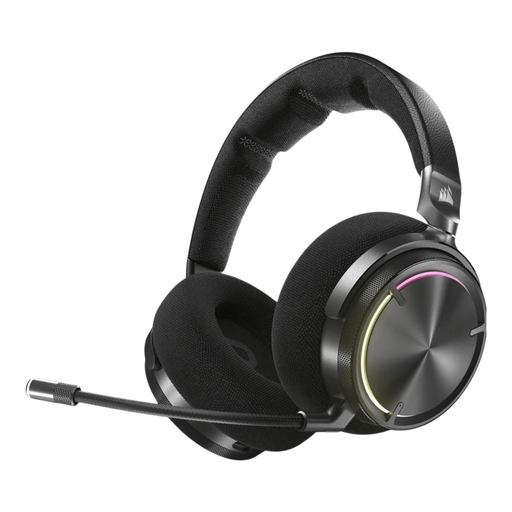
An option to compare if you want to chat wirelessly while gaming and use the controls on the earcup.
Corsair lists RF wireless and Bluetooth, a microphone with a mute function, and volume control. The described RF connection works with PC, PS4 and PS5; Bluetooth is intended for mobile devices. The model has a rechargeable battery.
 No image available
Suited to anyone looking for wireless team chat and controls on the earcup.
The product description lists a USB receiver for 2.4 GHz, Bluetooth for mobile devices and a microphone with a mute function. Wireless use requires charging.
 No image available
A model to compare if you need a microphone for communication during matches.
The product description lists a cardioid microphone, 40 mm drivers and a weight of 285 g. The stated virtual 7.1 surround sound feature is limited to Windows.
 No image available
Suited to anyone who wants to game wirelessly and values a detachable microphone with a mute indicator.
The product description lists 2.4 GHz and Bluetooth, with support for PC, PS5, PS4 and Nintendo Switch. DTS Spatial Audio is listed for PC; the headband and ear cushions contain memory foam.
No, don’t assume you can. Xbox Support describes the Xbox Wireless Headset as connecting to the console, with Bluetooth available separately for use with other devices. For wired headsets, Xbox Support lists the 3.5 mm port on a compatible controller. PlayStation Support recommends checking the manufacturer’s instructions for compatible headsets from other brands. So check the exact model and your console.
For a compatible wireless PlayStation headset, follow the instructions from PlayStation Support: charge the headset, plug the USB adapter into the console and switch on the headset. If you’re using a headset from another brand, follow the manufacturer’s instructions for that specific model.
The World Health Organization recommends keeping the volume low, suggests a maximum of 60% of your device’s volume as a practical setting, and advises taking regular listening breaks. Exposure also depends on the sound level, how long you listen for and how often you listen to loud sounds, so no particular headset setting guarantees safe listening.
According to ACM ConsuWijzer, when you buy a product online, you generally have a statutory cooling-off period of up to 14 days after delivery, subject to legal exceptions. You’re also covered by the statutory guarantee if a product, under normal use, doesn’t do what you could reasonably expect. This guarantee doesn’t depend on buying an additional warranty product.