What should you look for?
First check that the headset supports voice chat on your platform. Then consider microphone controls, fit and the trade-off between using a cable and charging the headset.
| What to consider |
What to look for |
Who is this most important for? |
| Voice clarity and mute controls |
Check how to mute the microphone and test your chosen headset in your chat app. |
When practising instructions, I want to check my microphone works beforehand and be able to see at a glance when it’s muted; around 36% of consumers put clear speech and instant microphone control at the top of their list. |
| Platform and chat compatibility |
Check the connection or wireless link, and make sure the microphone works with the device you intend to use. |
I don’t want to discover during a game that voice chat doesn’t work on my device; around 29% of consumers give platform and chat compatibility top priority. |
| Fit and listening volume |
Consider how the headset feels during longer sessions, and be mindful of both volume and listening time. |
During longer practice sessions, I want a comfortable headset that doesn’t need to be turned up constantly just to hear voices; around 21% of consumers put wearing comfort first. |
| Freedom to move and charging |
Check which connection your platform supports and look at the stated battery life for the model you’re considering. |
If I want to play without a cable, I accept that I’ll need to keep an eye on the connection and charging; around 14% of consumers give freedom of movement top priority. |
Brands to consider
The models listed differ in connection options and platform-specific features, among other things. Check the version you have in mind.
HyperX
The wired Cloud III is worth considering if you’re looking for multiple connection options and easy-to-use mute controls.
- HyperX lists 3.5 mm, USB-A and USB-C connections for this model, along with a 10 mm microphone and an LED mute indicator.
- These specifications don’t tell you how clearly your team will hear you or how well the headset will fit.
Razer
The wired BlackShark V2 X is an option if your device has a suitable 3.5 mm connection.
- Razer describes this model as having a cardioid microphone and passive noise isolation.
- The product description doesn’t independently confirm how comfortable the headset is or how your team will hear your voice. Take care not to confuse the 3.5 mm version with a separate USB version.
SteelSeries
The Arctis Nova 7X Wireless Gen 2 is worth considering if wireless use and audio from multiple devices suit the way you practise.
- SteelSeries lists simultaneous Bluetooth connectivity and a battery life of over 50 hours for this version.
- The stated battery life isn’t an independent measurement of real-world use. Also check that the connection method suits your platform.
Logitech G
The wired PRO X is an option for PC users who want to adjust microphone filters using software.
- Logitech G lists Blue VO!CE filters for use via G HUB on PC.
- According to Logitech G, this advanced feature isn’t available on consoles.
Gaming headsets on Joybuy
These Joybuy products include wired headsets and wireless models for team communication. Check the connection and support for your device for each version.
 No image available
Turtle Beach Airlite Fit, wired, blue/red
A good fit for anyone looking for a wired headset with a flip-up-to-mute microphone.
3.5 mm connection; the product name lists Nintendo Switch, PC and mobile devices as compatible devices. The description also mentions an in-line volume control.
Joybuy
 No image available
Razer Kraken V3 X, black
Worth considering if you’re looking for a headset with a microphone for team communication. Check the connection and support for your device before you buy.
The product description lists a cardioid HyperClear microphone, 40 mm drivers and a weight of 285 g.
Joybuy
 No image available
HyperX Cloud III S, black/red
A good fit for anyone who wants to practise wirelessly and check the mute status on the headset. Make sure the connection is compatible with your platform.
The product description lists 2.4 GHz and Bluetooth, a detachable microphone with a mute button and LED indicator, and memory foam in the ear cushions and headband.
Joybuy
 No image available
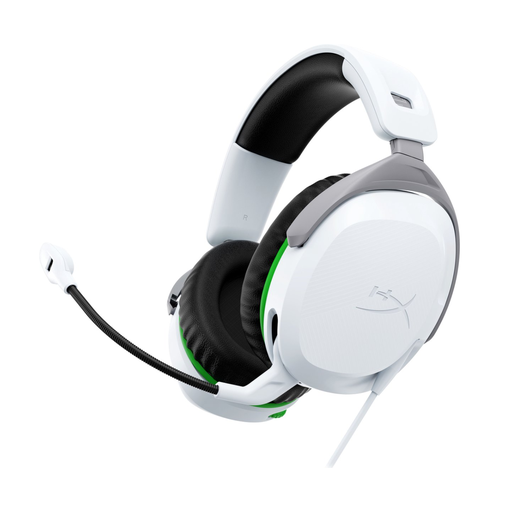
HyperX CloudX Stinger II, wired, white, Xbox
A good fit for anyone looking for a wired headset for Xbox with a flip-up-to-mute microphone.
3.5 mm connection for an Xbox controller; the description mentions on-headset volume controls, memory foam ear cushions and an adjustable headband.
Joybuy
 No image available
HyperX Cloud Stinger II, wired, white, PS5/PS4
A good fit for anyone looking for a wired headset for PlayStation with a microphone that flips up to mute.
The product description lists a 3.5 mm connection for PlayStation, on-headset volume controls and 90° rotating ear cups.
Joybuy
Frequently asked questions
How can you check that your microphone works before a practice session?
In Discord on desktop or in a browser, select the right input and output devices, then use Mic Test under Voice & Video. Discord says this test isn’t available in the mobile app.
Can any Bluetooth gaming headset connect directly to an Xbox One?
No. According to Xbox Support, the Xbox One console doesn’t have Bluetooth functionality for a direct headset connection. Check which connection methods your headset and console support; for example, a compatible controller may have a 3.5 mm connection.
How can you manage the volume responsibly during long sessions?
The World Health Organization points out that both sound level and listening time matter. Keep the volume at a sensible level and factor in your total listening time too.
Who should you contact about a fault, and what are your rights when returning an online purchase?
According to the Dutch government, the seller—not the manufacturer—must resolve an issue covered by the statutory guarantee. For distance purchases, you generally have a 14-day cooling-off period; check the terms that apply to your purchase.
What product rules apply to wireless headsets sold in the Netherlands?
The Dutch Authority for Digital Infrastructure says that radio equipment sold in Europe must meet the applicable European requirements and carry a CE marking. According to the regulator, stricter safety requirements for wireless equipment have applied since 1 August 2025. These general rules don’t, on their own, confirm that a particular model complies with them.


