
Team chat comes first
You practise a support role where giving your team brief instructions and replies is key. You want to speak clearly and mute the microphone quickly.


For support practice, a headset with a suitable connection and controls that let you mute the microphone is a sensible starting point. Comfort matters even more during long sessions. A wired headset suits practice in one place and means you don't have to manage a headset battery, while a wireless one gives you more freedom to move but means checking the platform version, receiver and battery. A bright room on its own is no reason to choose a different type of headset.
You practise a support role where giving your team brief instructions and replies is key. You want to speak clearly and mute the microphone quickly.
You wear your headset for extended periods and want to consider the fit and ear cushions, not just extra audio features.
You switch between PC and console and want to avoid choosing a version with the wrong connection or wireless platform compatibility.
Choose this if: you practise in one place and don't want to manage a headset battery.
Keep in mind: the cable and the connection your device needs.
Choose this if: freedom to move matters and the exact version supports your platform.
Keep in mind: charging, a compatible receiver and the wireless mode you need. According to SteelSeries, the Arctis Nova 5 can switch between 2.4 GHz and Bluetooth, but both connections can't be active at the same time.
| What to consider | What should you check? | Who is this important for? |
|---|---|---|
| Team chat and muting | Check the microphone controls and make a test recording or try it in the chat app you use. | If I need to give instructions during support practice, I want to be able to monitor my voice and mute the microphone quickly. Around 36% of consumers prioritise clear team chat and microphone controls. |
| Comfort | Look at the adjustability and materials; fit is a personal matter. | During longer practice sessions, I want my headset to feel comfortable, even when I wear it for a while. Around 29% of consumers prioritise comfort while practising. |
| Connection and platform | Check the exact model version and whether its connection supports both audio and microphone use with your device. | If I switch between PC and console, I want to be sure the version I choose works with my gaming devices. Around 21% of consumers give platform compatibility top priority. |
| Freedom to move | Check which receiver or wireless mode is needed and whether you can use it with your platform. | If I want to get up during practice or avoid using a cable, wireless connectivity matters more to me. Around 14% of consumers prioritise freedom to move while also considering the connection. |
The right connection and platform version determine whether a headset is compatible with your console. SteelSeries specifically lists the Nova 5X for Xbox.
Before buying, check the full model name, receiver and support for your platform.
According to SteelSeries, the SteelSeries Nova 5 can switch between 2.4 GHz and Bluetooth, but only one connection can be active at a time.
If you want to hear game audio and phone audio at the same time, check explicitly whether the headset you choose supports this.
The Dutch Government states that there is no fixed statutory warranty period in the Netherlands. If a product is faulty, contact the seller.
Before choosing an extended warranty, check what your statutory rights and any additional warranty terms mean for your situation.
The wired Cloud III is an option for practising in one place, provided its connection suits your device.
The Arctis Nova 5 series is a wireless option; check which version is right for your console.
The PRO X 2 LIGHTSPEED is a wireless option for anyone who also wants to consider the ear cushion materials.
The analogue BlackShark V2 X is a wired option with a 3.5 mm connection for team chat.
This selection includes wireless headsets for use with supported devices and wired options for practising in one place. Check the platform support and connection required for each model.
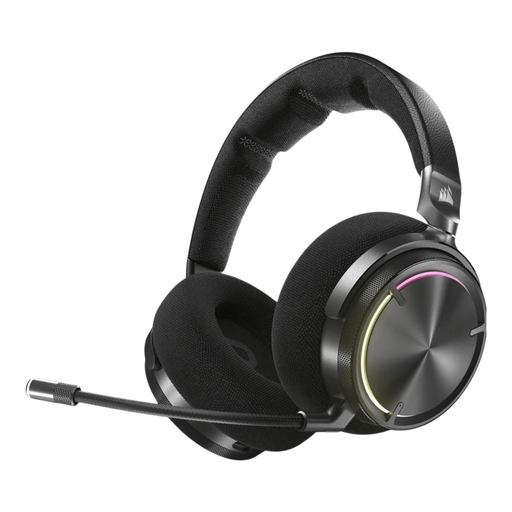 No image available
A wireless option for anyone who wants a mute function and on-earcup controls during practice.
Check that the connection listed suits your device: RF via USB receiver is specified for PC, PlayStation and Switch; Bluetooth is specified for mobile devices.
 No image available
A wireless option for anyone who wants to factor microphone controls and muting into their choice for practice.
The USB receiver is listed for 2.4 GHz gaming and Bluetooth for mobile devices; check which mode suits how you plan to use it.
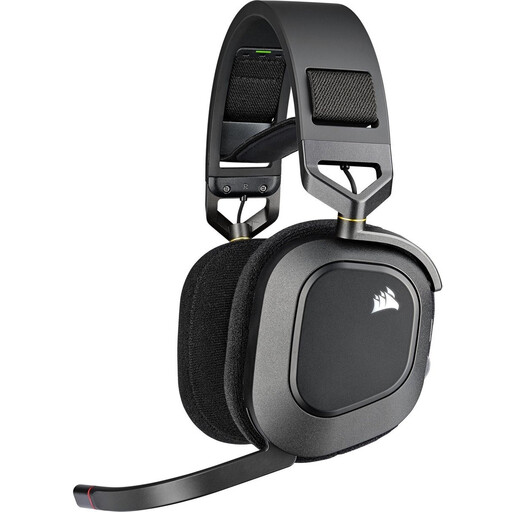 No image available
A wireless option for team chat, with a microphone you can mute by flipping it up.
The description lists a USB adapter for PC and PlayStation; check that the connection suits your gaming device.
 No image available
A wired option for practising in one place, with an analogue 3.5 mm connection.
If your PC has separate headphone and microphone ports, you may need a splitter.
 No image available
A wired option to compare if you want a headset with a mute function for support practice.
HyperX lists 3.5 mm, USB-A and USB-C connections for the Cloud III. Check which connection and features suit your device.
No, a bright room on its own is no reason to choose a different type of headset. Base your choice on team chat, fit and connection; any reflections on a screen are unrelated to your audio equipment.
No. According to SteelSeries, you can switch between the connections, but only one can be active at a time.
Connect it using a connection supported by your device, then test the microphone, playback volume and mute function in the chat app you use. HyperX lists controls and a visible mute indicator for the Cloud III; check which features are available on each platform.
Keep the volume low and consider how long you listen for, too. The World Health Organization gives an average of 80 dB for up to 40 hours per week as an example of safe listening for adults; this is not a measurement of the sound level produced by these headsets.
For online purchases from a business, you generally have a 14-day cooling-off period, although exceptions apply. You are also entitled to a product that is fit for purpose; according to the Dutch Government, there is no fixed statutory warranty period in the Netherlands, and you should contact the seller if a product is faulty.