
Lobby player with housemates
You want to chat with teammates, mute quickly and be mindful of noise in a shared room. Logitech G and Razer, for example, describe mute controls and closed-back earcups on the models mentioned here.


Start with a headset that works with your PC or console and lets you mute the microphone quickly. Then choose between a simple wired connection, wireless freedom to move around and earcups that can help block out noise around you. Wireless headsets need charging, and you’ll need to choose the right model variant. Passive isolation doesn’t mean your microphone filters out the sound of your housemates.
You want to chat with teammates, mute quickly and be mindful of noise in a shared room. Logitech G and Razer, for example, describe mute controls and closed-back earcups on the models mentioned here.
You might use a PC and a console, for example. The connection and full model variant determine which connectivity options and features are available. HyperX and SteelSeries provide model-specific information about connections and platform compatibility.
You’ll want to consider the fit and weigh up the simplicity of a cable against the freedom to move around wirelessly. Logitech G and SteelSeries both describe wired and wireless models.
First, check that the connection and microphone work with your gaming device. Then think about how much you value quick muting, reduced background noise, comfort and being able to move around without a cable.
| What to consider | What to look for | Who should pay extra attention? |
|---|---|---|
| Team chat and muting | Check that the microphone works with your device and that you can mute it quickly, for example with a physical button or flip-to-mute microphone. | If I want to mute quickly during a lobby when someone comes into my room, team chat comes first; around 24% of consumers say this is their main consideration. |
| Device compatibility | Check the connection, microphone support and full model variant. Some software features are platform-specific. | If you want to make sure audio and the microphone both work with your PC or console, prioritise compatibility; around 24% of consumers do. |
| Noise in the room | Consider how the earcups fit, and distinguish between isolation for you and microphone noise reduction for your team. | If noise from my housemates distracts me, I want to know how the earcups affect what I hear; around 19% of consumers put room noise first. |
| Comfort during long sessions | Compare adjustability, weight and materials, but judge the fit on your own head. Weight alone doesn’t guarantee comfort. | If you play for several hours, you’ll want a headset that feels comfortable, without assuming that any one material or specification guarantees a good fit; around 19% of consumers prioritise comfort. |
| Wired or wireless | A cable means you don’t need to charge the headset; a wireless headset needs charging and may take up a port with its dongle. Check which connections can be active at the same time. | If I mainly play at my desk, a cable can be practical. If I want to move around more, I might consider wireless and factor in charging. Around 14% of consumers put this trade-off first. |
According to Logitech, DTS surround sound and EQ on the Logitech G432 are only available on Windows with G HUB. Within the Nova 5 series, SteelSeries specifically identifies the Nova 5X as the model for Xbox.
Check the basic connection, microphone and any software features separately for your device. Make sure you look at the full model name.
The SteelSeries Arctis Nova 5 switches between 2,4 GHz and Bluetooth, but according to SteelSeries, only one connection can be active at a time.
Before buying, look for explicit confirmation if you want to hear game audio and a second audio source at the same time.
Closed-back earcups can help block out noise for the wearer, but they don’t tell you what your teammates will hear through the microphone.
Test the microphone separately with a recording or test call in the room where you play.
In the Netherlands, your statutory guarantee applies alongside any guarantee offered by the retailer or manufacturer, as ACM ConsuWijzer explains.
Check separately what your statutory rights and the terms of any additional product cover.
The models mentioned range from simple wired connections to wireless headsets.
The Arctis Nova 5 series lets you switch between 2,4 GHz and Bluetooth.
The wired Cloud III is worth considering if you want to compare different connection options.
The wired BlackShark V2 X is worth a look if closed-back earcups suit your room.
The wired Quantum 200 is an alternative with a flip-to-mute microphone.
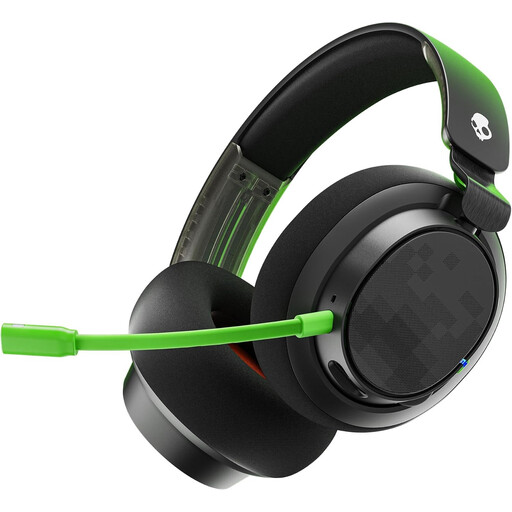
These products include wired and wireless gaming headsets for anyone who wants to mute quickly during a multiplayer lobby and needs to consider how the headset connects to their gaming device.
 No image available
A wired option for anyone who wants to mute quickly during team chat.
The product information lists a 3,5mm cable and USB, as well as a mute button and detachable microphone.
 No image available
A wireless option for anyone who values on-headset controls and muting.
The product name lists up to 200 hours over Bluetooth and up to 120 hours over 2,4 GHz, a detachable 10 mm boom microphone and memory foam ear cushions. The headset has a rechargeable battery that charges via USB-C.
 No image available
A wireless option for anyone who wants a mute control on the headset during team chat.
The product information lists a 2,4GHz USB receiver and Bluetooth. The headset has a rechargeable battery.
 No image available
A wired option with a mute control for anyone considering closed-back earcups.
The product name lists 7.1 sound. Passive isolation for the wearer doesn’t mean the microphone filters out noise from housemates.
 No image available
A wired option for anyone weighing up different connection options and a visible mute status.
The product information lists 3,5 mm, USB-A and USB-C, a detachable microphone, mute button and LED mute indicator. The product name lists PC, PS5 and Xbox Series X|S.
Make a test recording or call after connecting the headset to your device and selecting the correct audio input and output. Then check the physical mute setting; HyperX lists a mute indicator on the Cloud III.
No. According to SteelSeries, only one connection can be active at a time on the Nova 5. You can switch between 2,4 GHz and Bluetooth, but that’s not the same as hearing both audio sources at once.
Keep the volume low and take regular breaks. The World Health Organization also recommends a well-fitting headset, which can help stop background noise from tempting you to turn the volume up.
According to ACM ConsuWijzer, online purchases generally come with a cooling-off period of up to 14 days after delivery, with some exceptions. In the Netherlands, statutory guarantee rights also apply for as long as the product should meet what you could reasonably expect under normal use; there’s no general fixed guarantee period of exactly two years.