What should you look for in a gaming headset for streaming?
First, make a test recording where you usually stream. Then choose based on the connection, comfort and the features you can actually use with your devices.
| What to consider |
What should you check? |
Who is this important for? |
| Clear commentary |
Make a short recording with your usual game audio and room noise. Check the microphone position, mute function and input level. |
When I stream, I want to hear first of all whether my voice comes through clearly. Around 29% of consumers put clarity first. |
| Comfort |
Check that the ear cushions fit well and adjust the headband. Try the headset on if possible. |
For longer sessions, I want the headset to stay comfortable, not just sound comfortable on paper. Around 24% of consumers prioritise comfort. |
| Device compatibility |
Compare the ports on your PC or console with the headset connection, and check the exact version and any software requirements. |
If I game and stream on different devices, I want to know in advance which features will work with them. Around 18% of consumers put compatibility first. |
| Useful essentials |
Compare the features of the version you’re considering with what you’ll actually use on your platform. |
I don’t want to choose extra features that my devices don’t support or that I don’t need. Around 17% of consumers prioritise useful essentials. |
| Freedom to move |
Check the dongle, platform support and charging options. Treat battery life as a figure provided by the manufacturer. |
If I want to leave my desk during a stream, freedom to move matters more than having a cable. Around 12% of consumers put this first. |
Gaming headsets at Joybuy
These Joybuy products include wired and wireless options to compare by microphone controls, connection and use with your gaming devices.
 No image available
Turtle Beach Stealth 600 Gen 3 Xbox wireless gaming headset, purple
An option to compare if you want to be able to mute the microphone quickly while streaming commentary.
The product title lists a flip-to-mute microphone and compatibility with Xbox, PlayStation, PC, Steam Deck and mobile devices. Wireless use requires charging via USB-C.
View at Joybuy
 No image available
Turtle Beach Stealth 500 Xbox wireless gaming headset, black
An option if you want to switch between a wireless gaming connection and a Bluetooth device while gaming.
The product title lists a flip-to-mute microphone and support for Xbox Series X|S, Xbox One, PC, Switch 2 and mobile devices. According to the product information, the battery can’t be replaced by the user.
View at Joybuy
 No image available
Turtle Beach Stealth 600 Gen 3 Xbox wireless gaming headset, black
An option to compare if you want to be able to mute your commentary and use the headset with different devices.
The product title lists a flip-to-mute microphone and compatibility with Xbox Series X|S, Xbox One, PS5, PS4, PC, Switch 2, Steam Deck and mobile devices. Wireless use depends on the battery.
View at Joybuy
 No image available
Turtle Beach Airlite Fit wired gaming headset, 3.5 mm, blue/red
A wired option to compare if you don’t want to charge a wireless headset.
The product title lists a 3.5 mm connection and a flip-to-mute microphone. The cable limits how far you can move around.
View at Joybuy
 No image available
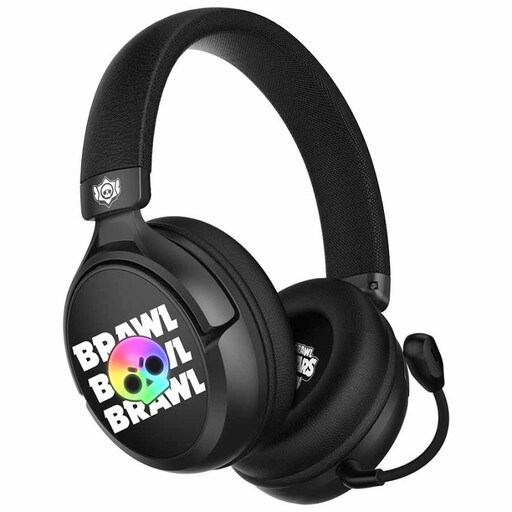
Subsonic SS Brawl Stars wired gaming headset, black
An option to compare if you want to be able to remove the microphone when you’re not using it.
The product information lists a detachable microphone and a wired headset. Check that the connection is compatible with your device.
View at Joybuy
Frequently asked questions
How do you set up a microphone for streaming from a student room?
First, make a test recording with your usual game audio and room noise. Check the microphone position, that it isn’t muted and the input level. OBS describes noise reduction as useful for light background noise, but generally not for a lot of room noise.
Does a wireless SteelSeries Arctis Nova 5 work with Xbox?
Check the version: SteelSeries specifically lists the Nova 5X for Xbox. Don’t assume Xbox support just from the Nova 5 name.
What can you do if your headset breaks quickly?
In the Netherlands, you’re entitled to a product that meets the terms of the agreement, and the seller is your point of contact if there’s a fault. According to the Dutch government, there is no fixed statutory warranty period of two years. What you can expect depends, among other things, on the product, its price and the information you were given.
Can you always return a headset bought online within 14 days?
For eligible distance purchases, you generally have a 14-day cooling-off period. The Dutch government lists exceptions, including online purchases from a private seller, so check the terms that apply to your purchase.
How can you use a headset carefully during long streams?
Keep the listening volume at a sensible level and take a break from the sound from time to time. The Consumers’ Association points out that the risk of hearing damage depends on both volume and listening time.


