Gaming headsets at Joybuy
This selection includes wired 3,5mm headsets and wireless headsets with a receiver, for anyone weighing up mouse space or controls during team chat.
 No image available
Corsair VOID RGB V2 Wireless Gaming Headset, white
For anyone who wants to keep a headset cable away from their mouse space and values on-earcup controls during team chat. Bear in mind that you’ll need to charge it and have a suitable connection for the receiver.
The product name specifies: wireless, RGB, white and Dolby Atmos.
View at Joybuy
 No image available
JBL Quantum 300, wired, with flip-up microphone
For anyone who wants a wired headset that doesn’t need charging and a microphone that flips up to mute during team chat. Keep the cable clear of your mouse space.
The product name specifies an over-ear design and a black finish. According to the product information, QuantumSURROUND is only available on PC.
View at Joybuy
 No image available
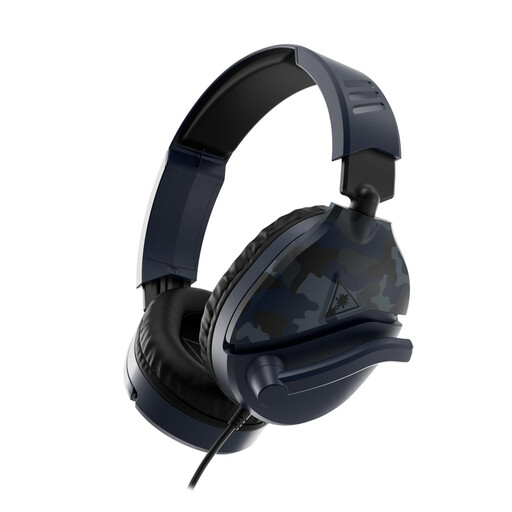
Turtle Beach Recon 70, wired, Blue Camo
For anyone with a suitable 3,5mm connection who wants to flip the microphone up to mute during team chat. You’ll need to route the cable around your gaming area.
The product name specifies a 3,5mm connection and compatibility with PC, PS5, Xbox Series X|S and Switch 2. The product information lists a 1,2 m cable.
View at Joybuy
 No image available
Turtle Beach Stealth 600 Gen 3, wireless, Xbox version
For anyone who wants to keep the headset cable away from their mouse space and flip the microphone up to mute during team chat. Check that the receiver and version are compatible with your device; wireless use means you’ll need to charge it.
The product name specifies compatibility with Xbox Series X|S, Xbox One, PS5, PS4, PC, Switch 2, Steam Deck and mobile devices.
View at Joybuy
 No image available
HyperX Cloud III S, wireless, with detachable microphone
For anyone who wants to keep the headset cable away from their mouse space and use a mute button during team chat. Bear in mind that you’ll need to charge it, and check that the connection is compatible with your device.
The product name specifies PC, PS5, PS4, Switch and mobile, plus Memory Foam ear cushions.
View at Joybuy
Frequently asked questions
Should I enable virtual surround sound when learning a multiplayer map?
Not necessarily. First check whether the feature works on your platform, then compare it with the standard audio setting while playing. Logitech G says Blue VO!CE and DTS Headphone:X 2.0 on the wired PRO X are only available via G HUB on PC.
How can I connect a headset without cluttering up my small desk?
First check the ports on your gaming device. If you’re using a 3,5mm cable, route it away from your mouse movements; if you choose wireless, make sure your platform supports the receiver and that you have a free USB port.
How should I use a headset during longer gaming sessions?
Adjust the headband and ear cushions so the headset fits securely, and start at a low volume. VeiligheidNL recommends checking the seal, so that surrounding noise is less likely to tempt you to turn up the volume. If you have a wireless model, check where you can charge it too.
What if a headset I bought online is uncomfortable or breaks quickly?
In the Netherlands, online purchases generally come with a statutory 14-day cooling-off period after delivery, subject to exceptions and conditions. You’re also covered by the statutory guarantee if the product doesn’t perform as you could reasonably expect under normal use; there is no fixed guarantee period for all headsets. ACM ConsuWijzer explains these rules.
Which product regulations apply to wireless headsets in the Netherlands?
Radio equipment sold on the European market must meet product requirements, including CE marking. The European Commission says the common charger rules have also applied to the relevant categories of headphones and headsets since 28 December 2024. Check the information for the specific version; this doesn’t prove that an individual listing meets all the requirements.


