
Shooter practice
You want to be able to distinguish in-game sounds while practising, without assuming that a headset will improve your aim. Check the connection and settings on your own gaming device.


A wired headset is practical if you play at a fixed desk and want to avoid charging; go wireless if freedom of movement matters more and the connection works with your gaming device. A surround sound label or specification doesn’t prove on its own that your aim will improve. Also consider the fit, microphone and any software requirements.
You want to be able to distinguish in-game sounds while practising, without assuming that a headset will improve your aim. Check the connection and settings on your own gaming device.
You wear a headset for long stretches, so you’ll want to consider how the headband and ear cushions fit. The materials alone won’t tell you how a headset will feel on your head.
You use your home office for team chat or calls and want to know how the microphone, controls and any software work with your devices and apps.
Best for: anyone who usually practises at one desk and doesn’t want to charge their headset. HyperX lists 3.5 mm, USB-C and USB-A connections for the wired Cloud III; check which connection your device supports.
Bear in mind: you’ll be tethered to a cable while wearing the headset.
Best for: anyone who wants more freedom to move around at their desk. HyperX describes the Cloud III S Wireless as a separate model with 2.4GHz and Bluetooth connections.
Bear in mind: check that the receiver is compatible with your gaming device and remember that you’ll need to charge the headset.
| What to consider | What should you check? | Who is this important for? |
|---|---|---|
| Distinguishing in-game sounds | Check whether spatial audio is available on your platform; according to Logitech, the Logitech G432’s features require Windows and G HUB. | When I practise shooters, I want to be able to assess relevant in-game sounds without relying on a label. Around 31% of consumers in this buying context prioritise in-game sound above all else. |
| Fit during long sessions | Consider the pressure from the headband, the space around your ears and the material of the ear cushions. | During long sessions, I want my headset to feel comfortable, even when I’m wearing glasses. Around 25% of consumers prioritise comfort. |
| Team chat and calls | Check the microphone and mute controls in your game and calling app; some software features require a PC. Logitech lists G HUB on PC as a requirement for Blue VO!CE on the wired PRO X. | If I chat with teammates while playing or also make calls, I want to be able to use the microphone with my devices. Around 19% of consumers give voice chat top priority. |
| Connection to your device | Check the available ports, connector or receiver, and the connection mode you want to use. | I want to know in advance whether the headset works with the device I play on and whether I need freedom to move around. Around 13% of consumers prioritise connection and compatibility. |
| Features you’ll use | Check that the features influencing your choice work on your platform; don’t rely on the model name or a surround sound label alone. | I want to choose based on features I can use on my own device, rather than one that isn’t available on it. Around 12% of consumers prioritise useful features. |
According to Logitech, the Logitech G432’s surround sound and EQ features require Windows and G HUB. For the wired PRO X, Logitech lists a PC with G HUB as a requirement for Blue VO!CE and DTS Headphone:X 2.0.
Check the software requirements for the exact model before choosing it for a surround sound feature.
HyperX describes the Cloud III as wired and the Cloud III S Wireless as a separate model with 2.4GHz and Bluetooth. So, sharing a name doesn’t mean they have the same connections.
Compare the full model name and check the connections on the version you’re considering.
The World Health Organization gives a listening time of four hours per week at 90 dB. A particular headset setting isn’t a reason to turn the volume up further just to hear quiet signals.
Start at a low volume and take breaks. If necessary, adjust the fit or in-game settings rather than continually turning the volume up.
The wired Cloud III and the separate Cloud III S Wireless offer different connection options.
The wired G432 and PRO X have software features whose availability varies by model and platform.
The Arctis Nova 5 Wireless is designed for anyone who wants to switch between 2.4GHz game audio and Bluetooth.
The BlackShark V2 X is a wired option with a 3.5mm connection.
This selection includes wired and wireless gaming headsets for practice and communication. Check the connection and compatibility with your gaming device for each version.
 No image available
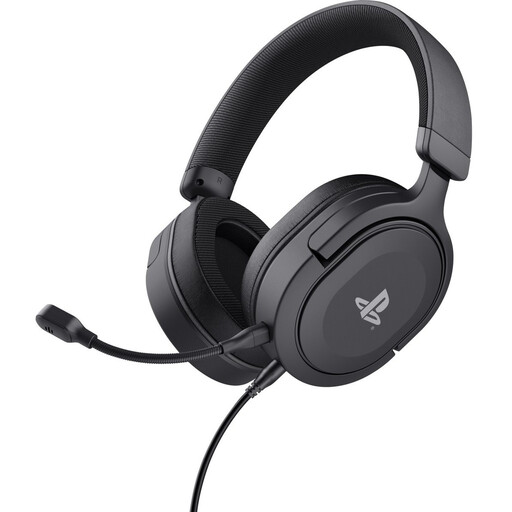
Designed for anyone looking for a wireless gaming headset for PlayStation who also wants to consider taking phone calls while gaming; check that this PlayStation version is compatible with your device.
 No image available
This wired version is an option for anyone who plays at a fixed spot. The product name mentions 50mm drivers and a PS5 licence; check the connection for your device.
 No image available
The product name mentions a wired 3.5mm connection, Nintendo Switch, Switch Lite and Switch OLED, plus a flip-to-mute microphone. Check that this version is compatible with the device you play on.
 No image available
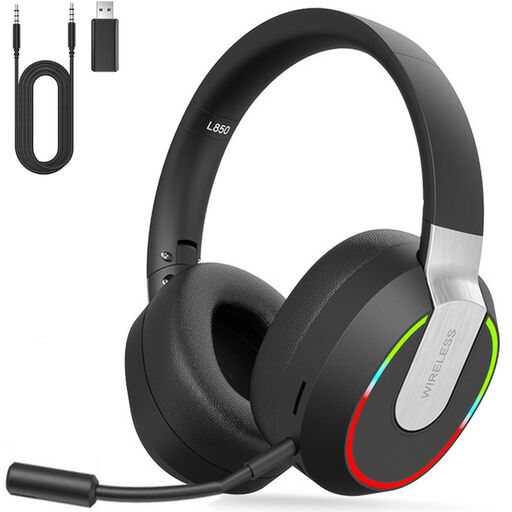
The product name lists PC, PS4, PS5, Mac and Switch. According to the product information, Bluetooth isn’t compatible with PS4 or PS5; check the listed dongle or Type-C cable for those devices.
 No image available
This wired multi-platform gaming headset is an option for anyone who wants to factor team chat into their choice. Check which features and software are compatible with your device and the version on offer.
No, that doesn’t follow from the product specifications mentioned. Choose based on the in-game sounds you want to hear, the connection and the fit, and assess the audio settings in the shooter you play.
Connect the headset using a connection or receiver supported by your device, select the correct audio input and output, and check the microphone and mute setting in your game and calling app. Install G HUB only if you want to use a supported Logitech feature on PC.
Keep the volume low and take breaks. The World Health Organization gives a listening time of four hours per week at 90 dB; this is guidance on sound exposure, not a fixed volume setting for every headset.
According to ACM ConsuWijzer, online purchases generally come with a statutory cooling-off period of up to 14 days after the product is delivered; exceptions may apply. The statutory guarantee is separate from any manufacturer’s warranty: if a product breaks down too soon under normal use, the seller is responsible for providing an appropriate solution, according to ACM ConsuWijzer.