
Shooter player at a desk
You mainly practise in one place and weigh up in-game audio, connectivity and comfort. Wired and wireless headsets involve different practical considerations.


Start with a headset that works with your PC or console and lets you assess your in-game audio at a comfortable volume; a surround-sound label alone is no proof of better directional awareness. In a shared room, fit, isolation and microphone controls matter too: wired headsets don’t need charging, while wireless gaming depends on choosing the right variant, receiver and power supply.
You mainly practise in one place and weigh up in-game audio, connectivity and comfort. Wired and wireless headsets involve different practical considerations.
You share your living space and want to limit background noise without constantly turning the volume up. Also consider how clearly your own voice carries during voice chat.
You switch between devices such as a PC, console and mobile phone. Check which connection or wireless link works with your devices for each headset variant.
Start by checking connectivity and compatibility, then assess the sound, fit and microphone controls for the way you’ll use the headset. VeiligheidNL notes that a well-fitting pair of headphones can help you keep background noise at a lower volume.
| What to consider | What should you check? | Who is this important for? |
|---|---|---|
| In-game audio | Test the available sound settings in your game and check that they work on your platform. A surround-sound feature is no proof of better directional awareness. | When practising my aim, I want to assess audio cues in the game I’m playing, rather than treat a surround-sound label as proof of performance. Around 31% of consumers give in-game audio top priority. |
| Isolation in a shared room | Check how the earcups fit around your ears and listen at a comfortable volume. A microphone feature won’t make your speaking voice inaudible to your housemates. | When I share my room with others, I want to limit background noise without automatically turning up the volume. Around 25% of consumers prioritise peace and quiet in a shared room. |
| Comfort and team chat | Check the fit and pressure while wearing the headset; material descriptions can’t predict how it will feel on your head. Also check that the mute control is easy to reach. | During longer practice sessions, I want a comfortable headset that lets me mute my microphone quickly. Around 25% of consumers put comfort and team chat first. |
| Connection and device | Check the available ports and the full model variant. For wireless models, the receiver must also be compatible with the device you want to use. | When I switch between my PC and console, I want to be sure the version I choose works with my devices. Around 19% of consumers make compatibility their top consideration. |
An advertised sound feature doesn’t prove you’ll aim more accurately in a particular game. Razer states that the BlackShark V2 X’s 7.1 feature is only available on Windows 11, so sound settings can also depend on your platform.
Check the platform requirements and compare the available settings in the games you play, at a comfortable volume.
A microphone feature affects the chat audio, but it won’t stop your housemates from hearing your voice in the room. Passive isolation won’t automatically make your voice inaudible to them either.
Assess the fit and listening volume separately from the microphone. If needed, agree on when you’ll chat and use mute when you’re not speaking.
Headsets in the same product range can have different platform variants. SteelSeries says the Nova 5X is the Nova 5 version made for Xbox.
Before buying, check the full model name, supported device and matching receiver.
The Dutch government states that a manufacturer’s or retailer’s warranty is additional, and that the Netherlands has no fixed statutory warranty period.
Read the terms of any additional cover and contact the retailer if there’s a fault.
The wired Cloud III is an option if you want connection flexibility at a desk. The Cloud III S Wireless is a separate wireless model.
The wired BlackShark V2 X is an option if you’re looking for closed-back, over-ear cups and a 3.5 mm connection.
SteelSeries says the Arctis Nova 5 Wireless combines a 2.4GHz connection with Bluetooth and game presets.
According to Turtle Beach, the Stealth 600 Gen 3 comes in variants for different platforms, with 2.4GHz, Bluetooth and a flip-to-mute microphone.
The G321 LIGHTSPEED is a wireless option with a flip-up microphone and mute control.
This selection focuses mainly on wired headsets for practising at a desk, with a wireless headset for PlayStation or PC included too.
 No image available
The wired version could suit you if you play at a desk and don’t want to manage a battery.
The product description lists a 3.5 mm or USB DAC connection and a flip-to-mute microphone. It also says Logitech G HUB is required to access the full 7.1 surround-sound feature.
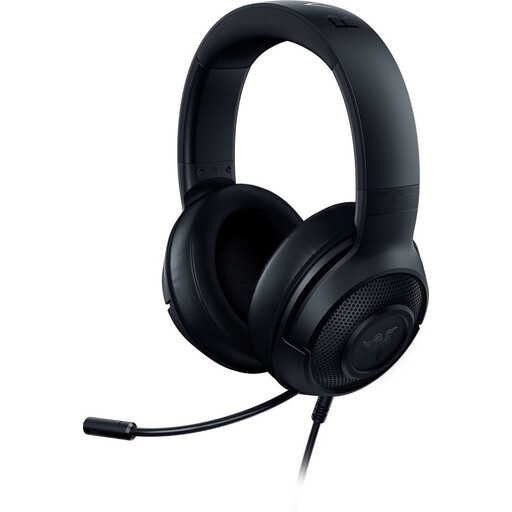 No image available
This wired headset could suit you if you play at a desk and use a 3.5 mm connection.
The product description lists a weight of 230 g and a cardioid microphone. It says the 7.1 surround-sound feature is only available on 64-bit Windows 10.
 No image available
The wired version could suit you for desk use if you don’t want to charge a battery.
The product description lists a 3.5 mm connection, a weight of 240 g and volume and microphone controls. Razer describes the earcups as closed-back with passive noise isolation; the advertised 7.1 feature is only available on Windows 11, according to Razer.
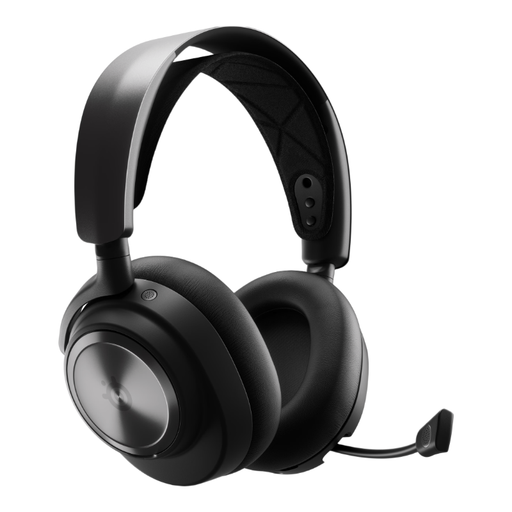 No image available
This wireless version could suit you if you play on PlayStation or PC and want a base station connection.
The product description lists closed-back earcups, active noise cancellation and replaceable rechargeable batteries. Wireless use means you’ll need to charge it.
 No image available
The wired version could suit you if you play at a desk and don’t want to manage a battery.
The product description lists 3.5 mm, USB-A and USB-C connections, as well as microphone controls. HyperX also lists memory foam in the headband and ear cushions.
Not necessarily: a surround-sound feature is no proof of better directional awareness in your game. Razer limits the BlackShark V2 X’s advertised 7.1 feature to Windows 11; compare the settings available on your platform and play at a comfortable volume.
According to VeiligheidNL, a well-fitting over-ear headset can help you keep background noise at a lower volume. It won’t make your voice chat inaudible to your housemates, though; if needed, agree on when you’ll chat and use mute when you’re not speaking.
First, check the available ports and the full model variant. HyperX lists 3.5 mm, USB-C and USB-A connections for the wired Cloud III; SteelSeries says the Nova 5X is the Nova 5 version made for Xbox. After connecting, also check the audio input, output and mute settings.
Check that the earcups fit well and keep the volume as low as is comfortable; according to VeiligheidNL, a good fit can help prevent you from turning the volume up. With a wireless model, charging it and keeping the right receiver safe are also part of using it.
For a standard online consumer purchase from a business, the Dutch government says you generally have a 14-day cooling-off period, subject to exceptions and conditions. You’re also entitled to a product that meets reasonable expectations. According to the Dutch government, the Netherlands has no fixed statutory warranty period; a manufacturer’s warranty does not limit your legal rights.