
Gamer with a sleeping roommate
Wants to hear game audio at a manageable volume and check for themselves how much sound can be heard outside the headset. The WHO points out that both volume and listening time matter.


Choose a well-fitting headset and keep the volume moderate. Closed-back earcups can reduce background noise for you, but they can’t guarantee that your roommate won’t hear anything. Then choose between a cable and a wireless receiver based on your gaming device, the connections available and how much freedom of movement you want.
Wants to hear game audio at a manageable volume and check for themselves how much sound can be heard outside the headset. The WHO points out that both volume and listening time matter.
Wants to follow in-game details and direction, and is looking for a fit that stays comfortable during longer sessions. Megekko Academy notes that stereo isn’t automatically less suitable for gaming.
Wants to be able to mute the microphone and have a connection that suits their device and the exact headset variant. Manufacturers specify different connections and microphone controls for each model.
Closed-back earcups can reduce background noise for you, but that doesn’t tell you how much sound your roommate will hear. So assess the headset at your usual gaming volume.
Choose this if: your device has a compatible connection and you don’t want a wireless receiver or to worry about charging.
Bear in mind: the cable limits your freedom of movement, so check whether you can route it conveniently beside the bed.
Choose this if: you want to play without an audio cable and your device supports the receiver supplied with that exact headset variant. Logitech lists the G535 for PC and PlayStation; SteelSeries identifies the Nova 5X as the Xbox variant.
Bear in mind: you’ll need to keep track of the receiver and charge the headset, so check the full model name before choosing.
| Consideration | What should you check? | Who should pay particular attention? |
|---|---|---|
| Keeping the room quiet | Fit and earcups; assess sound leakage at your usual gaming volume. | I want to reduce distractions without turning up the volume, and find out what my roommate can hear. Around 28% of consumers put keeping the shared room quiet first. |
| In-game detail | If possible, listen using your own game; check which audio features work on your platform. | If I want to follow environmental sounds and direction in an exploration game, I’ll compare how the headset sounds in that game. Around 22% of consumers give audible in-game detail top priority. |
| Fit during long sessions | Look at adjustability and cushions; if possible, try the headset for longer than a few minutes. | I want to avoid the fit becoming uncomfortable during a long session; the material and weight alone don’t tell me how it will feel on my head. Around 22% of consumers put wearing comfort first. |
| Microphone controls | Check how to mute the microphone and, if possible, make a test recording on your own device. | If I want to chat while gaming, I need to be able to mute the microphone quickly without accidentally broadcasting. Around 17% of consumers give chat and muting top priority. |
| Connection | Make a note of your device and its ports; for wireless gaming, check the exact variant and receiver. | I want to make sure the headset connects to my PC or console, especially if I switch between devices. Around 11% of consumers put device compatibility first. |
Razer describes the BlackShark V2 X as offering passive isolation for the wearer. That alone doesn’t tell you how much sound leaks into the rest of the room.
Check the fit and assess the sound outside the earcups at your normal gaming volume.
SteelSeries says the Nova 5X is the variant designed for Xbox; the model variants aren’t interchangeable for that connection.
Before buying, check the full model name and which mode the supplied receiver supports.
Logitech’s stated 33 hours for the G535 is based on a headset volume of 50%. Your usage may differ.
Read the conditions behind the figure and plan for charging rather than treating the maximum as a guarantee.
Megekko Academy notes that stereo isn’t automatically less suitable for gaming. Virtual surround is software processing, and doesn’t guarantee better sound in your game.
Check the connection and platform support first, then compare the sound settings in your own game.
The wired Cloud III is worth considering if you want to compare several physical connection options.
The wired BlackShark V2 X is worth considering if a closed-back design and a 3.5 mm connection suit your setup.
The wireless Nova 5 range could suit you if you want to switch between a USB receiver and Bluetooth; the variant determines which platforms it supports.
The G535 is a wireless option to consider if USB receiver connectivity suits your PC or PlayStation.
The Quantum 100M2 and Quantum 360 Wireless illustrate wired and wireless options respectively.
This selection includes wired gaming headsets with a 3.5 mm connection and wireless models for gaming. Before buying, check that the connection and exact variant are compatible with your PC or console.
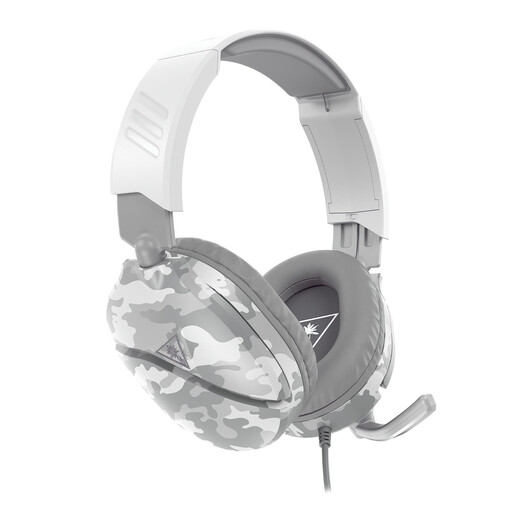 No image available
Suitable for a device with a 3.5 mm connection if you want to flip up the microphone to mute it while chatting.
Wired, with a 1.2 m cable and a flip-to-mute microphone.
 No image available
A wireless option if your device supports the USB receiver and you want to be able to mute the microphone while gaming.
The product information lists a 2.4GHz USB receiver, Bluetooth and a detachable microphone. The stated maximum playtime is 22 hours; compatibility is listed for PS5, PS4 and Windows.
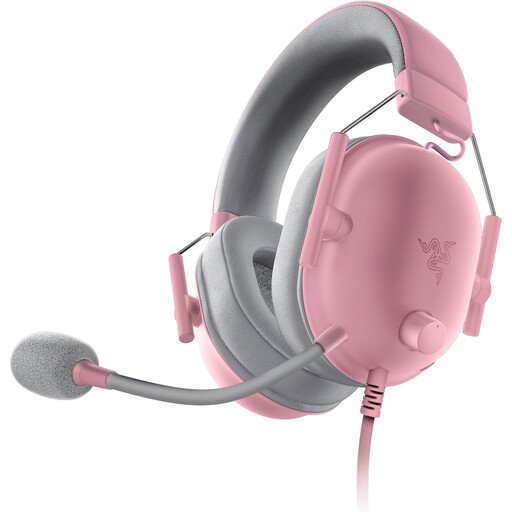 No image available
A wired option if your device has a 3.5 mm connection and you want controls for the microphone on the headset.
The product information lists a 3.5 mm connection, volume control on the earcup and a microphone mute control.
 No image available
Suitable for a wired setup if you want to choose between several connections and check the microphone status at a glance.
The product information lists 3.5 mm, USB-A and USB-C, plus a microphone mute function with an LED indicator. This is a wired headset.
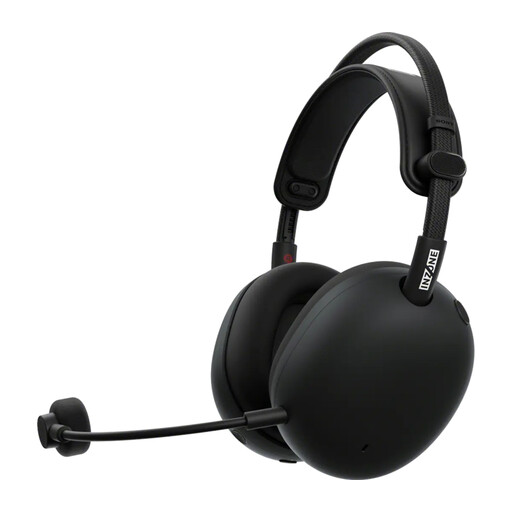 No image available
A wireless option if you play on PC or PlayStation 5 and can use a USB-C receiver for the gaming connection described.
The product information lists a 2.4GHz USB-C receiver, Bluetooth and a detachable cardioid microphone. The stated battery life is up to 30 hours.
No, virtual surround sound isn’t essential. Stereo can distinguish between left and right; compare the sound on your own device and in your own game to see which option you find more comfortable and clearer.
Check that you have the Nova 5X and use the Xbox mode on the receiver, as described by SteelSeries. According to SteelSeries, using a 5X receiver alone won’t make a Nova 5 or 5P compatible with Xbox.
Keep the volume moderate and pay attention to how long you listen too. The WHO stresses that both sound level and listening time matter.
When you buy online from a business, you usually have a 14-day cooling-off period, according to the Dutch government. Check which terms and any return costs apply to your purchase; a more generous voluntary returns policy from a retailer is separate from your statutory rights.
If there’s a problem, contact the seller: when you buy as a consumer, you’re entitled to a product that meets the terms of the agreement. The Dutch government states that there’s no fixed statutory warranty period for all products in the Netherlands; what you can expect depends on the circumstances.