
Audio detail analyst
You replay clips to distinguish speech from game sounds. Listen using your own source material, and don’t base your choice on a surround sound claim alone.


Choose a headset based on the audio details you want to assess, how comfortable it feels during long sessions and whether it works with your playback device. Bright lighting alone doesn’t call for a special headset; a well-fitting over-ear headset may help if background noise gets in the way when you listen back. Wireless models give you more freedom to move, but you’ll need to keep an eye on battery life and platform compatibility.
You replay clips to distinguish speech from game sounds. Listen using your own source material, and don’t base your choice on a surround sound claim alone.
You wear your headset for long periods and want a fit that stays comfortable. The Consumers’ Association notes that over-ear headphones with soft cushions are often comfortable for extended listening sessions, though fit is a personal matter.
Background noise can get in the way when you listen back. VeiligheidNL recommends well-fitting headphones so you don’t have to turn up the volume to drown out external sounds.
| Factor to consider | What to look for | Who is this important for? |
|---|---|---|
| Audio detail | Where possible, listen to the type of recording you analyse and check which audio controls are available. | If you want to assess dialogue and game sounds repeatedly, it’s important to have playback you can compare with your source material. Around 25% of consumers say audio detail is their top buying priority. |
| Comfort for extended wear | Try the fit and adjust the headband; check whether the cushions sit around your ears. | During long review sessions, you’ll want your headset to stay comfortable over time; a well-fitting over-ear design may help. Around 25% of consumers say comfort during extended wear is their top priority. |
| Background noise | Consider whether your room is genuinely noisy and whether the ear cushions fit snugly without uncomfortable pressure. | If conversations or fans get in the way when you listen back, a well-fitting headset may help without you having to keep turning up the volume. Around 19% of consumers prioritise blocking out room noise. |
| Connectivity | Make a note of your device and available ports; check the full model name and any console-specific version. | If you review footage on a specific PC or console, you’ll want to know in advance whether the version you choose is compatible. Around 19% of consumers say device compatibility is their top buying priority. |
| Features and spending | Decide which features you’ll actually use, then compare the current price and terms. | If you mainly listen back in one place, you won’t want to pay for features you don’t need. Around 12% of consumers prioritise spending on useful features. |
Noise isolation is designed to reduce background noise, not screen brightness. Light and sound in the room are separate factors to consider.
Before choosing a closed-back headset, first decide whether your room is actually noisy.
Razer links the BlackShark V2 X’s passive noise isolation to its design and lists the 7.1 feature for Windows 11. That isn’t an independent measurement of how clearly your recordings will sound.
Check the exact model and platform, and compare audio profiles with your original recording where possible.
SteelSeries lists the Nova 5X specifically for Xbox, so compatibility may vary by version. Choosing the wrong version could mean you need to exchange it.
Before buying, compare the full model name with the device you’ll use to watch the footage.
The Cloud III is a wired option with a range of connection types for supported devices.
The BlackShark V2 X is a wired, closed-back option to consider if background noise gets in the way of your analysis.
The Arctis Nova 5 Wireless is a wireless option that lets you switch between a 2.4 GHz connection and Bluetooth.
According to Logitech G, the PRO X 2 LIGHTSPEED combines wireless connections with a 3.5 mm connection.
These Joybuy products include wired and wireless gaming headsets for reviewing tournament footage. Choose based on your device, how much freedom to move you want and which features you’ll actually use.
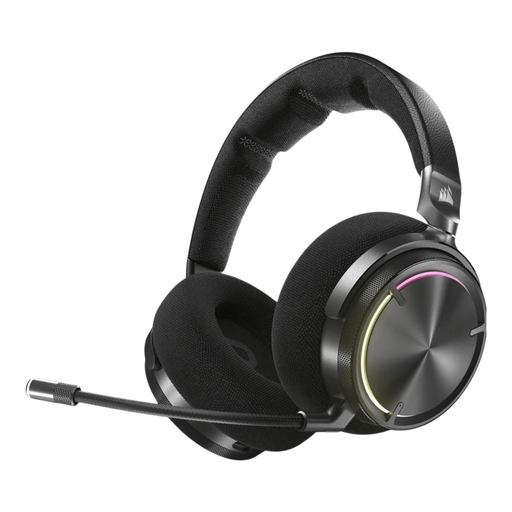 No image available
An option if you want to move around while reviewing footage wirelessly; bear in mind that the battery is rechargeable.
Wireless version; Carbon variant.
 No image available
Suitable if you want to review footage wirelessly; remember that the battery needs recharging.
Wireless version; White variant. Dolby Atmos is mentioned in the product name.
 No image available
A wired option if you review footage in one place and don’t want to manage a headset battery.
Wired version; Black/Red variant.
 No image available
A wired option if you use your headset with a supported device; check the features available on your platform.
Black variant. The product information specifies that the 7.1 feature is for Windows.
 No image available
A wired option if you review footage on PlayStation and don’t want to manage a headset battery.
White variant; the product information lists PlayStation 4 and PlayStation 5.
No, bright lighting alone doesn’t call for a special headset. Consider separately whether background noise bothers you; if the room is noisy, a good fit and seal may be useful.
First check the connections on your playback device, then check the full model name. HyperX lists 3.5 mm, USB-A and USB-C for the Cloud III; SteelSeries lists the Nova 5X specifically for Xbox.
Don’t turn the volume up to drown out room noise, and take listening breaks. According to the Consumers’ Association, the risk to your hearing depends on both volume and duration of exposure. VeiligheidNL recommends well-fitting headphones to let in less background noise.
For a standard online consumer purchase, ACM ConsuWijzer says you generally have a statutory cooling-off period of up to 14 days after delivery, subject to exceptions that you should check in advance. You’re also entitled to a product that performs as you could reasonably expect under normal use; a manufacturer’s warranty doesn’t replace this statutory right.