Who is this relevant to?

Players practising with audio cues

You use audible events during practice and want a connection that works with your gaming device, so you can follow in-game audio clearly. RTINGS lists a wired connection or a suitable wireless transmitter as options to consider; a headset is not a proven way to train yourself to react faster.

Players in a shared room

You want to avoid drowning out background noise by continually turning up the volume, while still being able to speak clearly during team play. VeiligheidNL notes that well-fitting headphones can help you listen at a lower volume, so fit and microphone quality are practical considerations.

Players with long gaming sessions

You wear your headset for extended periods, so consider pressure around your ears, the ear cushions and keeping the volume under control, as well as the connection. A description of the cushions or fit does not automatically tell you how comfortable a model will feel to you.

What should you look for when choosing?

Wired

Choose this if: you usually practise at one desk and do not want to manage a battery or wireless receiver.

Bear in mind: a cable limits your freedom to move around. Also check that the connection on your device supports the microphone.

Wireless with a gaming receiver

Choose this if: you want to be able to get up in the room without taking off your headset, and your platform supports the receiver.

Bear in mind: you will need to charge it and check receiver compatibility. A Bluetooth label alone does not confirm that the connection is suitable for time-critical gaming audio.

Consideration What to look for Who is this important for?
Connection and timing Check the connection type and compatibility with your device. Do not treat Bluetooth and a gaming receiver as the same connection. I practise at a fixed gaming setup and want to follow game audio over a suitable connection. Around 36% of consumers prioritise the connection and timing of audio cues.
Seal and team chat Check the fit, microphone connection and mute controls; make a test recording when you use it. In a shared room, I want to communicate without drowning out background noise by turning up the volume. Around 29% of consumers prioritise a good seal and team chat.
Comfort and volume Adjust the headband, watch for pressure around your ears or glasses, and keep the volume as low as is practical. During longer sessions, I want to wear my headset comfortably and listen at a controlled volume. Around 21% of consumers put comfort and listening volume first.
Compatibility with your gaming platform Check the exact model, your device and the audio and microphone features you want to use with each connection. I want to know in advance whether the headset and the features I need will work with my devices. Around 14% of consumers make platform compatibility their top priority.

What to consider when buying and using a headset

  • Assuming a 7.1 label means better reaction timing

    Razer says that the 7.1 surround feature specified for the BlackShark V2 X is only available on Windows 11. This is not proof that the feature improves your personal reaction speed.

    Check support for your platform and see whether you can still recognise audio cues with the game settings you use.

  • Continually turning up the volume in a shared room

    A good seal can help you avoid drowning out background noise by turning up the volume. Listening at a high volume for long periods can be harmful.

    Check the fit first and keep the volume under control. VeiligheidNL recommends well-fitting headphones.

  • Confusing the manufacturer's warranty with your statutory rights

    A stated manufacturer's warranty period is not the same as your statutory guarantee. ACM ConsuWijzer notes that statutory guarantees in the Netherlands do not have a fixed two-year term.

    Keep your proof of purchase and contact the seller if there is a fault.

Brands to compare

HyperX

The wired Cloud III is designed for a fixed gaming setup and, according to HyperX, offers 3.5 mm, USB-C and USB-A connection options.

  • HyperX lists memory foam ear cushions, a detachable microphone and a mute indicator.
  • RTINGS rates this specific model as comfortable, but also notes limited isolation and sound reproduction that can vary depending on positioning. This does not necessarily apply to other Cloud models.

SteelSeries

The wired Arctis Nova 3 could suit you if you use USB and want to adjust settings on a supported device.

  • SteelSeries lists an adjustable fit and a retractable microphone.
  • The Sonar features mentioned depend on software. For Xbox, SteelSeries describes a connection via the controller's 3.5 mm socket. Claims of a hearing advantage are not proof of faster reactions.

Logitech G

According to Logitech G, the PRO X 2 LIGHTSPEED is a wireless headset with several connection options.

  • Logitech G lists soft ear cushions and a stated battery life of up to 50 hours.
  • Up to 50 hours is a stated maximum, not a guaranteed battery life. Check which connections and features work with each platform.

Razer

The wired BlackShark V2 X is worth comparing if you are looking for enclosing earcups and a microphone.

  • For this model, Razer specifies a cardioid microphone and a weight of 240 g.
  • According to Razer, the 7.1 surround feature mentioned is only available on Windows 11. Claims about positional audio do not prove better practice results.

Audeze

The Maxwell 2 is a wireless option to compare if sound reproduction and microphone quality matter more to you than a lightweight design.

  • RTINGS gives this specific model a positive review for sound, microphone quality and connection via a USB receiver.
  • RTINGS describes the model as heavy compared with the other headsets in its review. This review does not mean that the version available at Joybuy Netherlands is identical.

Joybuy products

This selection includes wired headsets for a fixed gaming setup and wireless models with the gaming connections specified. Always check that the connection and features are compatible with your gaming platform.
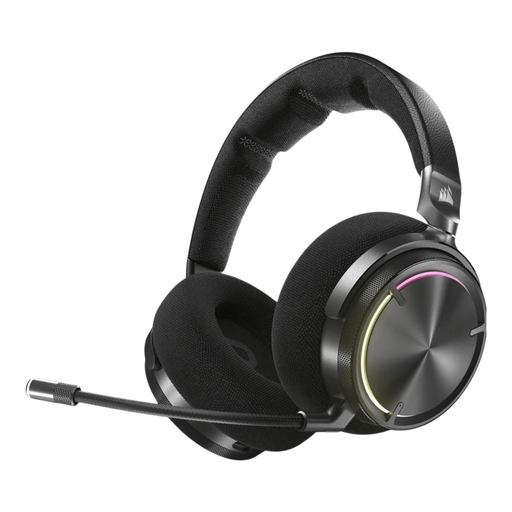
Corsair VIRTUOSO MAX Wireless Gaming Headset – Carbon

Corsair VIRTUOSO MAX Wireless Gaming Headset – Carbon

A wireless option for anyone looking to combine game audio with team chat.

The product information lists an RF receiver for PC, PS4 and PS5; Bluetooth is listed for mobile devices.

View at Joybuy

Corsair VOID RGB V2 Wireless Gaming Headset – White – Dolby Atmos

Corsair VOID RGB V2 Wireless Gaming Headset – White – Dolby Atmos

A wireless option to consider if you are looking for game audio and team chat.

The product information lists RF for PC, PS4 and PS5, and Bluetooth for mobile devices. Check which features work with your device.

View at Joybuy

JBL Quantum 300 Hybrid Wired Over-Ear Gaming Headset with Flip-Up Mic – Black

JBL Quantum 300 Hybrid Wired Over-Ear Gaming Headset with Flip-Up Mic – Black

A wired option for a fixed gaming setup, with a microphone you can flip up.

According to the product information, JBL QuantumSURROUND is only available on PC.

View at Joybuy

Turtle Beach Airlite Fit Wired Gaming Headset (3.5 mm) – Blue/Red

Turtle Beach Airlite Fit Wired Gaming Headset (3.5 mm) – Blue/Red

A wired option for a compatible Switch, PC or mobile device.

The product title specifies a 3.5 mm connection. Check in advance that your device has the required socket.

View at Joybuy
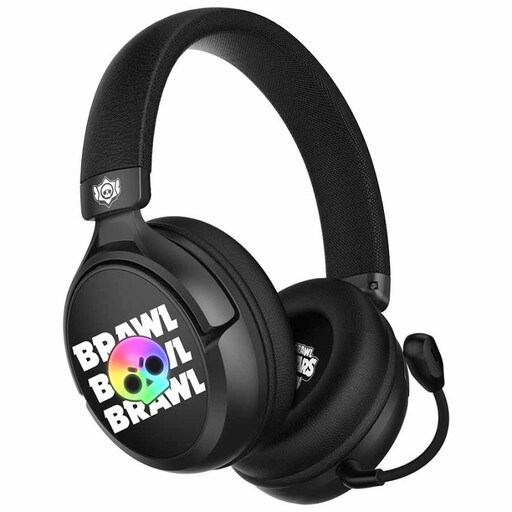
Subsonic SS Brawl Stars Wired Gaming Headset – Black

Subsonic SS Brawl Stars Wired Gaming Headset – Black

A wired option for team play on one of the platforms listed for this model.

The product title lists PS5, PS4, PC, Xbox and Switch. Check that your device and preferred connection are compatible.

View at Joybuy

Frequently asked questions

Is Bluetooth the same as a wireless gaming connection for timing practice?

No. Bluetooth and a gaming connection via a receiver are not the same. Connection types and latency vary. For time-critical game audio, consider a wired connection or a receiver that works with your device, and check the information for the exact model. RTINGS discusses connection and latency in headphones.

How do I connect a headset and check the microphone?

Use the connection specified by the manufacturer for your platform, then select the right audio output and microphone input on your device. Test the audio, mute controls and a short voice recording. Do not assume that the features work in the same way over USB and 3.5 mm.

How should I use a headset during long sessions in a noisy room?

Adjust the fit properly and try not to keep drowning out background noise by turning up the volume. VeiligheidNL recommends well-fitting headphones; listening at a high volume for long periods remains a risk.

What are my rights when I buy online and a product is faulty in the Netherlands?

For an online consumer purchase from a business, you generally have 14 days to change your mind, subject to legal exceptions, according to the Dutch government. ACM ConsuWijzer notes that statutory guarantees in the Netherlands do not have a fixed two-year term: what you can reasonably expect from the product is what matters. Contact the seller if there is a fault.
