
Ranked player who listens out for in-game cues
You want to distinguish game audio from team chat and assess the settings in the game you play. An audio feature or preset is no proof that it will help you perform better.


For long ranked matches, first choose a headset with a connection and exact variant that suit your PC or console, and that you can wear comfortably. Then adjust game audio and team chat in your game and voice chat. A wired headset means you don’t need to charge a battery, while a wireless one gives you more freedom to move, although compatibility and battery life vary by model. A surround-sound or esports claim does not, by itself, prove that you’ll achieve better results in matches.
You want to distinguish game audio from team chat and assess the settings in the game you play. An audio feature or preset is no proof that it will help you perform better.
You care about fit and ear cushions, and want to avoid interruptions caused by a cable or a flat battery. Comfort varies from person to person; SoundGuys gave the HyperX Cloud III S Wireless a positive comfort rating.
You may switch between PC and console, for example, so you check the connection, receiver and full model variant. SteelSeries Support, for instance, distinguishes between the Nova 7, 7P and 7X versions.
| What to consider | What should you check? | Who should prioritise this? |
|---|---|---|
| In-game cues and chat balance | Check whether you can adjust game and chat volume separately, and assess how clear everything sounds with your own settings. | If I want to hear important in-game sounds without missing what my teammates say, getting that balance right comes first; around 29% of consumers prioritise in-game cues and their balance with chat. |
| Comfort during long sessions | Look at adjustability and ear cushion materials. Where possible, try the fit within the applicable returns policy. | When I play for long stretches, I want my headset to stay comfortable; around 29% of consumers prioritise comfort during long sessions. |
| Clear team chat | Check the microphone type, mute controls and any indicator, then test your voice through the voice chat you use. | If my teammates need to hear me clearly during a match, I pay extra attention to the microphone and mute controls; around 24% of consumers prioritise team chat. |
| Platform and connection | Check the full model name, the connection or dongle required, and whether the software features you want work on your device. | When I switch between PC and console, I want the variant and connection I choose to work with both devices; around 18% of consumers prioritise platform and connection. |
SteelSeries Support identifies the 7X as the Xbox-compatible wireless version among the Nova 7 models compared.
Before buying, check the full variant name and make sure the included receiver works with your console.
HyperX lists different maximum battery lives for the Cloud III S Wireless on 2.4 GHz and Bluetooth.
Compare the stated battery life in the mode you’ll actually use, and treat manufacturers’ figures as maximums.
A feature or manufacturer preset does not guarantee that game audio or team chat will sound better in your game.
Assess the balance, microphone and clarity with your platform, game and voice chat.
According to ACM ConsuWijzer, statutory warranty in the Netherlands is separate from a manufacturer’s or seller’s warranty and has no fixed duration.
Check your statutory rights with the seller before deciding whether additional commercial cover is right for you.
The wired Cloud III and wireless Cloud III S Wireless are different models. Choose according to your preferred connection and platform.
The Arctis Nova 7 Gen 2 is an option for combining game and mobile audio. Check which 7, 7P or 7X variant suits your platform.
The PRO X 2 LIGHTSPEED is worth comparing if you want to game wirelessly while also having the option of Bluetooth and a 3.5 mm connection.
The BlackShark V2 Pro range is designed for competitive gaming. Check the exact version and the platform features it includes.
This selection includes wireless 2.4 GHz headsets for cable-free gaming during long ranked matches, as well as a wired option if you’d rather not charge a battery. Check each model’s platform variant and controls for game audio and team chat.
 No image available
Suited to anyone who wants to play wirelessly and adjust game and chat volume separately during a session.
Joybuy lists 2.4 GHz, Bluetooth, a 10-band equaliser and up to 80 hours of battery life. The product description also mentions a flip-to-mute microphone.
 No image available
Suited to anyone looking for a wireless gaming headset with a detachable microphone.
Joybuy lists 2.4 GHz and Bluetooth, up to 50 hours of battery life and a weight of 250 g. The product description mentions memory foam ear cushions.
 No image available
Suited to anyone who plays wirelessly and wants to go a long time between charges; SoundGuys says this version is not suitable for Xbox.
HyperX lists up to 120 hours on 2.4 GHz and up to 200 hours on Bluetooth. The product description mentions a detachable microphone with a mute indicator and memory foam ear cushions.
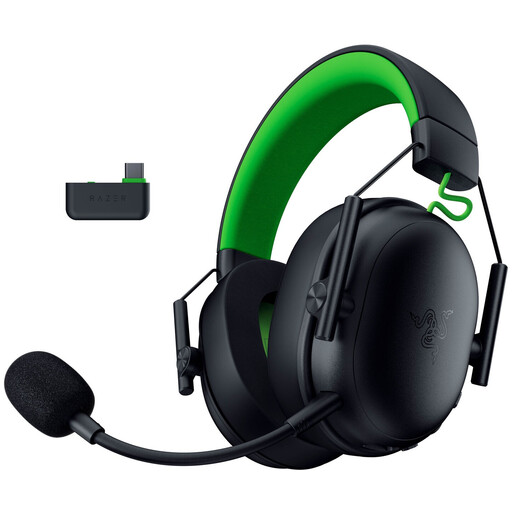 No image available
Suited to anyone who wants to play wirelessly on Xbox or PC and control the microphone and volume during long sessions.
Joybuy lists 2.4 GHz, Bluetooth and USB. According to the product description, 7.1 surround sound and advanced audio settings require a compatible Windows PC with Razer Synapse.
 No image available
Suited to anyone who doesn’t want to charge a battery and is looking for a wired headset with a choice of connections.
Joybuy lists 3.5 mm, USB-A and USB-C connections, and a detachable microphone with a mute indicator. SoundGuys was critical of the sound quality in its test of the Cloud III.
Not necessarily. Compare how clearly you can hear game audio and chat in your game with the setting on and off. A spatial audio feature or FPS preset is no proof of a performance advantage. Also check that the feature works with your platform and connection.
Select the correct audio output and microphone input in your system and voice chat. Then check the mute function, microphone level and balance between game audio and chat. The controls available vary by model and platform.
The World Health Organization advises considering both the volume and the duration and frequency of exposure to loud sounds. Keep the volume down and take listening breaks; don’t turn it up for long periods to try to pick out subtle in-game cues.
For a standard online consumer purchase, ACM ConsuWijzer says you generally have a statutory 14-day cooling-off period from delivery. There are exceptions, including certain hygiene products whose seal has been broken; check the terms that apply to the specific product before trying it out.
No. According to ACM ConsuWijzer, statutory warranty in the Netherlands has no fixed duration. It also depends on what you could reasonably expect from the product under normal use. The seller is responsible for providing an appropriate solution if the product turns out to be faulty. A commercial manufacturer’s warranty is separate.