
Podcaster who comments on games
You record your voice alongside game audio and want to check what was actually captured before publishing. Shure recommends monitoring and making a test recording when recording a podcast.


Start with a headset whose microphone and headphones both work with your PC, console or mixer, then listen back to a short test recording before you start recording properly. A wired headset often suits a fixed recording setup and avoids battery worries; a wireless one gives you more freedom to move, but you’ll need to check the connection, microphone routing and charging.
You record your voice alongside game audio and want to check what was actually captured before publishing. Shure recommends monitoring and making a test recording when recording a podcast.
You might switch between a PC, console or mixer, for example, and want to check that both the headphones and microphone work through the connection you’ve chosen.
You’re looking for an over-ear headset for listening along during longer recordings, and weighing up the cable in a fixed setup against the freedom to move around with a wireless headset.
Choose this if: you usually record in the same place and your PC or mixer supports the headset connections.
Trade-off: the cable limits how far you can move; an XLR microphone input may require a suitable adapter and plug-in power.
Choose this if: you switch between devices and want to match the headset connections to your recording equipment.
Trade-off: check that each device passes the microphone signal through the connection you’ve chosen; the connections alone don’t prove that it’s suitable as a podcast microphone.
Choose this if: you want to be less tethered to a cable while gaming or recording.
Trade-off: check the exact variant, support for your recording device, microphone routing and charging requirements.
| What to consider | What should you check? | Who should pay particular attention? |
|---|---|---|
| Voice recording | Test the microphone routing, mute function and your voice with your own recording device and software. | I want to know how my voice sounds alongside the game audio, rather than relying only on a claim about game chat. Around 36% of consumers put being able to check a voice recording first. |
| Connections and monitoring | Trace the signal from the microphone to the recorder, and from the recording to the headphones; look out for separate ports and any adapters you might need. | When I record with a PC or mixer, I want to hear what’s being captured and make sure the microphone signal reaches the recorder. Around 29% of consumers make connections and monitoring their top priority. |
| Fit and listening along | Check how the headset feels during a longer session and listen to see whether game audio feeds back into the microphone recording in your setup. | I want to listen along comfortably during a longer recording and limit distracting noise in the recording. Around 21% of consumers put a comfortable fit and controlled monitoring first. |
| Freedom to move | For wireless use, check the receiver, device support, microphone destination and charging requirements. | If I want fewer cables around my recording setup, I weigh that against the extra checks required for a wireless connection. Around 14% of consumers make freedom to move their top priority. |
A claim about game chat doesn’t automatically tell you how the microphone will sound in your room, recording software and setup.
Make a short recording of your voice and game audio, listen back and check the result at the volume you normally use.
The headphone and microphone signals may need different inputs. For the RØDE NTH-100M, RØDE describes a splitter for separate 3.5mm inputs; according to RØDE, connecting the microphone to XLR requires a suitable adapter with plug-in power.
Before buying, check the connections on your PC or mixer and find out which cables, splitter or adapter your setup requires.
Depending on the ports available, connecting everything may require extra parts and preparation.
For the Arctis Nova 7 described, SteelSeries distinguishes between hearing audio from two sources at once and sending microphone audio to those sources.
Decide where you’ll actually record and test whether that device receives audio from the microphone on the exact headset variant you have.
According to RØDE, the NTH-100M is designed for uses including podcasting and gaming, making it worth considering for a fixed recording setup with monitoring.
The wired Cloud III is a gaming headset to compare if you’re looking for a choice of connections and a mute control.
The Arctis Nova 7 family is worth considering if you want to hear audio from a second device alongside game audio; check which generation and variant you’re comparing.
This selection includes both wired and wireless gaming headsets. Before choosing one for your podcast setup, check that the microphone and headphones work with your recording device.
 Image unavailable
A wireless option to compare if you want to move around while gaming and are looking for a detachable microphone and mute indicator.
The product description lists 2.4 GHz, Bluetooth, USB-A and USB-C. The ear cushions and headband are described as containing memory foam; wireless use means you’ll need to charge it.
 Image unavailable
A wireless headset to consider if you want a detachable microphone and mute control.
The product description lists 2.4 GHz, Bluetooth and a wired mode, plus the ability to listen to two wireless sources. The stated battery life is up to 22 hours; wireless use means you’ll need to charge it.
 Image unavailable
A wired option to compare if you’re looking for a microphone with mute control and a 3.5mm connection.
The product description lists a cardioid microphone, a splitter for separate PC audio and microphone ports, and memory foam ear cushions.
 Image unavailable
A wired model to compare if you want a choice of connections and are looking for a detachable microphone with a mute function.
The product description lists 3.5mm, USB-A and USB-C, a closed circumaural design, and memory foam in the headband and ear cushions.
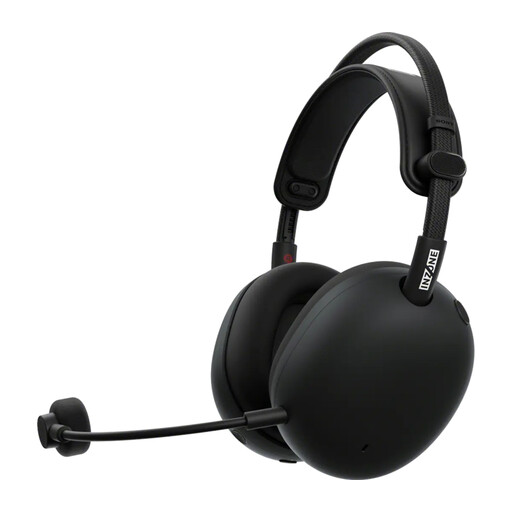 Image unavailable
A wireless option to compare if you want to hear game audio and audio from a mobile device, and are looking for a detachable microphone.
The product description lists a USB-C dongle for 2.4 GHz, Bluetooth and a wired mode. The microphone is described as cardioid; the stated battery life is up to 30 hours.
No. In OBS, you can assign audio sources to separate recording tracks so you can edit them later. Also check which track your final export uses and how it will be played back.
Record a short clip of your voice and game audio, then listen back through the headphones. Check the mute function, levels and any distortion too; Shure recommends making a test recording and monitoring audio when recording a podcast.
Not necessarily: the right connection depends on your headset and mixer. For the NTH-100M, RØDE describes a splitter for separate headphone and microphone connections; if you connect the microphone via XLR, RØDE also specifies a suitable adapter with plug-in power.
According to ACM ConsuWijzer, online purchases generally come with a statutory cooling-off period of up to 14 days after delivery; terms and exceptions may apply. You’re also entitled to a product that, under normal use, does what you could reasonably expect. The legal guarantee is not simply a fixed two-year period for every headset.
Don’t assume you can do so without checking your rights. According to the Dutch government, you need permission from the creator to use copyright-protected music. If you process or publish guests’ personal data, the Dutch Data Protection Authority says you need an applicable legal basis under the GDPR; consent is one possible basis.