
Podcaster who wants one headset
You want to speak and hear game audio without a separate desk microphone. Focus on how your recorded voice sounds and whether the microphone input works with your equipment.


First, choose a headset with a microphone that works with your recording device, then make a test recording of your voice, game audio and anyone you’re chatting with. A wired headset means you won’t need to manage a battery or wireless receiver; a wireless model gives you more freedom to move. A separate microphone and headphones are another option if voice quality matters more to you than a compact setup. A manufacturer’s claim about clarity in game chat doesn’t tell you how your voice will sound in a podcast recording.
You want to speak and hear game audio without a separate desk microphone. Focus on how your recorded voice sounds and whether the microphone input works with your equipment.
You want to keep cables and separate equipment to a minimum. A wireless headset can get rid of a cable, but you’ll also need to think about charging and any receiver it may require.
You need a headset that feels comfortable during recording, with useful monitoring and a suitable connection. Fit is personal, so also check that the connection works throughout the recording.
Start by checking the microphone input on your recording device. Then choose between a cable and greater freedom to move, and test that all the audio sources you want are recorded properly.
| What to consider | Check before buying | Who is this important for? |
|---|---|---|
| Voice in the recording | Check the microphone connection, positioning and mute controls. Make a short test recording with your own software and listen back to it. | If I want to use one headset to record my voice and hear game audio, I want to know how my voice sounds in the recording. Around 33% of consumers put voice recording first when choosing what to buy. |
| Space and connection | Check which ports are available and how the cable will run. Make sure the connection you choose sends the microphone signal to your recording device. | If my desk has limited space, I want to keep cables and separate equipment to a minimum without overlooking a receiver or connection I need. Around 27% of consumers put desk space first when choosing what to buy. |
| Comfort and sidetone | Check the fit for yourself and make sure sidetone can be adjusted on your exact model and with the connection mode you’ve chosen. | For a long recording, I want a headset that feels comfortable to wear and lets me hear my own voice through the earcups if I want to. Around 20% of consumers put wearing comfort first when choosing what to buy. |
| Platform and audio tracks | Check the microphone input on your exact PC or console. Test whether you can listen back to your voice, game audio and anyone you’re chatting with separately. | If I want to record on my chosen platform and edit later, I want to know in advance that my headset and recording settings are suitable. Around 20% of consumers put their platform and recording settings first when choosing what to buy. |
Manufacturers often talk about how clear a microphone sounds in game chat. This doesn’t predict how your voice will sound in your room and recording software.
Record using the connection and software you actually plan to use, then listen back to the unedited recording.
Getting a recording you’re happy with may take extra time for testing and editing.
For the Arctis Nova 5 Wireless, SteelSeries describes switching between 2.4 GHz and Bluetooth. That doesn’t automatically mean game audio and someone you’re chatting with will be recorded at the same time.
Check the receiver, platform and active connection mode, and test the microphone input before recording.
OBS supports separate recording tracks, but you need to set them up in advance for the audio sources you want.
Test your track layout and play back the recording before making a full episode.
If sources are only recorded as a mix, you’ll have fewer options for adjusting their balance later.
According to ACM ConsuWijzer, your statutory rights apply alongside a manufacturer’s or seller’s warranty.
Check exactly what additional rights an extended warranty plan offers; it doesn’t replace your statutory rights.
The wired Cloud III is an option if you’re looking for one headset with several possible connection options.
The wired BlackShark V2 X is worth considering if you want to use a compatible 3.5 mm connection.
The wireless Arctis Nova 5 could suit you if a cable gets in the way at your desk and you want to adjust sidetone.
The PRO X 2 LIGHTSPEED is a wireless option with a cardioid microphone and Blue VO!CE processing.
The wireless HS80 MAX is worth comparing if you’re looking for a headset rather than a separate desk microphone.
This Joybuy selection includes wired headsets with 3.5 mm or USB connections, as well as wireless models with microphones. For each model, check that the microphone input works with your recording device and that the connection mode suits your recording.
 No image available
A wireless option if you want to hear game audio and speak using one headset.
The description lists a bendable omnidirectional microphone, a USB-A receiver for 2.4 GHz and Bluetooth. You’ll need to charge it for wireless use.
 No image available
A wired option if you want to speak and hear game audio using one headset.
The description lists a 3.5 mm connection and a flip-up microphone that mutes when raised. Check that your device supports the connection you need.
 No image available
A wired headset with a microphone for anyone who wants to combine speaking and listening in one setup.
The product description lists a detachable cardioid boom microphone and a 3.5 mm cable. Check that your device has a compatible port.
 No image available
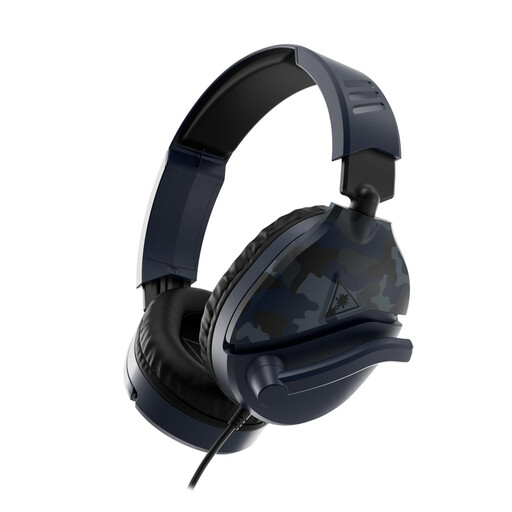
A wired USB headset with a microphone if you want to use a USB connection on your recording device.
The description lists a cardioid microphone. The stated 7.1 surround feature is only available on Windows.
 No image available
A wireless option if you want to speak and hear game audio without an audio cable.
The description lists a detachable 10 mm microphone, a mute indicator, and 2.4 GHz and Bluetooth connections. The product title states up to 120 hours over 2.4 GHz and up to 200 hours over Bluetooth. Wireless use requires charging, and the stated battery life varies by connection mode.
Make a test recording and check each audio source separately. If you use OBS and want to edit later, you can assign sources to separate recording tracks. According to OBS, standard video players usually play back only one audio track.
No. Sidetone feeds some of your microphone audio back into your headset so you can hear yourself; it isn’t the same as the recording you publish later. Check the recording separately, and see whether sidetone is available on your model and in the connection mode you’re using.
When you buy online from a business, you’ll often have a 14-day cooling-off period, subject to applicable conditions and exceptions, as explained by the Dutch government (Rijksoverheid). You also have statutory rights: according to ACM ConsuWijzer, the seller must offer a suitable solution if a product doesn’t do what you could reasonably expect during normal use. An extended warranty doesn’t replace these statutory rights.
First, consider the people involved and the legal basis for recording and publishing that specific material. The Dutch Data Protection Authority (Autoriteit Persoonsgegevens) says that in most cases you need permission to publish other people’s personal data publicly, and describes a limited exception for use solely for personal or household purposes.
Keep the volume down and take breaks. The World Health Organization gives the example of listening for a maximum of 40 hours per week at an average volume of 80 dB; at higher volumes, that time drops quickly. This is general listening guidance, not a specification for the headsets mentioned.