
Story and clue listener
You play mainly for the dialogue, atmosphere and subtle clues, and want to judge the volume and sound in your own game.


For narrative puzzle games, choose a headset that connects to your gaming device and lets you adjust dialogue, subtle sound effects and volume to suit you. A wired connection means you won’t need to charge a battery, but it limits how much you can move around. Wireless play requires a suitable connection and some battery management. If you’re sharing a room, the earcup seal and a comfortable listening volume are important too.
You play mainly for the dialogue, atmosphere and subtle clues, and want to judge the volume and sound in your own game.
You play puzzle games for extended sessions and want to know whether the headset stays comfortable and the cable gets in the way.
You play when other people at home need some peace and quiet, so you’re looking for a combination of earcups, volume and connection that suits the room.
Best for: you usually play in one place and don’t want to manage a battery or wireless receiver.
Trade-off: the cable limits how much you can move around; check the connection and features supported by your device.
Best for: you value freedom of movement and your gaming device supports the receiver supplied with the version you choose.
Trade-off: check the dongle port and platform support, and remember that you’ll need to charge it. Bluetooth support for a phone doesn’t automatically mean it’s supported by a console.
Best for: you use a compatible PlayStation Link device and the corresponding adapter.
Trade-off: the connection requires compatible devices or an adapter; PlayStation quotes battery life as a manufacturer estimate.
| What to consider | What should you look for? | Who is this important for? |
|---|---|---|
| Dialogue and clues | If possible, listen to your own game and check that you can adjust the volume easily. Assess any sound profiles on a supported device. | I want to follow dialogue and quiet puzzle clues without constantly turning up the volume. Around 31% of consumers put clear speech first. |
| Comfort | Check that the earcups fit well and, if possible, try the headset during a longer listening session. | When I play with concentration for extended periods, I want the headband and ear cushions to stay comfortable. Around 25% of consumers prioritise comfort. |
| Connection | Compare the ports on your PC or console with those on the exact version you’re considering, and check feature support for each platform separately. | Before buying, I want to know whether the headset works with my gaming device and the connection I want to use. Around 25% of consumers prioritise platform compatibility. |
| Keeping the room quiet | Consider whether closed-back earcups provide a comfortable seal. Keep the volume at a sensible level and take breaks during long listening sessions. | When other people at home need some peace and quiet, I look for a good seal around the earcups without uncomfortable pressure. Around 19% of consumers prioritise keeping the room quiet. |
A wired or wireless connection doesn’t automatically mean every feature will work with your PC or console. PlayStation Link requires compatible equipment, and support can also vary between model versions.
Check the exact model, your device’s port and the features you actually want to use.
A comparison of specific wireless models published by Tweakers in 2024 expressed a preference for breathable fabric cushions. That doesn’t predict how another model will fit your head.
If possible, try the headset during a longer listening session. Before buying online, check the applicable returns policy.
The World Health Organization emphasises that safe listening time decreases as sound levels rise.
Start at a low volume, adjust the game’s audio mix if needed and take breaks. The World Health Organization’s example is not an automatically set limit for a headset.
The wired Cloud III is worth considering if you want to compare connection options without having to manage a battery.
The Arctis Nova 5 is a wireless option for supported systems, with a USB-C dongle and Bluetooth.
The PULSE Elite is a relevant choice if you have a compatible PlayStation Link setup.
The wired BlackShark V2 X is an option to consider if you’re looking for a closed-back design.
The G435 is a lightweight wireless option for a supported PC or PlayStation setup.
These models offer a range of wired and wireless connection options for gaming. Check which features work with your gaming device for each version.
 Image unavailable
Suitable for a wireless setup with a USB base station on a supported system.
The product information lists active noise cancellation, spatial audio and interchangeable batteries.
Battery life is quoted at up to 22 hours per battery. Check which features work with your device.
 Image unavailable
Suitable for a wired PS5 or PS4 setup via the controller.
The description lists a 3.5 mm connection, on-earcup volume control and a 1.2-metre cable.
The stated console support covers PS5 and PS4.
 Image unavailable
Suitable for a wired gaming setup where you want to adjust the volume on the earcup.
The product description lists a USB connection, a weight of 285 grams and a cardioid microphone.
The listed 7.1 feature is platform-specific; Razer specifies it for Windows 11.
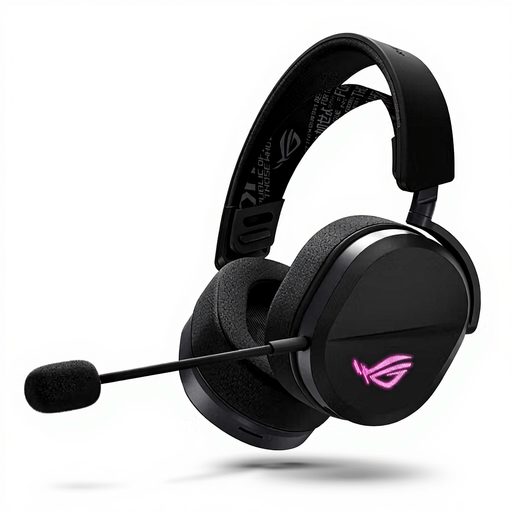 Image unavailable
Suitable for a setup where you want to choose between supported connection options.
The product description lists USB-C, a USB receiver and Bluetooth; supported connections vary by device.
The description specifies Bluetooth for mobile use. It also lists 50 mm drivers.
 Image unavailable
Suitable for wireless gaming on a system that supports the connection mode you choose.
The product description lists 2.4 GHz, Bluetooth, a detachable microphone and memory foam ear cushions.
Battery life is quoted at up to 120 hours via 2.4 GHz; the description says usage time varies by connection mode.
No. Virtual surround sound isn’t a proven requirement for this genre. Start by considering clarity, fit and support for your gaming platform. Razer lists the BlackShark V2 X’s 7.1 feature for Windows 11 only.
Use a compatible PlayStation Link USB adapter and connect the headset using the Link feature. PlayStation notes that not all PS5 settings are available when the headset is used with a PS4, so check support for your system.
Keep the volume low and take regular breaks. The World Health Organization gives an average of 80 dB for up to 40 hours a week as an example; at higher sound levels, that time is shorter. This isn’t a preset starting level for any of the headsets mentioned.
According to ACM ConsuWijzer, online purchases generally come with a statutory cooling-off period of up to 14 days after delivery, with some exceptions. The seller is responsible for the statutory guarantee if a product is faulty. The Netherlands Authority for Consumers and Markets does not specify a fixed guarantee period that applies to every headset.
The Dutch Authority for Digital Infrastructure states that electrical, electronic and radio equipment sold on the European market must meet the applicable requirements and carry a CE marking. A brand name or product title is not proof that an individual item on sale complies.