What should you look for when choosing?
Start by checking the connection and deciding whether you want to avoid charging. Then consider fit, in-game audio and whether you need voice chat.
| What to consider |
What to look for |
Who is this most important to? |
| No extra headset charger |
Check whether your device has a compatible 3.5 mm combined port. If your PC has separate audio ports, check whether you’ll need a splitter. |
If I don’t want to charge an extra headset, I first check which connection my PC or controller has. Around 33% of consumers prioritise avoiding charging. |
| Following in-game sounds |
Check the audio settings on your game and device, and see whether you can clearly distinguish the clues. |
I want to follow spoken clues and ambient sounds in mystery games without relying on a surround-sound label alone. Around 27% of consumers prioritise following in-game sounds. |
| Fit for longer sessions |
Check whether the headband is adjustable and whether the ear cushion material suits your preferences. Weight alone doesn’t predict comfort. |
For longer gaming sessions, I want a headset that fits well and is adjustable. Around 20% of consumers consider fit their top priority. |
| Moving around without a cable |
Check whether your device supports Bluetooth or the included dongle, and allow for charging and the possibility of using up a USB port. |
If I want to move freely while gaming, being cable-free matters more to me than avoiding charging. Around 13% of consumers prioritise freedom of movement. |
| Voice chat |
Check that the microphone works with your connection and that you can mute it while gaming. |
When I play mystery games with others, I want them to hear me clearly and I want to be able to mute the microphone easily. Around 7% of consumers prioritise voice chat. |
Wired headsets at Joybuy
These Joybuy products are wired options for anyone looking for a headset without its own wireless battery. Check that the connection on each version is compatible with your PC, console or controller.
 No image available
Corsair HS55 Stereo Gaming Headset, white, 3.5 mm
A wired option if you don’t want to charge a headset battery. The product information mentions a splitter for PC ports with separate audio and microphone connections.
The product name specifies stereo and 3.5 mm. The stated cable length is 1.80 m; check that it suits your gaming setup.
View at Joybuy
 No image available
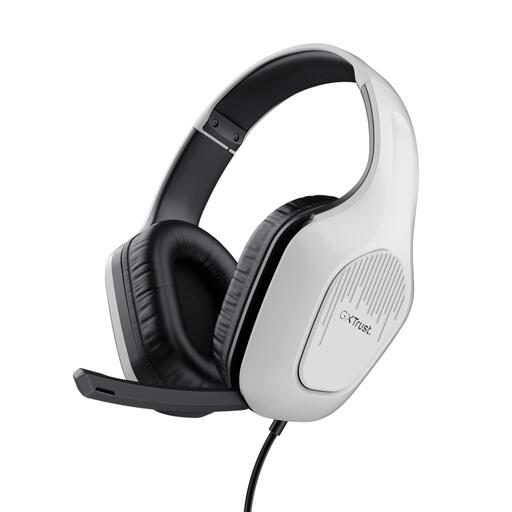
Trust GXT 415W Zirox, wired, white
A wired option if you don’t want to charge a headset. Check in advance that the connection is compatible with the device you play on.
The product information lists a fixed 2 m cable. Bear in mind that a wired headset limits your freedom of movement.
View at Joybuy
 No image available
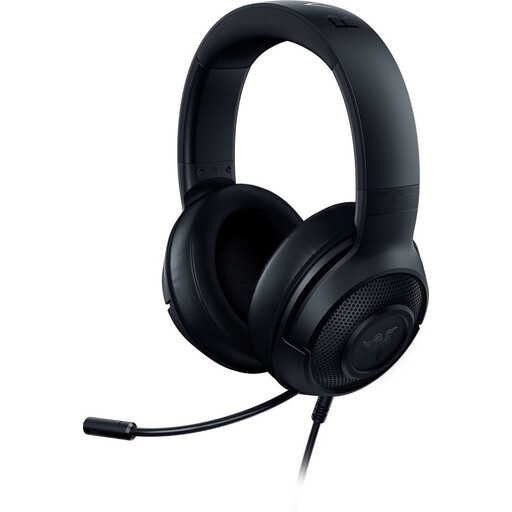
Razer Kraken X Lite RZ04-02950100-R381
A wired option if you want to avoid charging a headset battery. Check that the connection is compatible with your gaming device.
The fixed cable limits your freedom of movement. Check that the stated cable length of 1.3 m suits your gaming setup.
View at Joybuy
 No image available
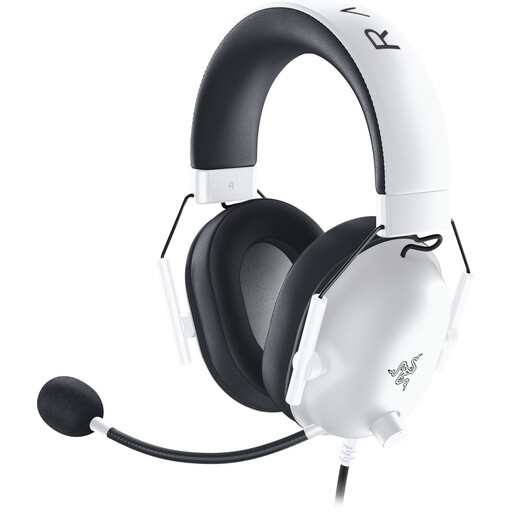
Razer BlackShark V2 X (Xbox Licensed), white
A wired headset to compare if you’re looking for an Xbox-licensed version and don’t want to charge a headset battery. Check the connection on the controller or console you actually use.
The product information lists a 1.3 m cable. Bear in mind that a wired headset limits your freedom of movement.
View at Joybuy
 No image available
HyperX Cloud III, PC, PS5 and Xbox Series X|S, black/red
A wired option if you want to compare different audio connections. Check which connection suits your device and the features you want.
The product information lists 3.5 mm, USB-A and USB-C. A USB connection uses a USB port; the headset also has a 3.5 mm connection.
View at Joybuy
Frequently asked questions
Can I connect a 3.5 mm headset directly to my Xbox controller?
Yes, if the Xbox controller you’re using has a 3.5 mm socket. Microsoft describes connecting a standard 3.5 mm headset to a compatible controller, so check which version of the controller you have.
Why might a headset microphone not work with a desktop PC that has two audio ports?
A combined TRRS plug won’t necessarily work with separate headphone and microphone ports. SteelSeries says the PC version of the Arctis Nova 1 includes a Y-splitter, while the console versions don’t. Check the packaging and audio settings for the version you choose.
Do I need to charge a wireless headset if it also has a 3.5 mm connection?
It depends on the model and the connection mode you use. Razer lists wireless use and wired analogue audio via 3.5 mm for the Barracuda X (2022). Check the manual for the exact version before choosing wired use as an alternative to charging.
What rules apply to a wireless headset sold in the Netherlands?
Radio equipment placed on the EU market is covered by the Radio Equipment Directive (RED), Directive 2014/53/EU, which sets requirements including safety, electromagnetic compatibility and spectrum use. This general framework doesn’t confirm that a specific version complies; check the product and conformity information for that version.
What cooling-off period and warranty apply to an online purchase in the Netherlands?
According to the Dutch government, distance purchases are often covered by a 14-day cooling-off period, although exceptions apply. You also have statutory rights if a product doesn’t perform as you could reasonably expect under normal use. The Netherlands Authority for Consumers and Markets states that there is no fixed period for the statutory warranty and that the retailer remains responsible.


