
The sound-conscious sleuth
You want to follow dialogue, ambient sounds and clues, so you compare the sound itself rather than relying on a surround-sound label. Megekko Academy notes that a stereo headset can also be suitable for gaming.


For mystery games at a small desk, the choice mainly comes down to cable space, a compatible connection and how comfortable the headset feels. A wired headset means you don’t have to charge it, but you’ll need room for the cable. A wireless headset keeps your desk clearer, provided its connection works with your PC or console and you remember to charge it. A surround-sound label alone doesn’t prove that dialogue or audio clues will sound better.
You want to follow dialogue, ambient sounds and clues, so you compare the sound itself rather than relying on a surround-sound label. Megekko Academy notes that a stereo headset can also be suitable for gaming.
You want to avoid a cable getting in the way of your mouse or other items. With a wireless headset, you’ll also need to check which connection your device supports and factor in charging.
You’re particularly interested in an adjustable fit and suitable ear cushions. A stated weight or material doesn’t guarantee that a headset will feel comfortable on your head; RTINGS highlights comfort as something to consider during longer gaming sessions.
Start by considering the sounds you want to hear in the game and the connection your device uses. PlayStation describes headphone profiles for 3D audio on PS5; the processing available to you also depends on the game and platform.
| What to consider | What should you check? | Who is this most important for? |
|---|---|---|
| Dialogue and audio clues | Where possible, compare speech and quiet ambient sounds on your own platform. Check whether the game and platform support the spatial audio you want. | I want to follow dialogue and subtle ambient sounds in a mystery game; around 33% of consumers prioritise audio clues. |
| Desk space | Think about where a cable would run in relation to your hands or mouse. For wireless, check the required receiver, available port and device compatibility. | I don’t want a headset cable getting in the way on my small desk; around 27% of consumers mainly want a clear desk. |
| Fit during long sessions | Check how adjustable the headset is and what the ear cushions are made from. Try it on if you can, as the specifications can’t tell you exactly how it will fit your head. | I want a comfortable fit that lasts through longer gaming sessions; around 20% of consumers prioritise wearing comfort. |
| Connection and microphone | Check the ports on your PC or console, whether you’ll need an adapter and whether the microphone suits your needs. Also check which accessories are included with the exact version. | I want the sound and, if I chat, the microphone to work with my device; around 20% of consumers prioritise connectivity and chat. |
Spatial audio depends in part on the software, game and platform. A stereo connection can also be suitable for following dialogue and clues.
Compare speech and ambient sounds on your own device, and check which audio features the game supports.
For the SteelSeries Arctis Nova 1, SteelSeries lists a Y-splitter with the PC version, but not with the console versions. This may matter if your desktop has separate audio and microphone ports.
Before buying, check the exact version, your device’s ports and the items included.
If your PC has separate audio and microphone ports and the version you choose doesn’t include a splitter, you may need to buy an adapter separately.
Available connections vary by device. A USB receiver or Bluetooth support on another device doesn’t prove that the same connection will work with your console. A wireless headset also needs charging.
Check the connection for your exact platform and remember to factor charging into your routine.
In the Netherlands, there is no fixed time limit for the statutory guarantee. An extended warranty does not replace your statutory rights.
First read the information from ACM ConsuWijzer about statutory guarantees, then check separately what any extended cover includes.
The wired Arctis Nova 1 is worth considering if you’re looking for a 3.5mm connection and a retractable microphone.
The wireless G435 is worth considering if you want fewer cables on your desk and its connection is compatible with your device.
The wired Cloud III is worth comparing if you’re looking for the different connection options listed by HyperX.
The wired BlackShark V2 X is a model to include when comparing analogue gaming headsets with microphones.
This selection includes wired and wireless gaming headsets to compare for a small desk, with connections and features to suit different gaming and chat needs.
 No image available
A wired option to compare if you play on PS4 or PS5 and don’t want to charge a headset battery.
The product description lists a 3.5mm connection, stereo output, a detachable microphone, on-earcup controls and 50mm drivers. The cable is stated to be 1.2 m long, so consider how it will run across your desk.
 No image available
A wired option to consider if your device has a 3.5mm connection and you sometimes want to remove the microphone.
The product description lists stereo output, a detachable cardioid microphone and adjustable sound profiles via software. Check that the stated features and connection are compatible with your device.
 No image available
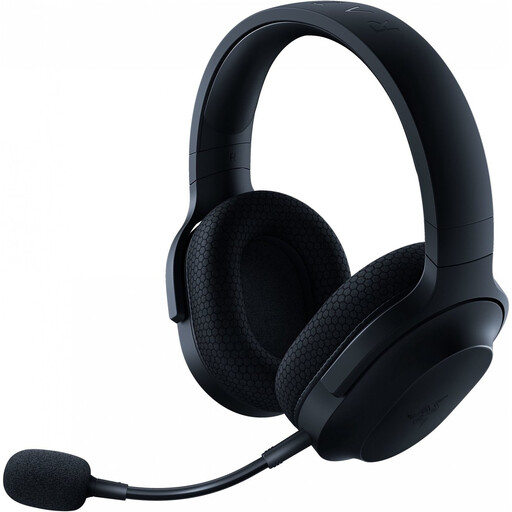
A wireless option to compare if you want to keep an audio cable off your small desk.
The product description lists 2.4GHz via a USB-C dongle and Bluetooth, a detachable microphone and 40mm drivers. It also mentions memory foam ear cushions and a stated weight of around 250 g. Check that the connection works with your device and remember to charge the headset.
 No image available
A wireless option to consider if you want to chat while gaming without an audio cable across your desk.
The product description lists a 2.4GHz USB receiver, Bluetooth, a detachable microphone and mute controls. It also mentions virtual 7.1 sound, but spatial audio depends in part on the platform and software. Check the connection and remember to charge the headset.
 No image available
A wired option to compare if you’re looking for a detachable microphone and several connection options.
The product information lists 3.5mm, USB-A and USB-C connections, 53mm drivers, DTS Spatial Audio and a detachable microphone. The headband and ear cushions are described as featuring memory foam; check that this version is compatible with your device.
No. A surround-sound label alone doesn’t prove that a headset sounds better. Check which audio features your game and platform support. On PS5, PlayStation offers headphone profiles for 3D audio, so you can compare the sound with stereo.
Check whether your PC has one combined 3.5mm port or two separate ports, and whether the right input device is selected. For the Arctis Nova 1, SteelSeries lists a Y-splitter with the PC version; for other versions, check which adapter is included.
Thuisarts also advises keeping the volume at a sensible level while gaming and using the volume limiter if one is available. This doesn’t establish a safe volume level for every device or gaming session.
According to ACM ConsuWijzer, online product purchases usually come with a statutory cooling-off period of up to 14 days after delivery, with some exceptions. There is no fixed time limit for the statutory guarantee in the Netherlands: the product’s expected lifespan and normal use are taken into account. Check the seller’s information about any exceptions to the returns policy.
Radio equipment placed on the EU market is covered by the Radio Equipment Directive, as described by the European Commission. This framework includes requirements for safety, electromagnetic compatibility and radio spectrum. A CE mark is the manufacturer’s declaration that the product complies with the applicable rules; it is not an independent quality mark. Check the product information for the exact version.