What should you look for when buying?
First assess the fit and in-game sound. Then choose the connection, platform features and microphone to suit how and where you play.
| What to consider |
What should you check? |
Who is this for? |
| Comfort throughout your session |
Check the adjustment range, space around your ears and how much pressure the headset applies. If you wear glasses, try it on with them too. Wear the headset for longer than a few minutes. |
If I play for hours, I don’t want to notice pressure or heat only after a while; around 36% of consumers prioritise wearing comfort. |
| In-game sound balance |
Read reviews of the specific model and check which platforms support any software features. |
I want to follow dialogue and ambient sounds in exploration games; around 29% of consumers give in-game sound top priority. |
| Connection and platform |
Check the full model name, console version, receiver and connections. Also check the conditions under which the stated battery life applies. |
If I want to play without a cable or switch between devices, the connection needs to work with my platform; around 21% of consumers prioritise wireless use or platform flexibility. |
| Microphone for voice chat |
Check whether the microphone can be muted or detached, and whether the voice features you want work on your platform. |
When I chat with other players, I want to be able to control the microphone easily; around 14% of consumers prioritise voice chat. |
Gaming headsets at Joybuy
This selection includes wired gaming headsets for different devices and a wireless Xbox version. Check that each model’s connection and platform version suit your gaming setup.
 No image available
Turtle Beach Recon 70, wired, white
A wired option for playing on PlayStation; the product name also lists PC, Switch 2 and Xbox Series X|S.
3.5 mm connection, 40 mm speakers, flip-to-mute microphone and jersey mesh ear cushions. Stated weight: 0.228 kg.
According to the product information, an adapter may be required for Xbox Series X|S.
View at Joybuy
 No image available
Turtle Beach Stealth 500, wireless Xbox version, black
A wireless option for Xbox; the product information also lists PC and Switch in docked mode.
Connects via a 2.4 GHz USB receiver or Bluetooth, with a flip-to-mute microphone. The description mentions a floating headband and memory foam ear cushions.
For wireless gaming over 2.4 GHz, you’ll need to use the USB receiver. For Switch, the description specifies use in docked mode.
View at Joybuy
 No image available
Turtle Beach Airlite Fit, wired, Blue/Red
A wired option for Switch, PC or mobile, according to the product information.
3.5 mm connection, 40 mm speakers, flip-to-mute microphone and mesh ear cushions. Stated weight: 0.228 kg.
View at Joybuy
 No image available
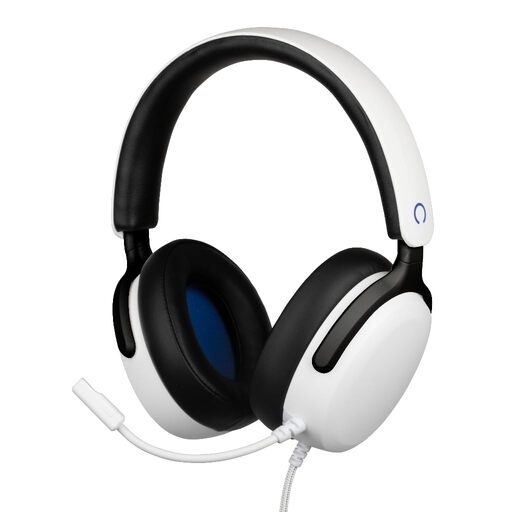
Konix Nexus, wired PS5 headset, white
A wired option for PS5 team chat, with a flexible microphone and volume control on the ear cup.
3.5 mm connection, 40 mm speakers, a 1.5 m cable and a flexible microphone. The description mentions soft ear cushions and an adjustable headband.
View at Joybuy
 No image available
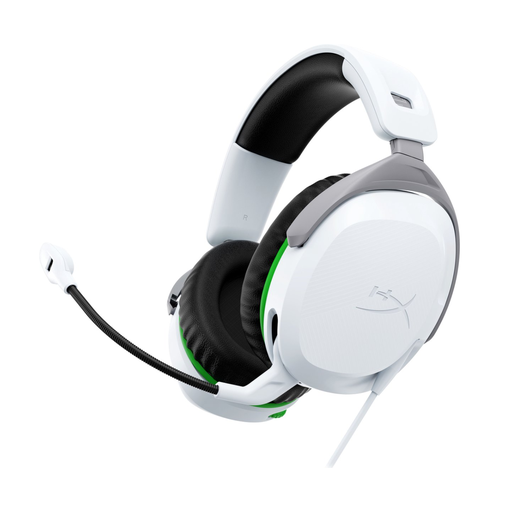
HyperX CloudX Stinger II, wired, white
A wired headset for Xbox One and Xbox Series X|S, connected via the controller’s 3.5 mm port.
50 mm drivers, a flip-to-mute microphone and ear cups that swivel 90°. Stated weight: 275 g; the description mentions memory foam ear cushions.
View at Joybuy
Frequently asked questions
Do you need to install anything special for surround sound on a gaming headset?
It depends on the model, platform and feature. Razer lists virtual 7.1 audio for the BlackShark V2 X on Windows 11 only, so don’t assume the same feature will work with every console or connection. Check the manual for the exact version.
How can you stop long gaming sessions from getting too loud?
Keep the volume low and take listening breaks. The World Health Organization explains that both volume and duration of exposure matter, and gives 80 dB for up to 40 hours a week as an example of safe listening. This is not a legal product threshold, and it doesn’t mean that a particular volume setting equals 80 dB.
Are you automatically entitled to a two-year statutory warranty in the Netherlands?
No, there is no fixed statutory warranty period in the Netherlands. According to the Dutch government, you are entitled to a product that works as it should for as long as you can reasonably expect; if there’s a fault, contact the seller.
Can you return a headset bought online if it doesn’t fit comfortably?
For a standard online consumer purchase from a business in the Netherlands, you’ll generally have a 14-day cooling-off period. Check the applicable terms beforehand; the Dutch government lists exceptions, including purchases from a private individual.
Which Dutch product rules apply to a wireless headset?
Wireless radio equipment sold in the Netherlands must meet European requirements, including the Radio Equipment Directive. The Dutch Authority for Digital Infrastructure explains the CE marking for equipment that meets the applicable requirements. These are obligations that apply when products are placed on the market, not a separate user permit for the buyer; the CE marking alone doesn’t confirm whether a specific model on offer meets every requirement.


