
Players who want to avoid charging
You want to hear dialogue without having to charge another device, and you can use a suitable wired audio connection.


If your gaming device has a compatible 3.5 mm jack, a wired headset is a practical choice if you don’t want another device to charge. Choose wireless if freedom of movement matters more, but check which connections are supported and where you can charge the headset first. For long story sessions, comfort matters too, as does whether you need a microphone.
You want to hear dialogue without having to charge another device, and you can use a suitable wired audio connection.
You listen or read for longer stretches and focus on adjustability, ear cushions and how the headset fits your head. Weight and materials alone won’t tell you how comfortable it will be for you.
You don’t want an audio cable getting in the way while you play, and you can charge the headset beforehand. Check that your device supports the wireless connection you plan to use.
Choose this if: your gaming device has a compatible 3.5 mm jack and you don’t want to charge a headset.
Bear in mind: the cable limits your freedom of movement, and the microphone will only work if your device supports it.
Choose this if: freedom of movement matters to you and your device supports the connection you’ve chosen.
Bear in mind: the battery needs charging, and a USB receiver may take up a port.
Start by checking your gaming device’s connections, then decide whether comfort, microphone use or freedom of movement matters most to you.
| What to consider | What should you look for? | Who is this important to? |
|---|---|---|
| No charging needed | Check whether your device has a compatible 3.5 mm jack and whether the microphone works with it. | I want to hear story dialogue without charging another device. Around 40% of consumers prioritise avoiding the need to charge. |
| Comfort during long sessions | Compare how adjustable the headset is and the material of the ear cushions; try it on yourself if possible. | If I’m reading or listening for a long time, I want a comfortable headset, not just a model with extra gaming features. Around 30% of consumers put wearing comfort first. |
| Connection and voice chat | Check your device’s audio and microphone connections, and whether your game uses spoken audio or chat. | I want to make sure the headset works with my gaming device and that I need a microphone for what I play. Around 20% of consumers start by checking compatibility. |
| Freedom of movement | Check which wireless connections are supported, how many USB ports are available and whether you can charge the headset. | I want to move around without an audio cable while I play, and I can plan for charging. Around 10% of consumers prioritise freedom of movement. |
A wireless headset needs a battery and may use a USB receiver. Those are exactly the kinds of ports that can be in short supply in your setup.
Before buying, check which wireless connections your device supports, how many USB ports are available and when you’ll be able to charge the headset.
You’ll need a way to charge it and, depending on the connection, possibly a free USB port.
The headset may not connect directly, or its microphone may not work as intended, if its connections aren’t compatible with your gaming device.
Check your device’s audio and microphone connections, and see which accessories are included with the headset.
Depending on your device, you may need an adapter or splitter.
If you mainly listen or read and don’t use voice chat, an advanced microphone may not be a priority. A stated weight also won’t tell you how the headset will fit your head.
Check whether your game uses spoken audio or chat, then weigh that up against the connection and fit.
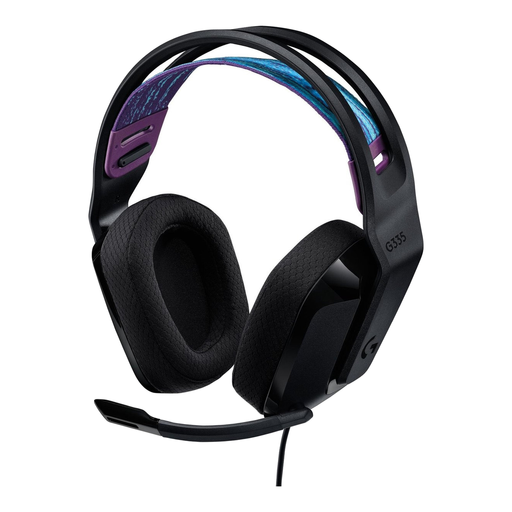
The G335 offers a wired 3.5 mm connection, while the G435 is a wireless option.
The Quantum 100M2 is a wired 3.5 mm option; the Quantum 360P Console Wireless is a wireless option for compatible devices.
The Arctis Nova 1 is a wired 3.5 mm option with adjustable fit and a retractable microphone.
The PlayStation version of the Cloud Stinger 2 is a wired option for a compatible PlayStation device.
These options are mainly wired headsets for compatible 3.5 mm connections. There’s also a wireless model for anyone who values freedom of movement.
 No image available
A wired option if your device has a compatible 3.5 mm jack.
The product description lists a detachable microphone, 50 mm drivers, soft ear cushions and a padded headband. The stated weight is 253 g.
The fixed cable limits your freedom of movement; check that the connection is compatible with your device.
 No image available
A wired 3.5 mm option if you don’t want to charge a headset and your gaming device has a compatible connection.
Logitech lists an adjustable headband and a weight of 240 g. The product description mentions a flip-to-mute microphone, volume controls and memory foam ear cushions.
The fixed cable limits your freedom of movement; check that your device supports microphone input.
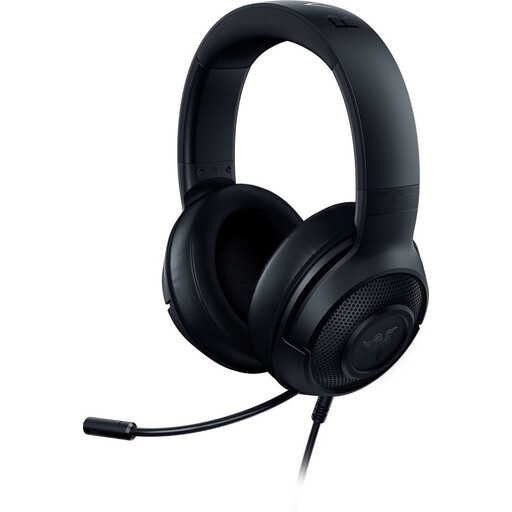 No image available
A wired option for a device with a compatible 3.5 mm jack.
The product description lists a bendable microphone, soft ear cushions, an adjustable headband and a weight of 230 g.
The fixed cable limits your freedom of movement; check that your device supports audio and microphone input.
 No image available
A wired option if your device supports one of the listed connections.
The product description lists 3.5 mm and USB connections, a detachable microphone, and memory foam in the headband and ear cushions.
Check which connection is suitable for your gaming device and whether it supports microphone input.
 No image available
A wireless option if you don’t want an audio cable while you play and your device supports the connection you’ve chosen.
The product description lists 2.4 GHz wireless, Bluetooth, a USB-A receiver and a USB-C charging cable. The built-in battery needs charging.
The 2.4 GHz connection uses a USB-A receiver; check which ports are available and how you can charge the headset.
Yes. Connect a compatible wired 3.5 mm headset to your gaming device’s audio jack and you won’t need to charge the headset separately. Do check that your device has the right connection and supports microphone input.
Check which connections your device supports and whether you’ll need a USB port for a receiver. Logitech lists LIGHTSPEED and Bluetooth for the G435; supported devices vary depending on the connection. Remember to factor in charging too.
Adjust the headband and ear cups properly, and consider how the materials feel to you. Logitech says the reversible headband on the G335 can be washed; follow the care instructions for other models.
According to the Dutch government, when you buy from a business at a distance, you generally have a 14-day cooling-off period, although there are exceptions. Also check the seller’s information about additional costs and warranty terms.
The Dutch government lists the take-back scheme for old electrical appliances as one option for consumers buying a similar device, including online purchases. Ask the seller how to arrange the return in practice.